How to use this device
64/96
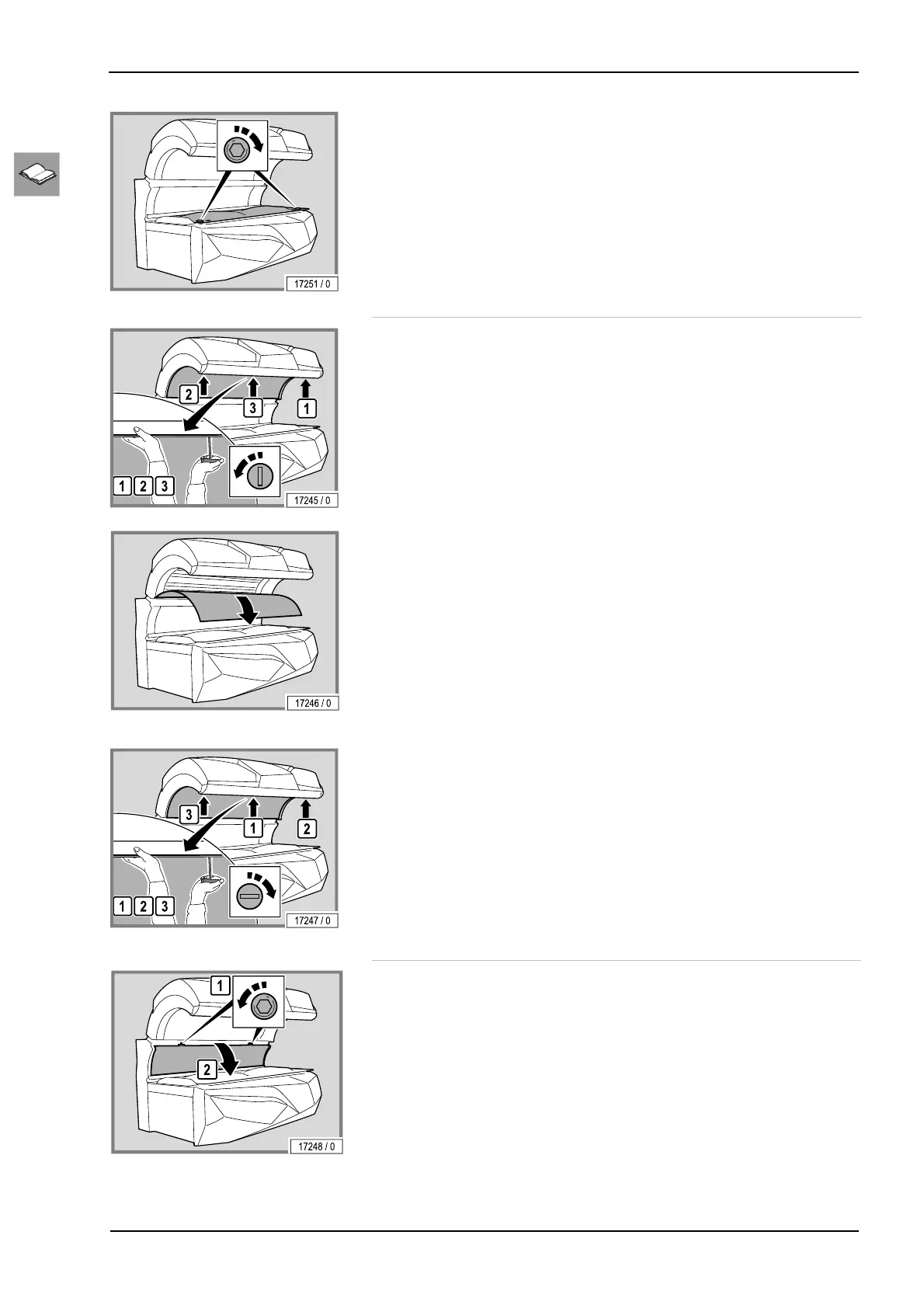
– Replace and retighten the screws.
Remove the canopy panel
– Turn the locks through 90°: first the outer locks, then the lock in the
middle.
– Support the canopy panel with one hand so that it does not fall down.
– Carefully lower the canopy panel.
The assembly is the same process in reverse order.
When assembling the device please note:
– Support the canopy panel with one hand so that it does not fall down.
– Re-lock the locks: first the lock in the middle, then the outer locks.
Remove the side section panel
– Turn the locks through 90°.




 To Next Page