How to use this device
74/96
12.16.12 Cleaning or replacing the front panel accent
lighting
Not applicable for this device.
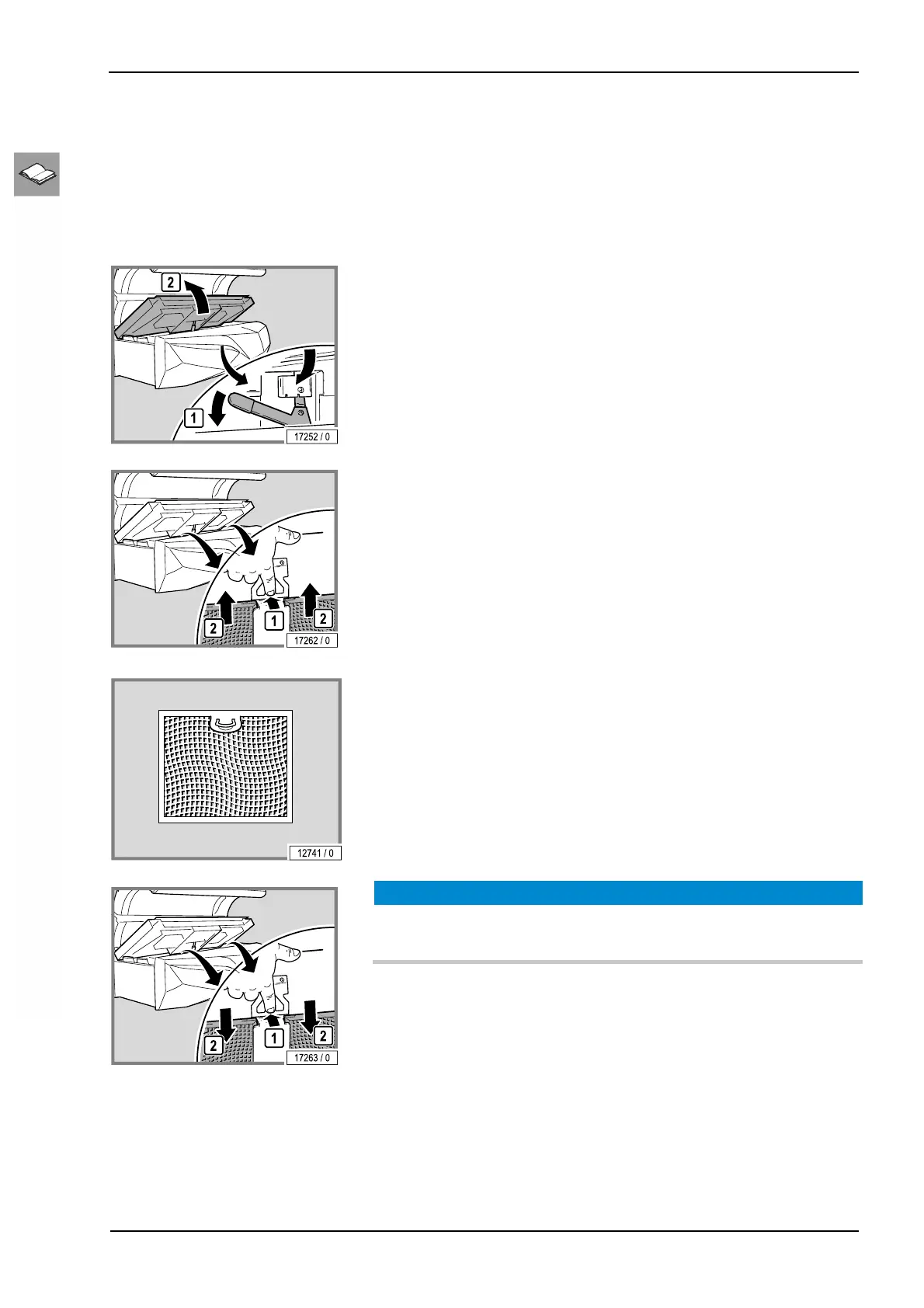
12.16.13 Cleaning the filters in the base
– Opening the bed base: see page 65.
– Remove the filters.
– Clean the filters wet or dry.
Dry cleaning: Vacuum cleaner (depending on the degree of soiling)
Wet cleaning: Use water and detergent or put in a dish-washer
NOTICE!
The device may be damaged by moisture!
The cleaned filters must be dry before they are replaced.
– Reinstall the cleaned and dried filters.
– Close the bed base. You should hear the bed base click into place.



 To Next Page