How to use this device
10/2020 1020217-00A Operating instructions – 63/96
12.16.3 Cleaning and maintenance work prepara-
tion
Service kit
Not applicable for this device.
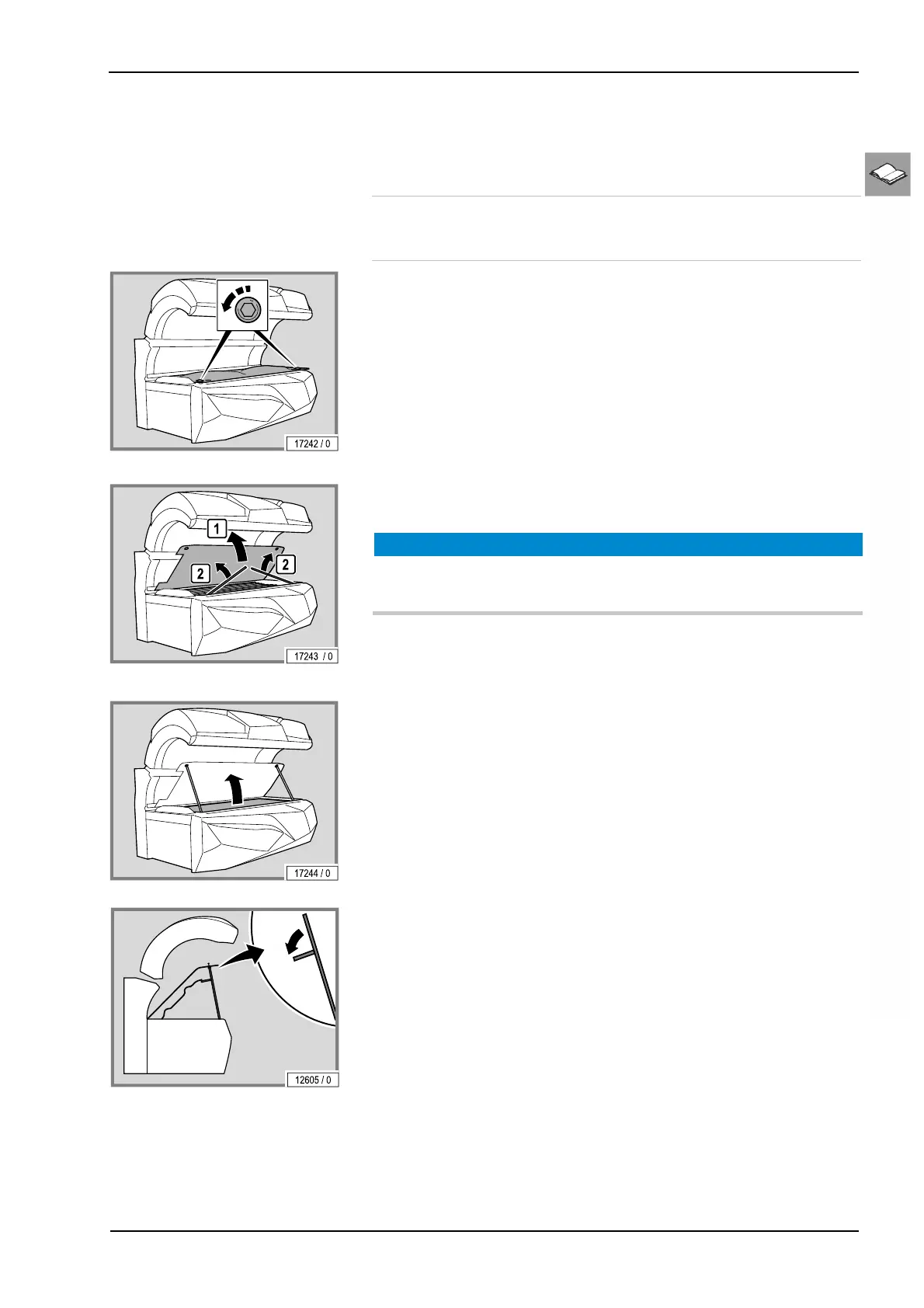
Lift up the acrylic panel and remove the partition
– Remove the screws.
– Lift up the acrylic panel.
– Lift up the supports and prop the acrylic panel on them.
NOTICE
Risk of scratching!
– Use the recesses provided on the acrylic panel.
– Lift up the partition (only for devices with an air conditioning unit).
– Fold out the supports.
– Prop the partition on the supports.
The assembly is the same process in reverse order.
When assembling the device please note:
– Remove fingerprints and other soiling carefully.



 To Next Page