18
GB
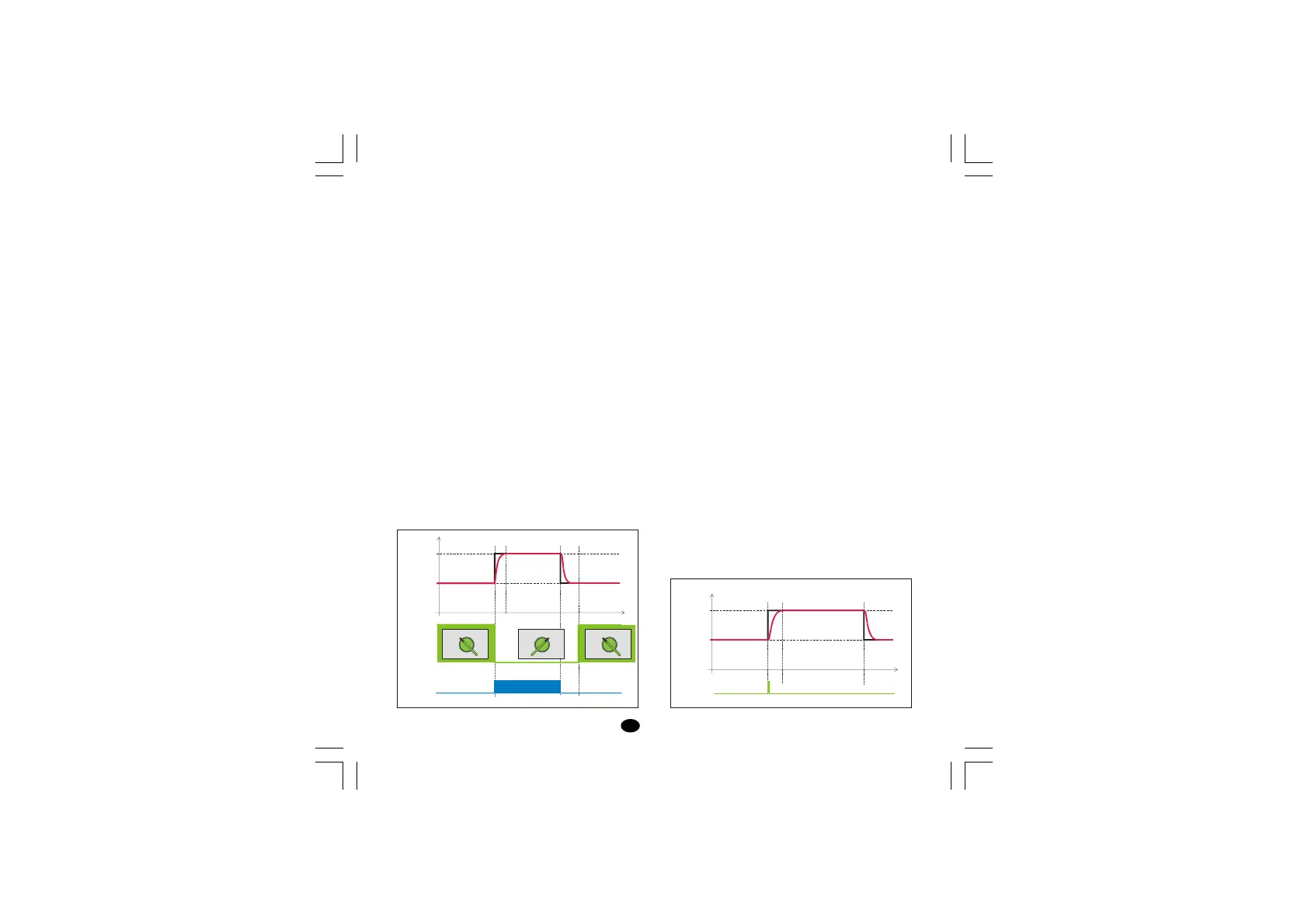
Timer mode 3 [P22=7]
When the contact is closed, the instrument
controls using SP as operative set point.
When the contact has been opened the instrument
operates as follows:
- it selects SP2 as operative set point
- it starts the time count down
- it energizes the Output 2
When the time count is equal to 0 the instrument
comes back to the SP set point and the output 2
will be reset.
LME display management: when the instrument
starts the time count down, the upper display
shows the measured value while the lower display
shows time count down.
LDE display management: when the instrument
starts the time count down, the display shows the
time count down.
Pushing ▲ pushbutton it is possible to display the
measured value.
NOTE: for both instruments, when the time is
finished the instrument comes back to the normal
display mode.
Timer mode 4 [P22=8]
The instrument operates using SP set point and
the timer is normally reset.
When the instrument detects the transfer from
contact open to close it selects SP2 as operative
set point and starts the time count down.
When the time count is equal to 0 the instrument
comes back to the SP set point.
LME display management: when the instrument
starts the time count down, the upper display
shows the measured value while the lower display
shows time count down.
LDE display management: when the instrument
starts the time count down, the display shows the
time count down.
Pushing ▲ pushbutton it is possible to display the
measured value.
NOTE: for both instruments, when the time is
finished the instrument comes back to the normal
display mode.
SP2
SP
Time
Output 2
OFF
ON OFF
Contact
Closed Open Open
Closed
Paint Dry Paint Dry Paint Dry
ClosedOpen
SP2
SP
Open Open
Time
Logic input
lxe-1-B00.p65 10/18/02, 3:47 PM18



 To Next Page