20
GB
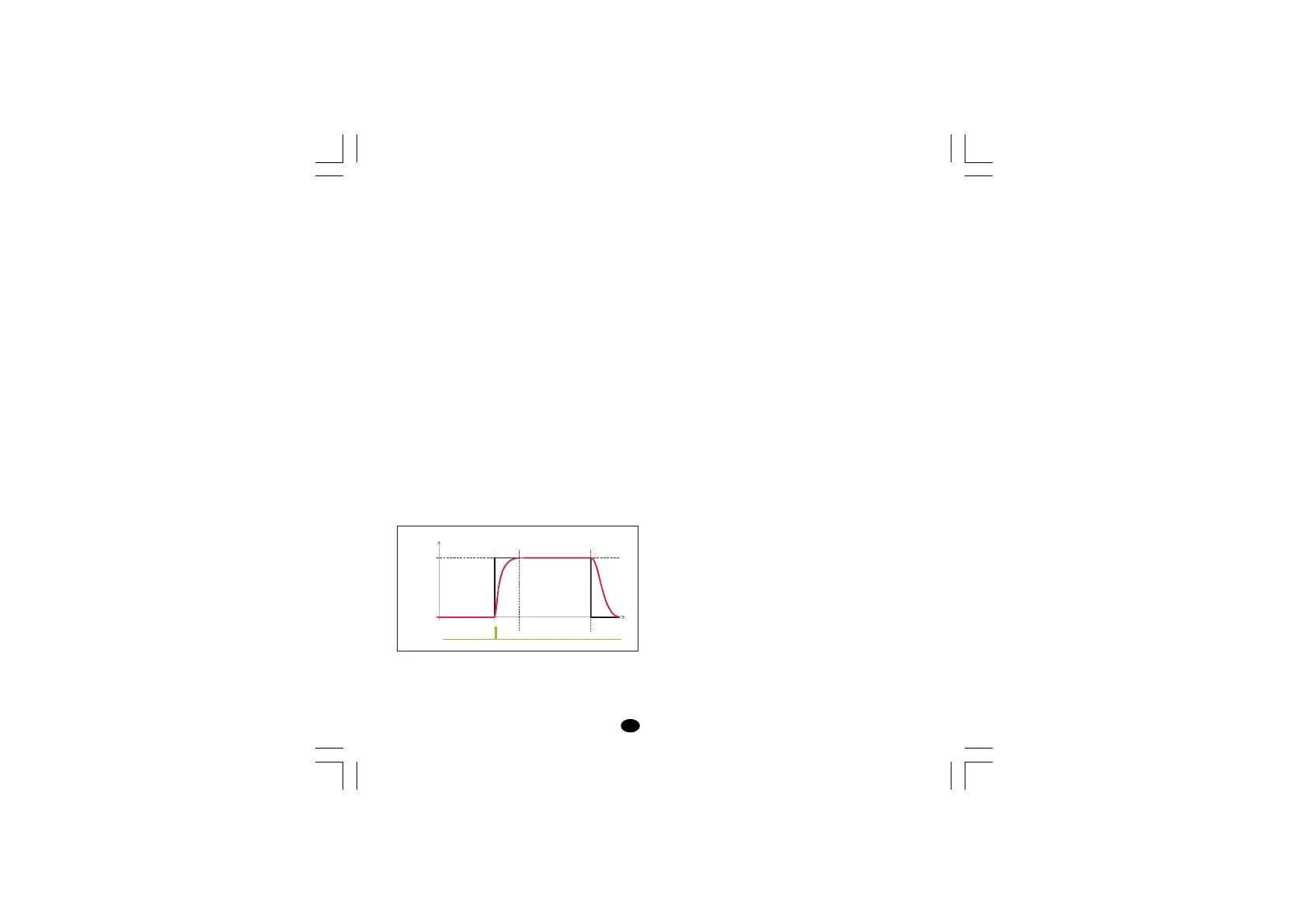
Timer mode 7 [P22=11]
The instrument starts in "Power OFF" mode and it
remains in "Power OFF" mode until a transfer from
open to close of the logic input is detected.
When the instrument detects this transfer, it starts
the control using SP set point and starts the time
count down.
When the time count is equal to 0 the instrument
comes back to the "Power OFF" mode .
LME display management: when the instrument
starts the time count down, the upper display
shows the measured value while the lower display
shows time count down.
LDE display management: when the instrument
starts the time count down, the display shows the
time count down.
Pushing ▲ pushbutton, it is possible to display the
measured value.
NOTE: for both instruments, when the time is
finished the instrument comes back to the usual
display of the Power OFF mode.
5.8 MANUAL RESET OF THE ALARM
If the alarm has been configured as a latched
alarm, the alarm status persists even after the
alarm condition disappears.
To reset the alarm, press the FUNC pushbutton to
select the parameter “
n.rSn.rS
n.rSn.rS
n.rS” (the display will show
“
n.rSn.rS
n.rSn.rS
n.rS” and “
OFFOFF
OFFOFF
OFF”. Use the s and t pushbuttons to
select “
ONON
ONON
ON” and press the FUNC pushbutton.
The alarm reset action will only be successful if
the alarm condition has disappeared only.
SP
Time
Output
Power
OFF
Output
Power
OFF
ClosedOpen Open Open
Contact
lxe-1-B00.p65 10/18/02, 3:47 PM20



 To Next Page