-- 2 8 --
fzb2d3ea
10.2 Using the keys
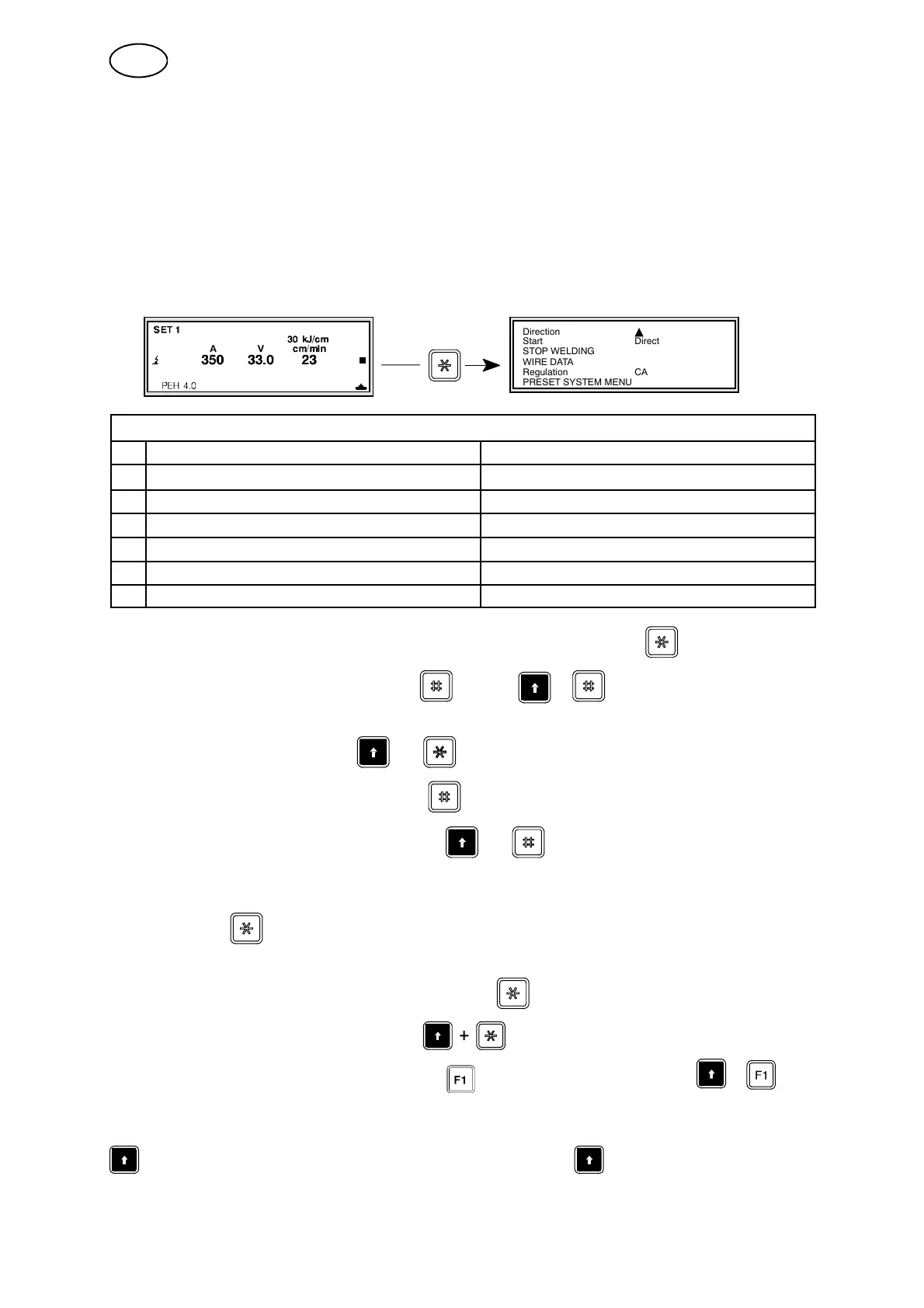
To explain how to use the keys the WELDING SETUP menu has been used as an
example. Note that the keys are used in the same way in all of the menus.
For a detailed description of the MAIN MENU and the WELDING SETUP, read the
instruction manual for PEH (0443 745 xxx).
S Switch from the MAIN MENU to WELDING SETUP.
Direction Y
Start Direct
STOP WELDING
WIRE DATA
Regulation CA
PRESET SYSTEM MENU
WELDING SETUP
A B
1 Direction
Y, J
2 Start Direct, Scratch
3 STOP WELDING
4 WIRE DATA
5 Regulation CA, CW
6 PRESET SYSTEM MENU
S To change a setting, move from Column A to Column B with .
S Find the required alternative with or with + .
Note that for certain rows you have to enter your own values.
S Return to Column A with
+
.
S Move forward to the next row with .
S Move back to the previous row with
+
.
(This also provides a direct move from row 1 to row 6.)
S To reach the respective sub--menus on rows 3, 4 and 6 select the required menu
and press .
N.B. If the PRESET SYSTEM MENU is password--protected, enter the password
while the menu is selected and then press .
S Return to the previous menu with .
Jump forward a whole page by pressing and jump backwards with
+
.
Explanation of symb o ls:
shown in combination with another key means that must be pressed fir st,
and then held while the second key is pressed.
GB



 To Next Page