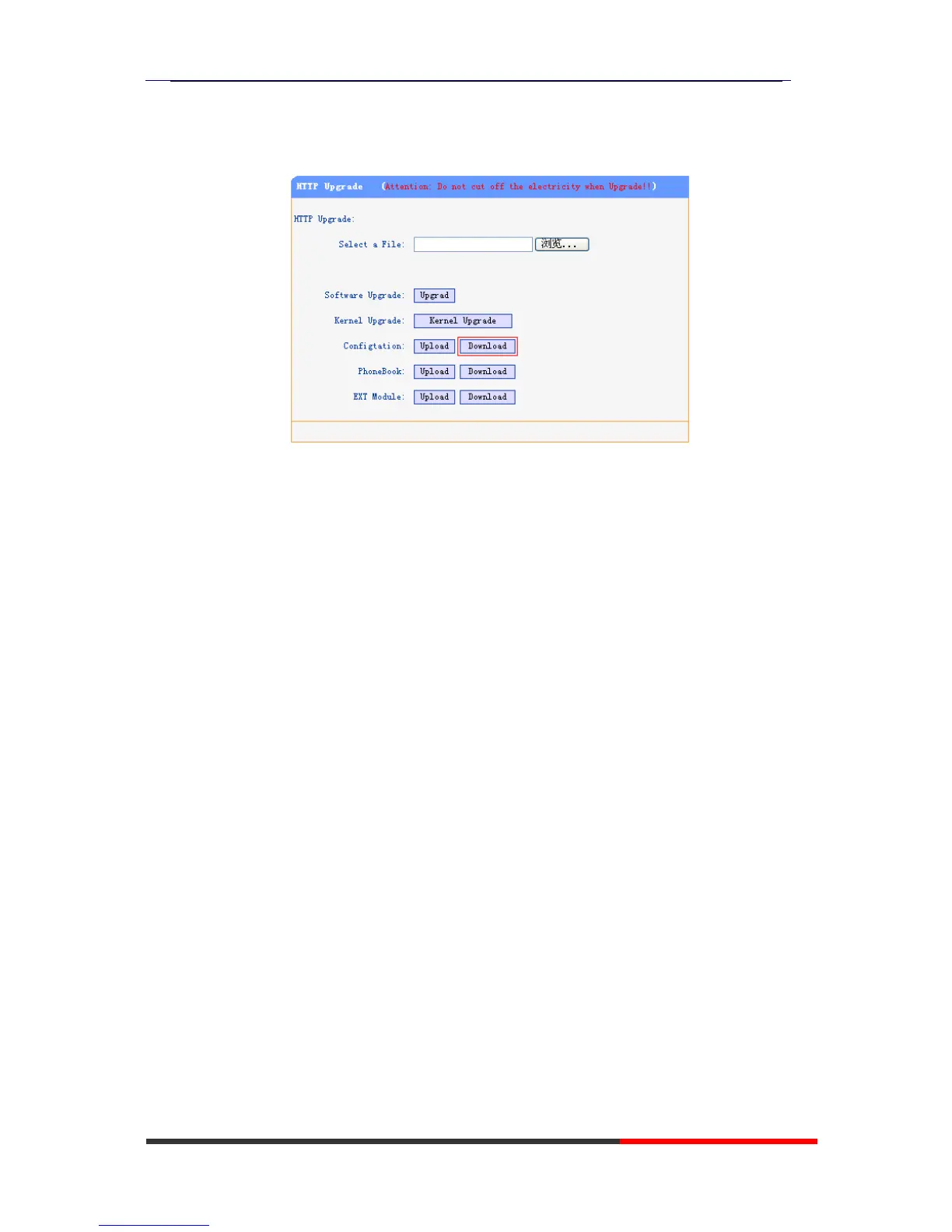
1. Open the web page of your IP phone, click “Phone Maintenance”>“HTTP
Upgrade”;
2. Then click “Download” of Configuration:
3. If you want to use this file to auto-provision, you just need to modify it by
yourself and rename it to the MAC address of your IP Phone with .xml suffix.
Extern.xml file on TFTP/HTTP/HTTPS/FTP Server
The Extern.xml includes the settings of programmable buttons on the phone
and all Expansion Modules. All the phones can download the settings from a
same file and they will have the same settings (for example, Speed-dial, BLF
and so on).
*You can’t rename the file on the provisioning server. The file name is fixed
to Account1_Extern.xml.(Account1 is the first account you register)
Phonebook on TFTP/HTTP/HTTPS/FTP Server
Escene IP phone supports Enterprise Phonebook and Personal Phonebook.
Enterprise Phonebook:
Enterprise Phonebook is used for all staffs in your office. All phones will
download a common phonebook for all staffs. The file’s name must be
Enterprise_Phonebook.xml
on your provisioning server and you can not
rename it.
Personal Phonebook:
Personal Phonebook is individual for each IP phone. The file on your
provisioning server is named by the first account of your IP phone. If the IP
phone’s first account is 1287, the Personal Phonebook of this phone is
1287_Phonebook.xml
.



 To Next Page