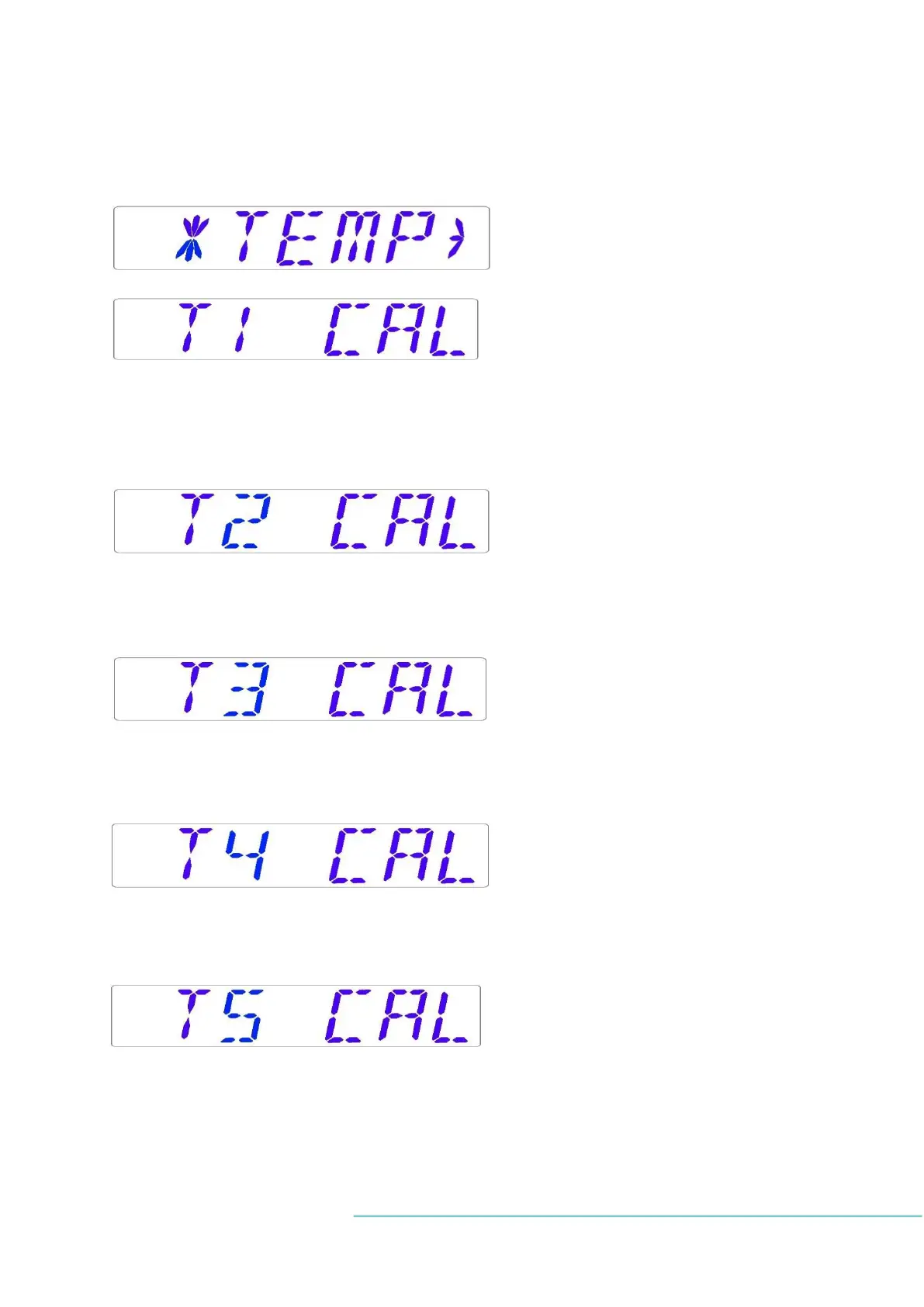
13.3.3 Temperature sub-menu
Choose the RIGHT arrow key under Temp to enter the temperature sub-menu:
Calibrate holding down the SP key; use UP and DOWN arrow keys to adjust:
Move to the next sub-menu item with DOWN arrow key or one step up with UP arrow key.
Calibrate holding down the SP key; use UP and DOWN arrow keys to adjust. Move to the next
sub-menu item with DOWN arrow key or one step up with UP arrow key.
Calibrate holding down the SP key; use UP and DOWN arrow keys to adjust. Move to the
next sub-menu item with DOWN arrow key or one step up with UP arrow key.
Calibrate holding down the SP key; use UP and DOWN arrow keys to adjust. Move to the
next sub-menu item with DOWN arrow key or one step up with UP arrow key.
Calibrate holding down the SP key; use UP and DOWN arrow keys to adjust. Move to the
next sub-menu item with DOWN arrow key or one step up with UP arrow key.


 To Next Page