7. Wipe all internal surfaces and the top of the lid with three wipes at least. Repeat until
the wipes are not discolored.
8. Change your gloves and after a 10-minute contact time, spray sterile water and wipe
with a sterile wipe (Gamma Wipe
®
300).
9. Inspect the device – if it is visually clean, consider it ready for use. If the device is
visually not clean, go to step 3 and repeat the procedure.
10. Turn on the device (rear panel).
19 Heat optimization plates
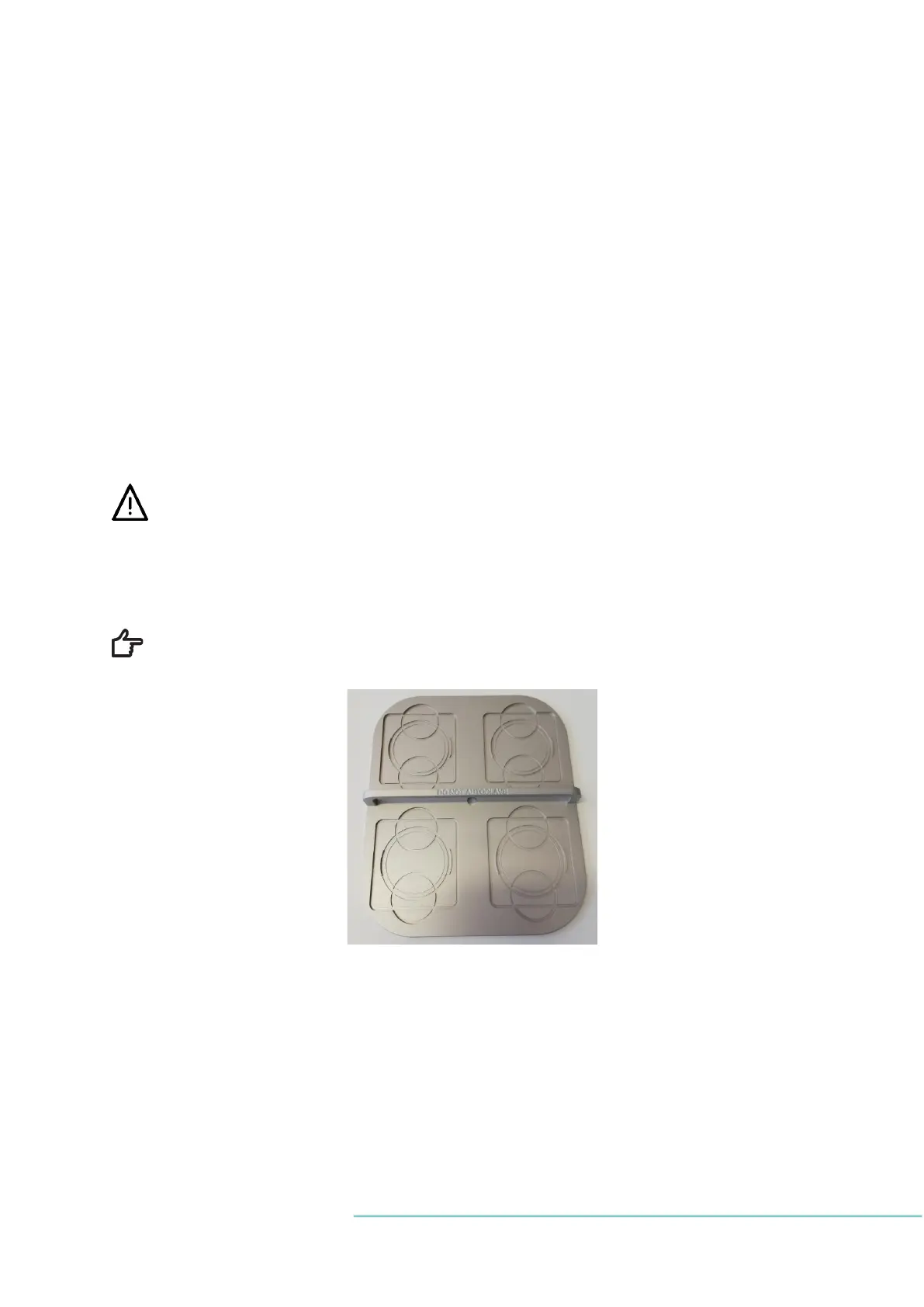
The carry tray heat optimization plate will guarantee full contact with the dish. This gener-
ally ensures much more stable temperature conditions for cells. The plate fits in the area
under the gas hood. The plate can be taken out for cleaning and serves as a convenient way
to carry several dishes between the CO
2
incubator and the ART workstation.
Do not autoclave the carry tray. This will damage the tray, as the high tempera-
ture will make it bend out of shape.
Place the dish where it fits the pattern. There are carry trays for Nunc
®
and Falcon
®
dishes.
Use only the correct type of carry trays for your dishes.
Figure 19.1 Carry tray
20 Humidification
Use of humidification system in MAW
®
is optional and it is up to user to decide, if it is nec-
essary in each case.
21 Temperature validation
MAW, Multi-zone ART Workstation
®
is equipped with five PT-1000 Class B sensors.


 To Next Page