EasyManua.ls Logo

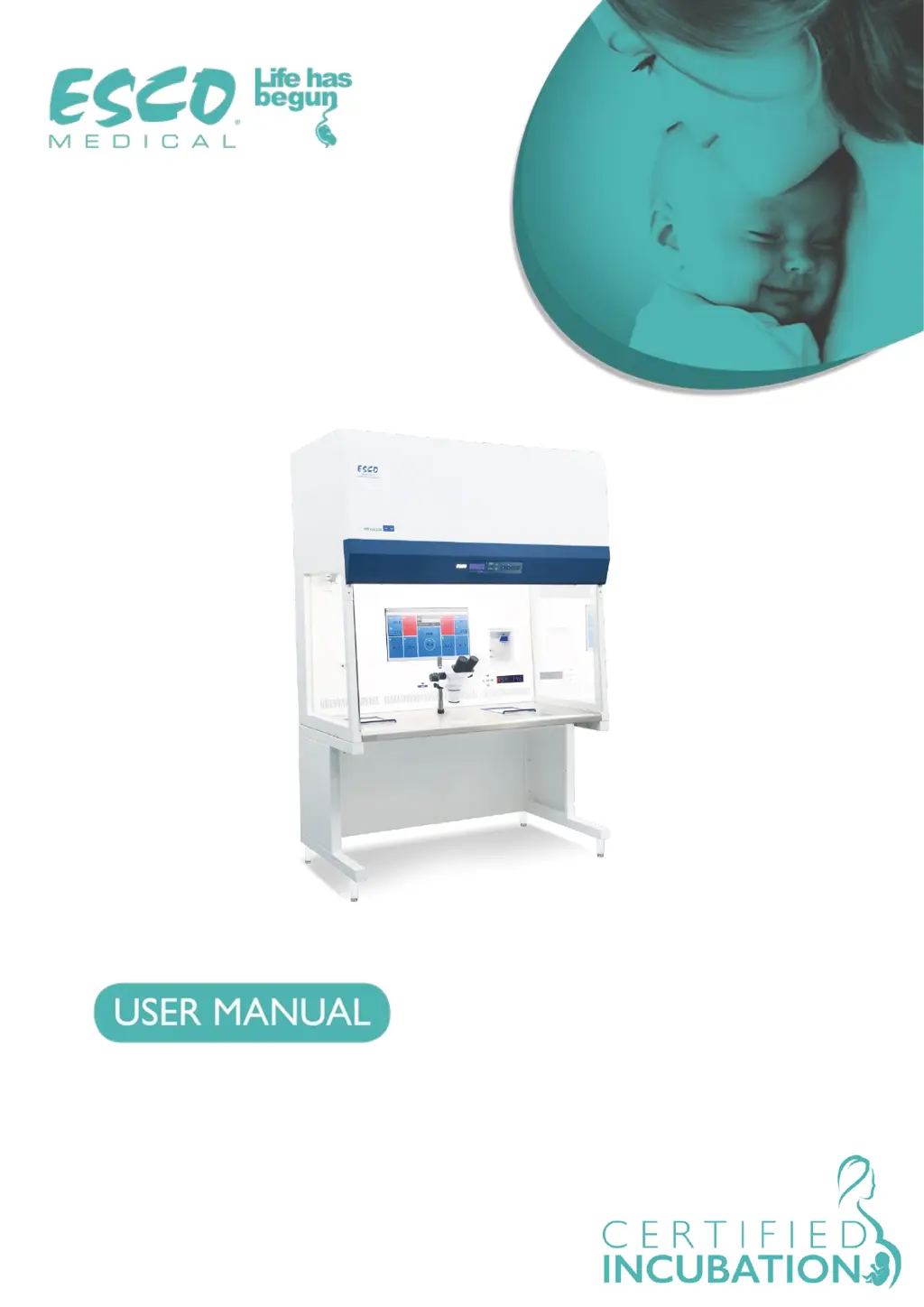
Esco Multi-zone ART Workstation - User Manual

Esco Multi-zone ART Workstation
51 pages
Print Icon
To Next Page IconTo Next Page
Loading...
Rev. 3.0
Date of revised 22.04.2020
Rx only
Multi-zone ART Workstation
®

Questions and Answers

  • D
    daniellesimsAug 4, 2025
    How to fix Esco Multi-zone ART Workstation Medical Equipment when there is no heating and the display is off?
    • C
      Catherine AshleyAug 4, 2025
      If your Esco Medical Equipment shows no heating and the display is off, the unit might be switched off at the back or not properly connected to the power source. Ensure the device is switched on and securely connected to a power source.
  • C
    Craig RollinsAug 14, 2025
    What to do if Esco Medical Equipment sends no data to PC?
    • L
      Louis OdonnellAug 14, 2025
      If your Esco Medical Equipment isn't sending data to your PC, consider these potential causes: the system might not be powered, it could be on standby or switched off, or the data cable might not be properly attached. First, check the power mains to ensure the system is receiving power. Next, verify that the system is switched on and not in standby mode. Finally, inspect the data cable connection between the incubator and the PC, ensuring it's securely attached. Use only the cable supplied with the unit.
  • T
    Thomas HicksAug 25, 2025
    What to do if ‘CO2 P’ is shown on the display of Esco Multi-zone ART Workstation Medical Equipment?
    • J
      Jessica HernandezAug 26, 2025
      If ‘CO2 P’ is displayed on your Esco Medical Equipment, it indicates there may be no or wrong CO gas pressure in the system. Check the CO gas supply and ensure the pressure is stable at 0.6 bar (8.70 PSI).

Summary

Unpacking and Inspection

Claims

Standard Terms and Conditions

Refunds & Credits

Details eligibility for partial refunds and credits for serialized products and accessories.

Return Procedure

Outlines the process for returning products, including RMA number requirements.

Restocking Charges

Specifies restocking fees for returned products and additional charges for damage.

Certification

Warranty and Product Support

Warranty Disclaimer

How to Use This Manual

Safety Warnings

Indication for Use

Product Overview

Transport, Storage, and Disposal

Transport

Describes packaging and inspection procedures for shipping the device.

Storage Conditions

Specifies environmental conditions and duration for storing the unit.

Disposal Procedures

Guidelines for discarding the unit and its components, including decontamination.

Accessories Supplied

Manuals Supplied

User Manual

Provides essential information for using the device, not a substitute for training.

Validation Manual

Details procedures for installation and validation testing for safe clinical use.

Maintenance Manual

Outlines schedules and methods for optimal and safe device operation.

Safety Symbols and Labels

Important Safety Instructions

Before Installation

Critical steps and precautions to take before installing the equipment.

During Installation

Essential guidelines for safe and proper installation of the workstation.

Post Installation

Procedures and recommendations after the workstation has been installed.

Getting Started

Mains Connection

Gas Connection and Humidification

MAW Without Compartments

Describes gas flow for models without internal compartments.

MAW With Compartments

Explains gas flow and circuits within compartments for models with them.

MAW With Compartments and Gas Mixer

Details gas flow and control for models featuring compartments and a gas mixer.

User Interface

Activating Heat and Gas Flow Controls

Instructions on how to activate and use the heat and gas flow controls.

Temperature Settings Sub-menu

Details on accessing and adjusting temperature settings within the sub-menu.

Gas Flow Setpoint Adjustment

Explains how to adjust the gas flow setpoint using the interface.

Heat Mode Selection

Guide to selecting and operating different heating modes for the table plate zones.

Surface Temperature Control

Information on the PID controllers for individual zone temperature management.

Menu Options and Navigation

Overview of accessing and navigating through the main and sub-menus.

Temperature Calibration

Steps for calibrating individual temperature zones (T1-T12) via the menu.

CO2 and O2 Sub-menu Operations

Procedures for managing CO2 and O2 sensors and flow within their respective sub-menus.

Service Sub-menu Access

Information on accessing the service sub-menu, which is locked by default.

Alarms

Temperature Alarms

Describes conditions that trigger temperature alarms and their display.

Gas Pressure Alarms

Explains alarms related to incorrect CO2 gas pressure and their indication.

Multiple Alarms

How the system indicates and displays when multiple alarms are active concurrently.

Changing Setpoints

Firmware Management

Laminar Flow Operation

Cleaning and Disinfection

Sterile Device Considerations

Clarifies that the device is not sterile and discusses design for cleanliness.

Recommended Cleaning Procedure

Provides step-by-step instructions for periodic cleaning of the workstation.

Recommended Disinfection Procedure

Outlines the recommended steps for disinfecting the workstation.

Heat Optimization Plates

Humidification System

Temperature Validation

All-in-one PC and Data Logger

Data Logger Software Interface

Overview of the workstation logger software, main view, and zone operation mode.

Maintenance Requirements

Emergency Procedures

User Troubleshooting Guide

Technical Specifications

Electromagnetic Compatibility (EMC)

Electromagnetic Emissions

Manufacturer's declaration regarding the electromagnetic emissions of the workstation.

Electromagnetic Immunity

Manufacturer's declaration concerning the workstation's immunity to electromagnetic interference.

Recommended Separation Distances

Guidelines for maintaining safe distances from RF communication equipment.

Esco Multi-zone ART Workstation Specifications

General IconGeneral
BrandEsco
ModelMulti-zone ART Workstation
CategoryMedical Equipment
LanguageEnglish