IP Camera (C5900) User Manual
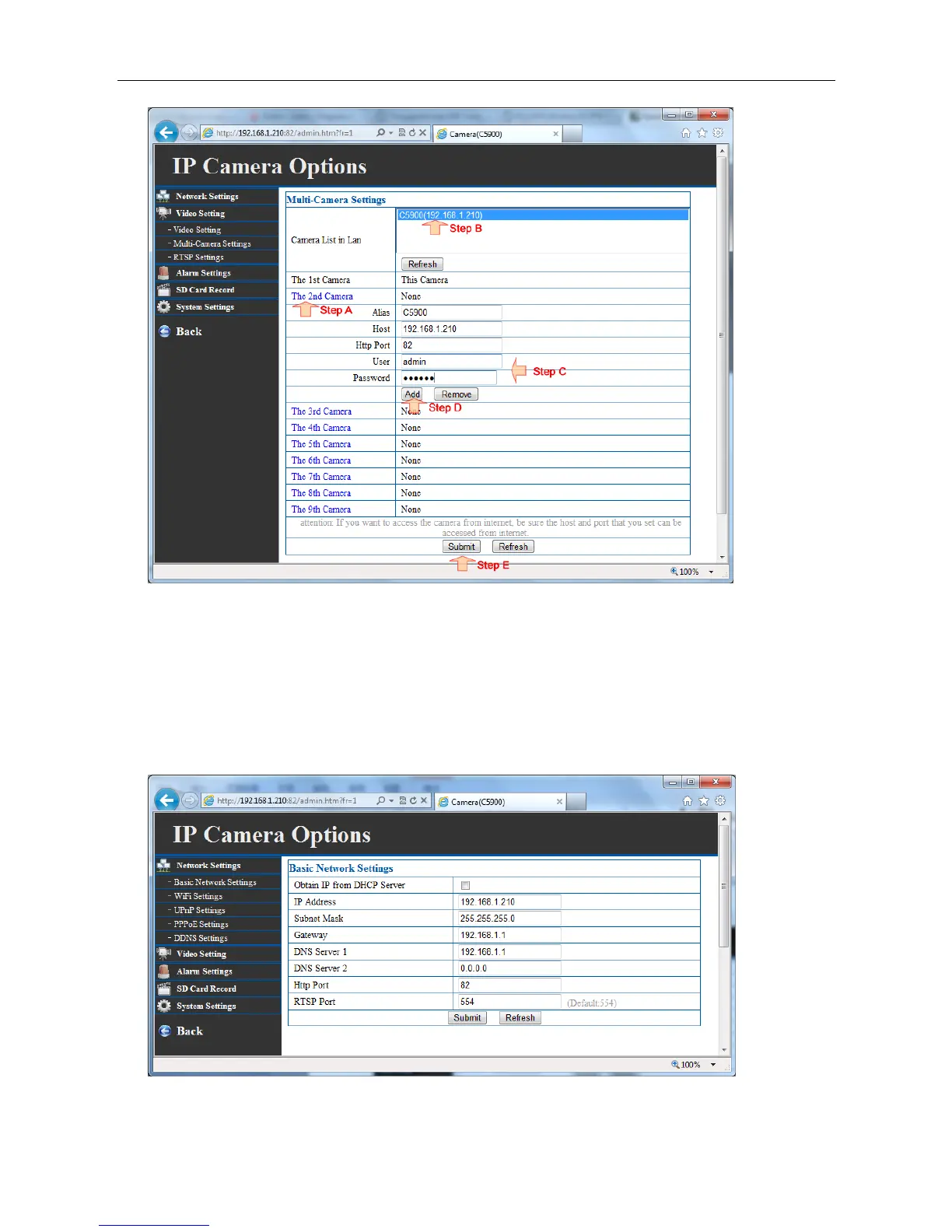
Tips: Using “IP Camera wizard” to copy the ‘alias’ , ’host’, ‘http port” would make the adding process
more convenient
4.7 Basic network settings
Set the IP camera's IP Address, sub mask address, gateway, DNS server, HTTP port.
-
DHCP: If you select this option the camera will be assigned an IP address from the DHCP server



 To Next Page