IP Camera (C5900) User Manual
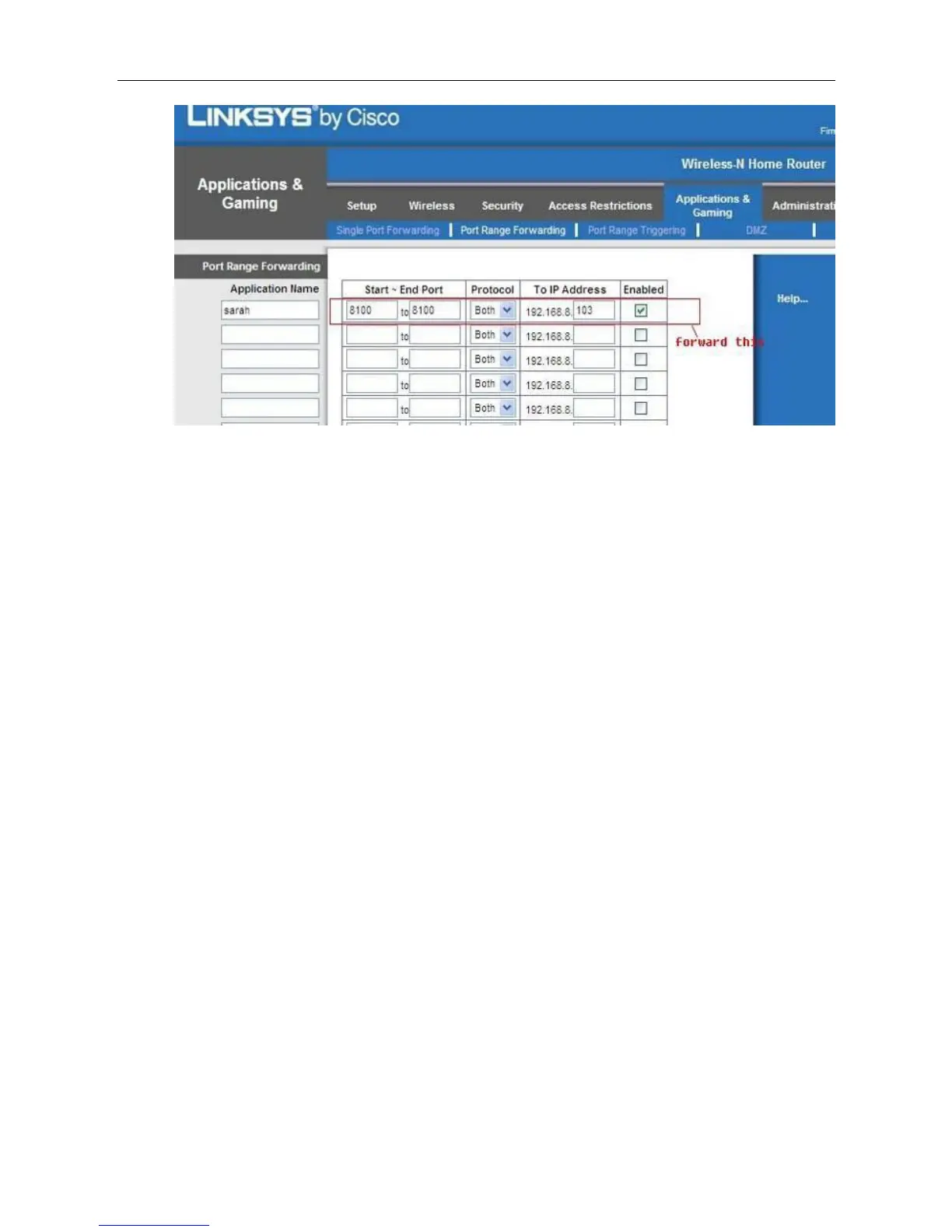
Figure 3.7.2-2
Please do not forget to save these settings when you finish them.
Common router default visit address
1. DLINK router default address is 192.168.0.1
2. Linksys router default address is 192.168.1.1
3. 3com router default address is 192.168.2.1
4. Microsoft router default address is 192.168.2.1
5. Net gear router default address is 192.168.1.1
6. Asus router default address is 192.168.1.1
7. Cisco router default address is 192.168.1.1
3.8 log in your camera via mobile device
The smart phones are the mobile phones with operating system, such as Windows Mobile, Symbian,
Android and IOS. Due to their powerful function, the web page browser of such phones usually
supports JavaScript. Therefore, we can also view cameras from smart phones.
First of all, your mobile phone must have WiFi access if you use it in only WiFi, or Internet access if
you want to use it in Internet.
Use the browser on the phone to visit the address of the IP camera, e.g. http://demo.ipcam.so (“demo”
is the Serial No. Each device has only one Serial No)
Next, taking the Opera mini 4 Version on Windows Mobile as an example, we are going to elaborate
the whole procedure.



 To Next Page