IP Camera (C5900) User Manual
Equipment Tree: a tree list of all the devices. Support multi-level structure, users can connect or
disconnect the devices in the group, also, users can double click a device to connect it and see the
video in the display area, or click the right mouse button to modify the settings.
Display Control Panel: Users can choose to display one video or 4, 9, 16, 25, 36, 64, 81 videos, full
screen display is available.
PTZ Control Panel: Buttons for controlling PTZ, for details, please refer to PTZ control
Main menu: Connect or disconnect all devices, history manager, system setup, and other function, if
you cancel Display Video option, the video display area will not show live videos, but still have alarm
and record function. If the PC is not potent enough, especially with on-board video chips, you should
cancel it to ensure a smooth operation.
6.4 PTZ Control
Camera can be controlled by the buttons in PTZ control area.
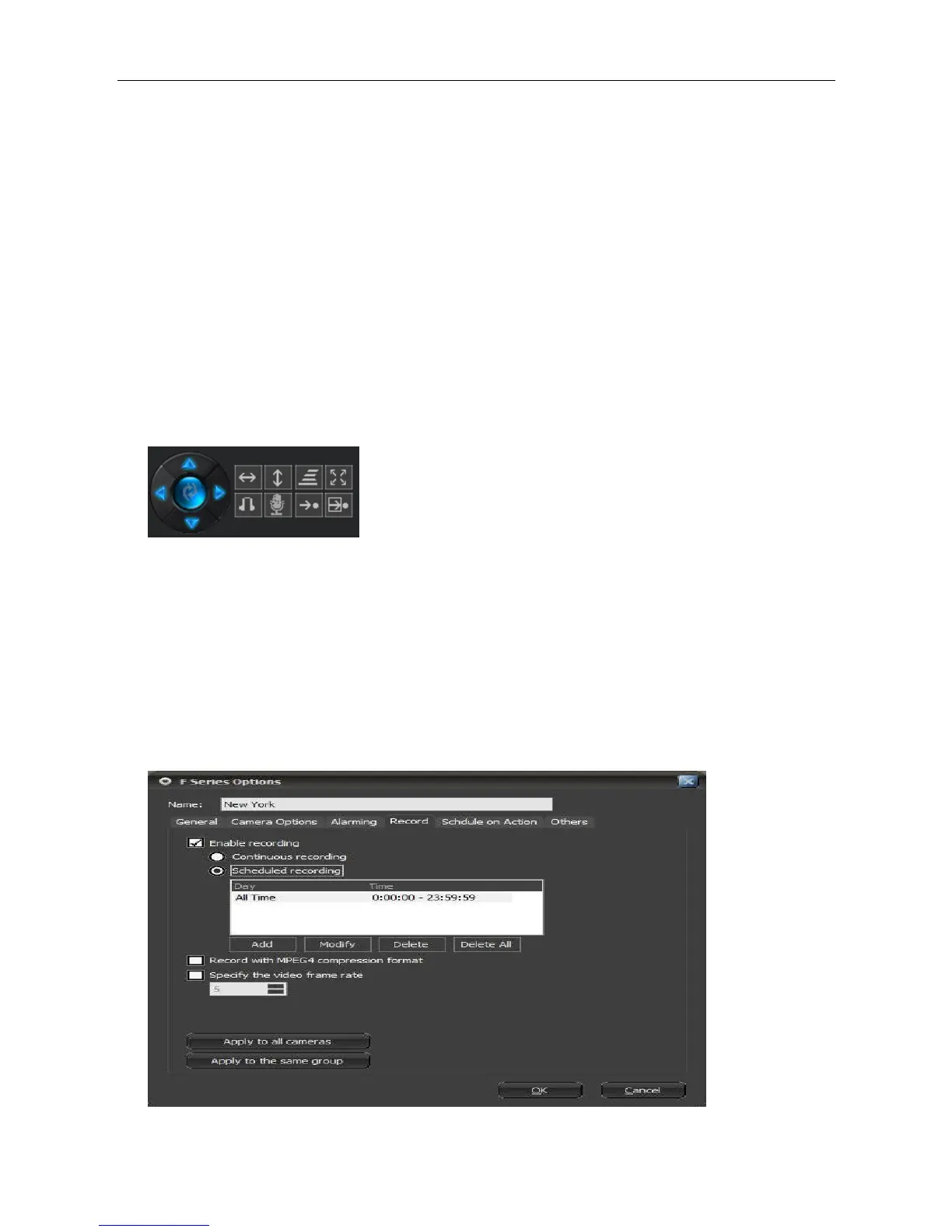
6.5 Video Record
Video record function is a basic function of this software, continuous, scheduled and alarm record are
supported. In schedule record option, users can set specified date and time. Records will be saved in
a hard disk or several disks, and will automatically cover the earliest data when the disks are full. For
the F series models, the client software can compress the data into MPEG4 format in order to save
storage space.
To set record function, please right-click the displayed video to get the option.



 To Next Page