IP Camera (C5900) User Manual
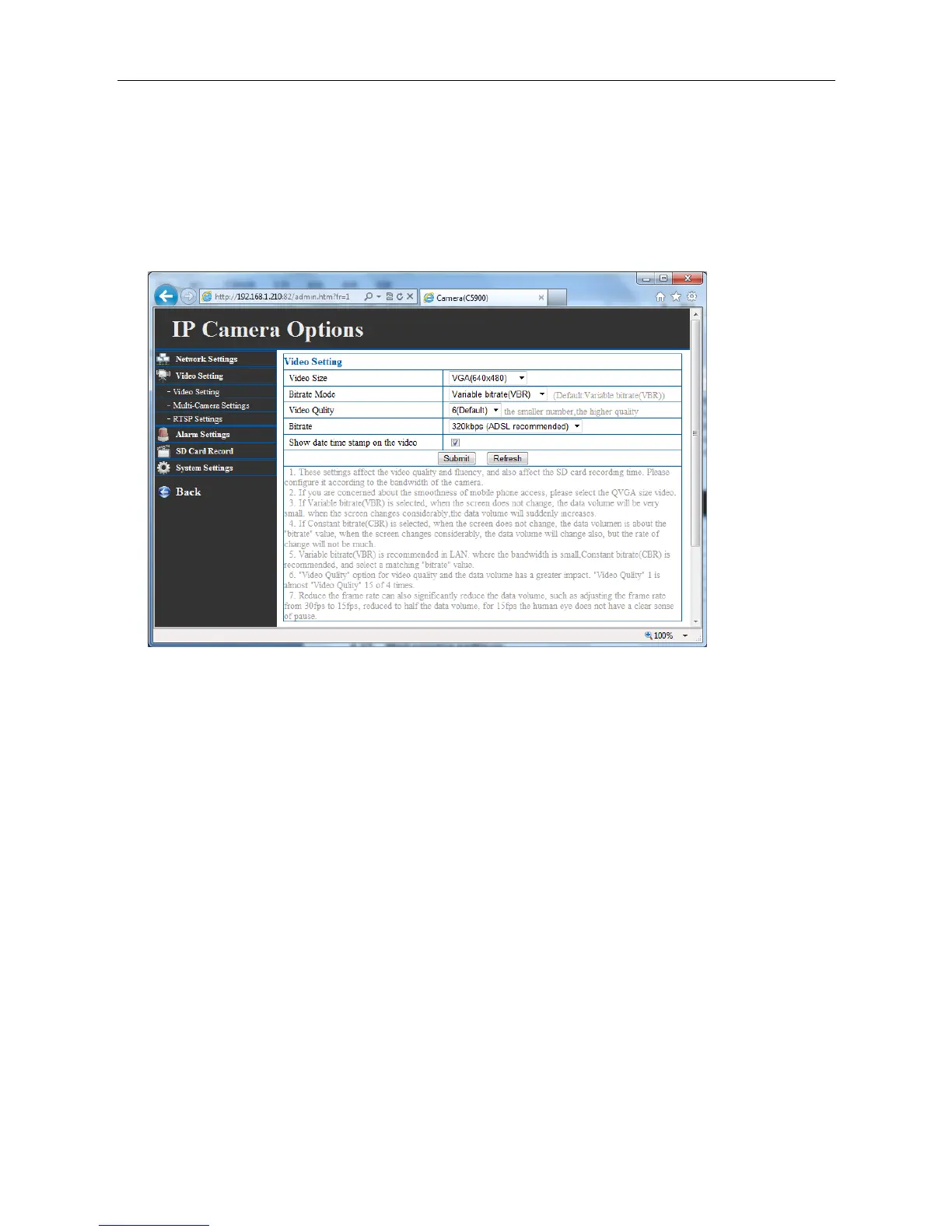
transmission rate of greater than 20 image frames per second. If the broadband network is over 1
Mbps, set the “Video Quality” between 1 to 3. The maximum frame rate is 30. If your network
bandwidth is more than 512Kbps, you can fix “Video Quality” to 6 according to your bandwidth and set
the maximum frame rate to 30 fps. If the images vary dramatically in your environment, you may want
to slow the frame rate down to 20 fps in order to lower the rate of data transmission. This allows for
better video quality and the human eyes cannot readily detect the differences between those of 20, 25,
or 30 frames per second.
4.13 Mail service settings
Mail server is mainly used to make email notification in case of alarming
Sender: the email address of the sender.
Receiver: The email address of the recipients for snapshots or log file.
SMTP Server: The domain name or IP address of the external email server.
SMTP user: This granted user name on the external email server.
Password: This granted password on the external email server.
SMTP port: server port of the sender, generally, 25.
Need Authentication: Most of e-mails need to authorization before sending emails via SMTP.
Tick here and input the email address of sender and password as requested.
Test: Test if the email settings are alright.
Note: You need to configure the gateway and DNS server of basic network settings correctly.



 To Next Page