Platinous User’s Manual 57
Operation
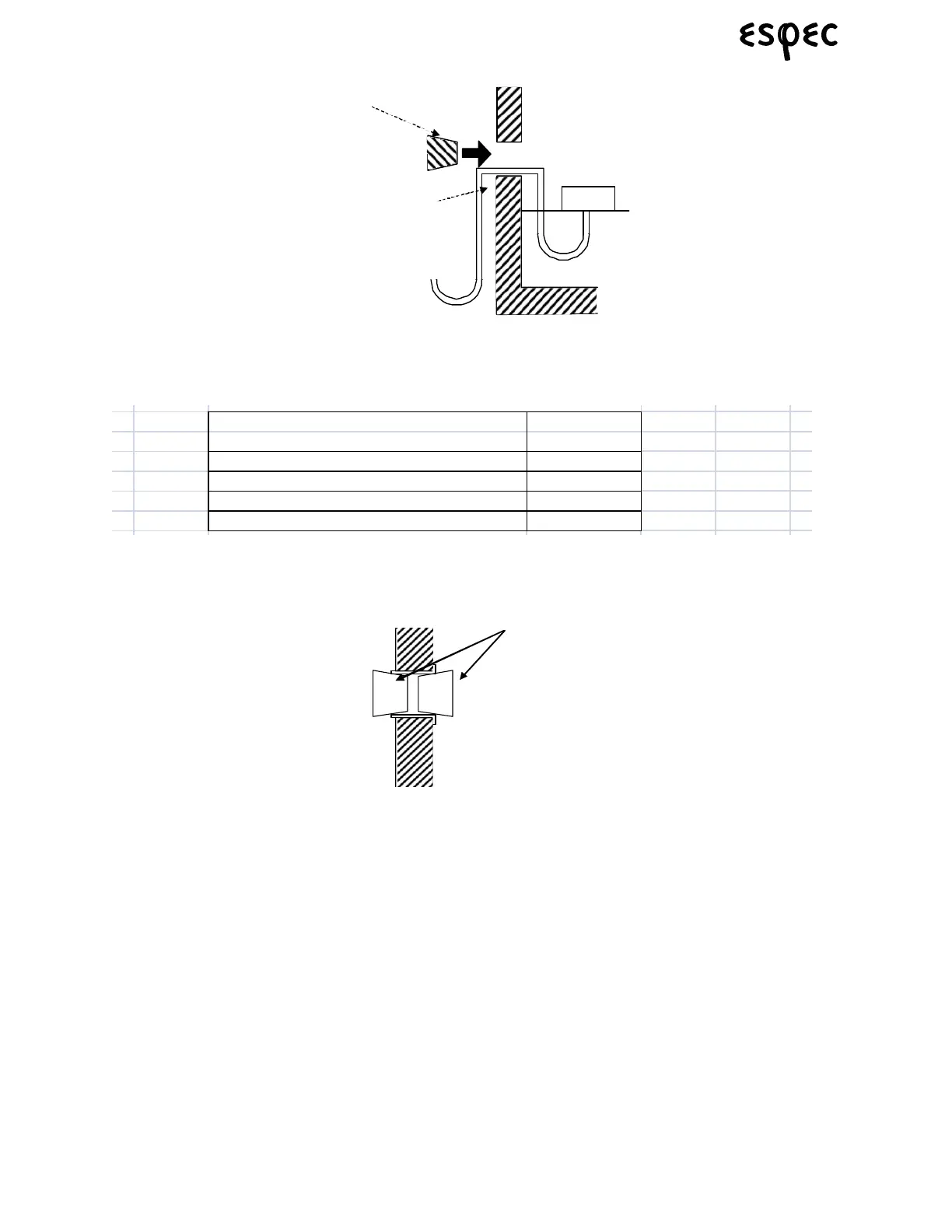
FIGURE 6.35. HOW TO FEED SPECIMEN CABLES THROUGH THE CABLE PORT
Use a specimen cable that can withstand test conditions. Refer to the following table for possible cable
types.
TABLE 6.12. CABLE TYPE AND WITHSTAND TEMPERATURE
When not using the cable port, fit a silicone rubber plug in it from the inside and outside.
FIGURE 6.36. WHEN NOT USING CABLE PORTS
6.1.3 Wet-Bulb Wick Check (ESL, ESX models only)
The wet-bulb wick (included) must be installed to run humidity tests. If already in place, check whether it is
wet or dry before starting. If dry, change it.
Note: Bacteria adhering to the wet-bulb wick can proliferate during tests and block water
supply. Wash hands with soap and water before handling the wick.
Procedure:
1. Remove the wet-bulb wick from its package.
2. Slide the wet-bulb wick over the wet-bulb temperature sensor. It is easier to slide the wick over the
sensor by folding it in half.
Specimen
Ru b berplug
Sp ecimencable
To sp ecim en powe
suppl ycon tr olterminal
and powersuppl
Cable Type Withstand
Temperature
Vinyl Cable 55°C
Styrene-butadiene cabtyre cable 70°C
Electron crosslinked heat-proof plastic cable 100°C
Glass-braid silicon shielded cable 200°C
Rubberplugs


 To Next Page
 Loading...