Platinous User’s Manual 29
Names and Functions of Parts
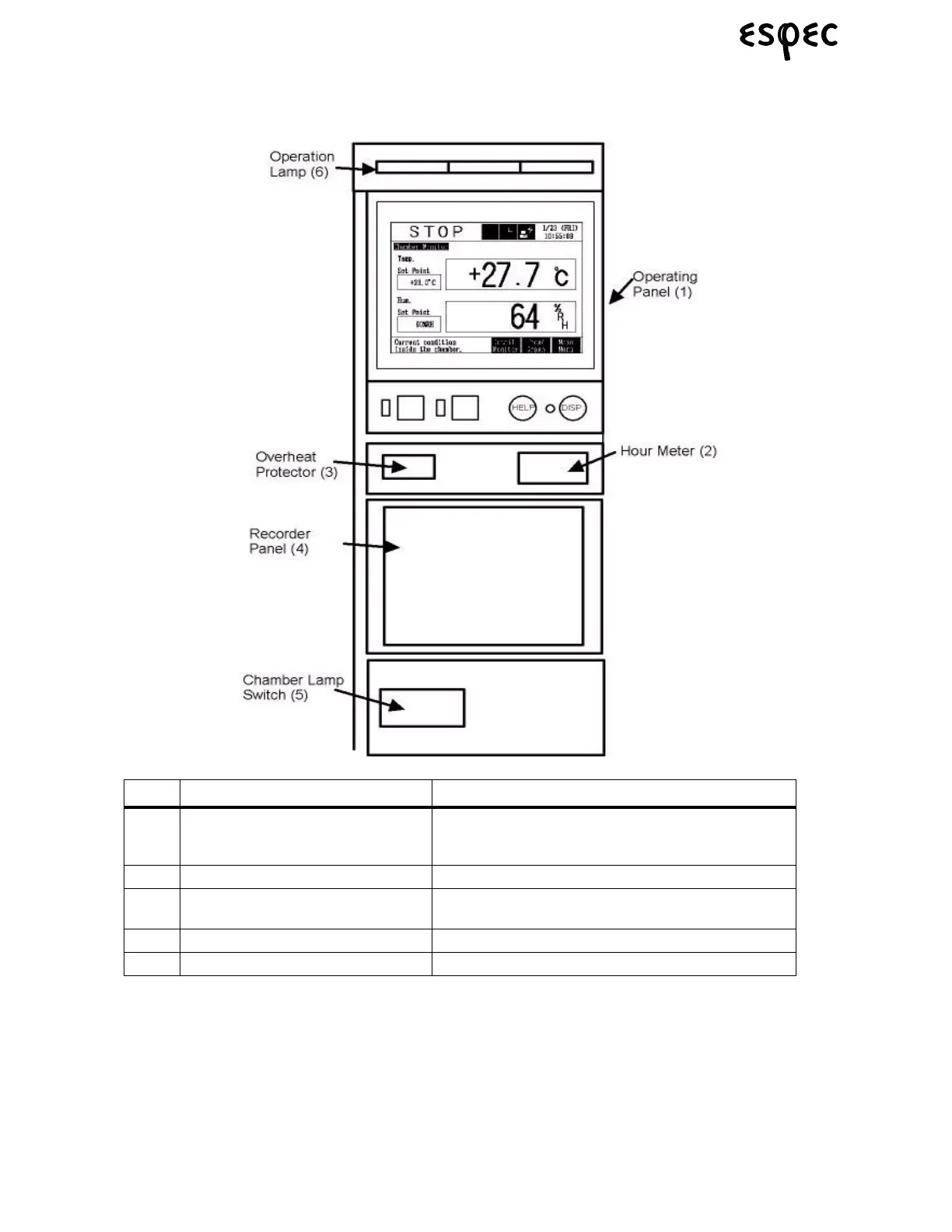
4.2 Instrumentation Panel
FIGURE 4.15. INSTRUMENTATION PANEL
Name Function/Use
(1) Operating Panel User interface unit. Use to set temperature/humidity,
start/stop the chamber, etc. See Figure 4.16 on page
30.
(2) Hour Meter Counts up chamber running time.
(3) Overheat Protector Stops the chamber to prevent damage to specimens.
See “Overheat Protector” on page 59.
(4) Recorder Panel Where optional strip chart recorder is mounted.
(5) Operation Lamp Lit while the chamber is running.


 To Next Page
 Loading...