15
Assigning turnout numbers
6.1.1. Assigning turnout numbers
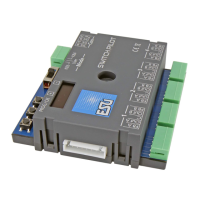
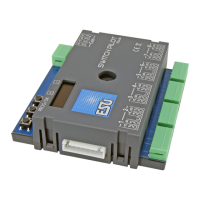
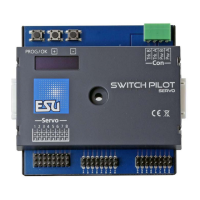
The 8 servos of the SwitchPilot 3 Servo decoder react ex works
to the turnout numbers 0001 to 0004 and 0005 to 0008. The
turnout numbers can easily be changed directly on the SwitchPilot
3 Servo.
a) Check whether the display shows the screen saver (lettering
„SP” and the supply voltage):
b) In this case, press the „PROG/OK” button only (!) briefly. Now
the SwitchPilot 3 Servo should display its current turnout num-
bers directly in plain text:
c) Press the „PROG/OK” button. The turnout numbers 1-4 should
now flash (inverse).
d) Press the button (+) or (-) to select the desired turnout numbers
for output 1 to 4. The currently selected turnout numbers are
displayed flashing.
e) Press the „PROG/OK” button again to confirm the turnout
numbers for outputs 1 to 4. The display no longer flashes, but
the one for outputs 5 to 8.
SPS»17.3V
ADDRESS
Switch 1-4: 0001-0004
Switch 5-8: 0005-0008
ADDRESS
Switch 1-4: 0001-0004
Switch 5-8: 0005-0008
ADDRESS
Switch 1-4: 0009-0012
Switch 5-8: 0005-0008
f) Press the button (+) or (-) to select the desired turnout numbers
for output 5 to 8. The currently selected turnout numbers are
displayed flashing.
g) Press the „PROG/OK” button again to confirm the turnout
numbers for outputs 5 to 8. The display no longer flashes.
Finished! Without programming or cumbersome handling on the
handheld throttle or command station.
ADDRESS
Switch 1-4: 0009-0012
Switch 5-8: 0013-0016



 To Next Page