332 Appendix B References
Remote Video Interface settings
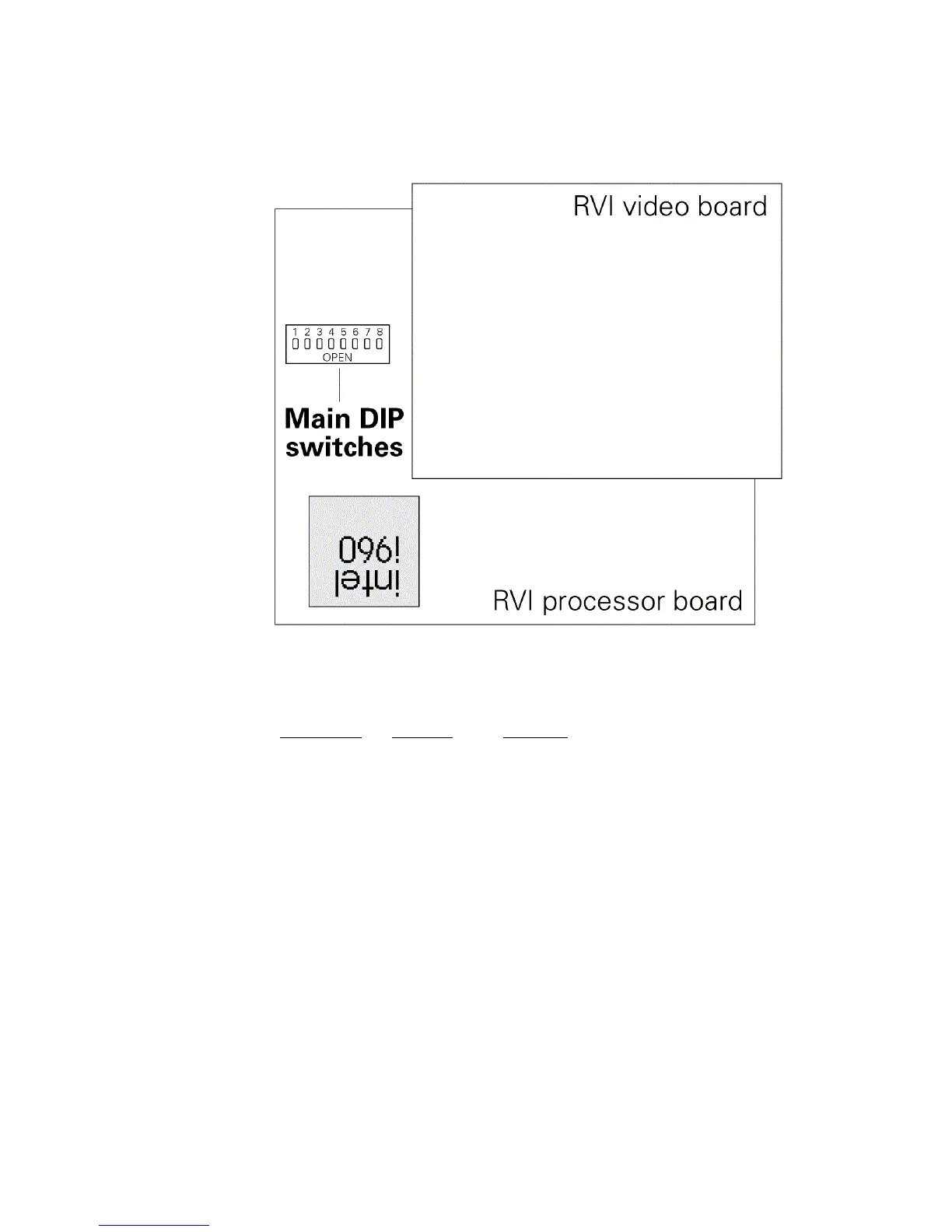
The RVI Processor Board is the lower circuit board in the Remote Video
Interface (RVI). It contains one 8-switch DIP. Under normal conditions,
these switches will never need to be changed.
If the settings get changed and you need to restore them, find the
switches at location S4 and adjust the settings as listed below. The RVI
checks DIP switch settings when the unit is turned on. You must restart
the unit for the new settings to take effect.
DIP Switch
Position Function
1 On (Closed) Normal operation, Factory Use Only
2 Off (Open) Normal operation, Factory Use Only
3 Off (Open) Normal operation, Factory Use Only
4 Off (Open) Normal operation, Factory Use Only
5 Off (Open) Normal operation, Factory Use Only
6 On (Closed) Normal operation, Factory Use Only
7 On (Closed) Normal operation, Factory Use Only
8 Off (Open) Normal operation, Factory Use Only
Switches are either On (Closed) or Off (Open).












 To Next Page