54 SmartFade v3.0.1 User Manual
Global Time for all steps
It is possible to edit Up, Down or Wait times globally for all steps of a Sequence or Stack.
All previous timing information is replaced and cannot be undone.
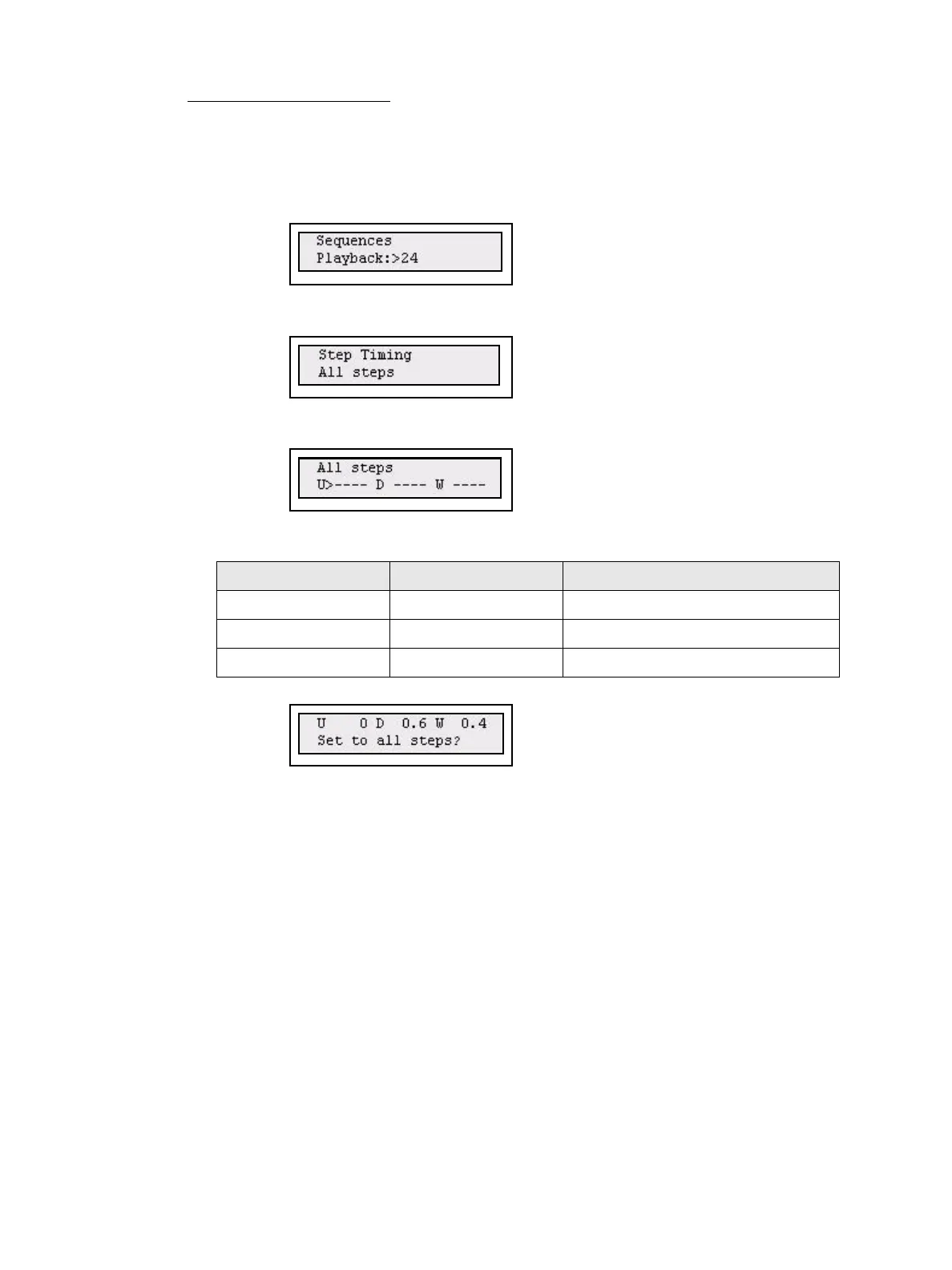
Step 1: Open the Set Sequences menu:
Menu>[Sequences]
Step 2: Use the wheel to select a Sequence (1-24) or the Stack (XF).
Press (MENU) to confirm.
Step 3: Use the wheel to select All steps.
Press (MENU) to confirm.
Step 4: Set Global Timing for all steps of the selected Sequence or Stack.
Use (MENU) to step between choices, and wheel to set a value. The “----” means
these times will not be affected by the global edit.
Step 5: Press (MENU) to store.
Press (MENU) to confirm
Step 6: Done. Press EXIT to exit.
Menu choice Console Feedback
U> Wheel Global Up times
D> Wheel Global Down times
W> Wheel Global Wait times



 To Next Page