26
Manual Control of the EMCenter www.ets-lindgren.com
Powering On and Off
P
OWER
O
N
Verify all cards are installed correctly in the EMCenter.
1. Plug the power cord from the mains inlet on the back panel of the
EMCenter into a power outlet.
2. Plug the interlock jack into the interlock connector on the back panel of
the EMCenter.
3. Turn the power switch located on the back panel of the EMCenter to
the on position.
4. Touch anywhere on the EMCenter screen. It will take approximately
20 seconds to boot. The Information screen will flash, and then the
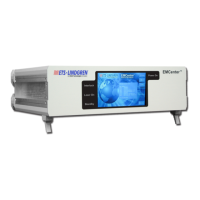
Home screen will display.
Sample EMCenter Home Screen


 To Next Page