www.ets-lindgren.com Manual Control of the EMCenter
27
P
OWER
O
FF
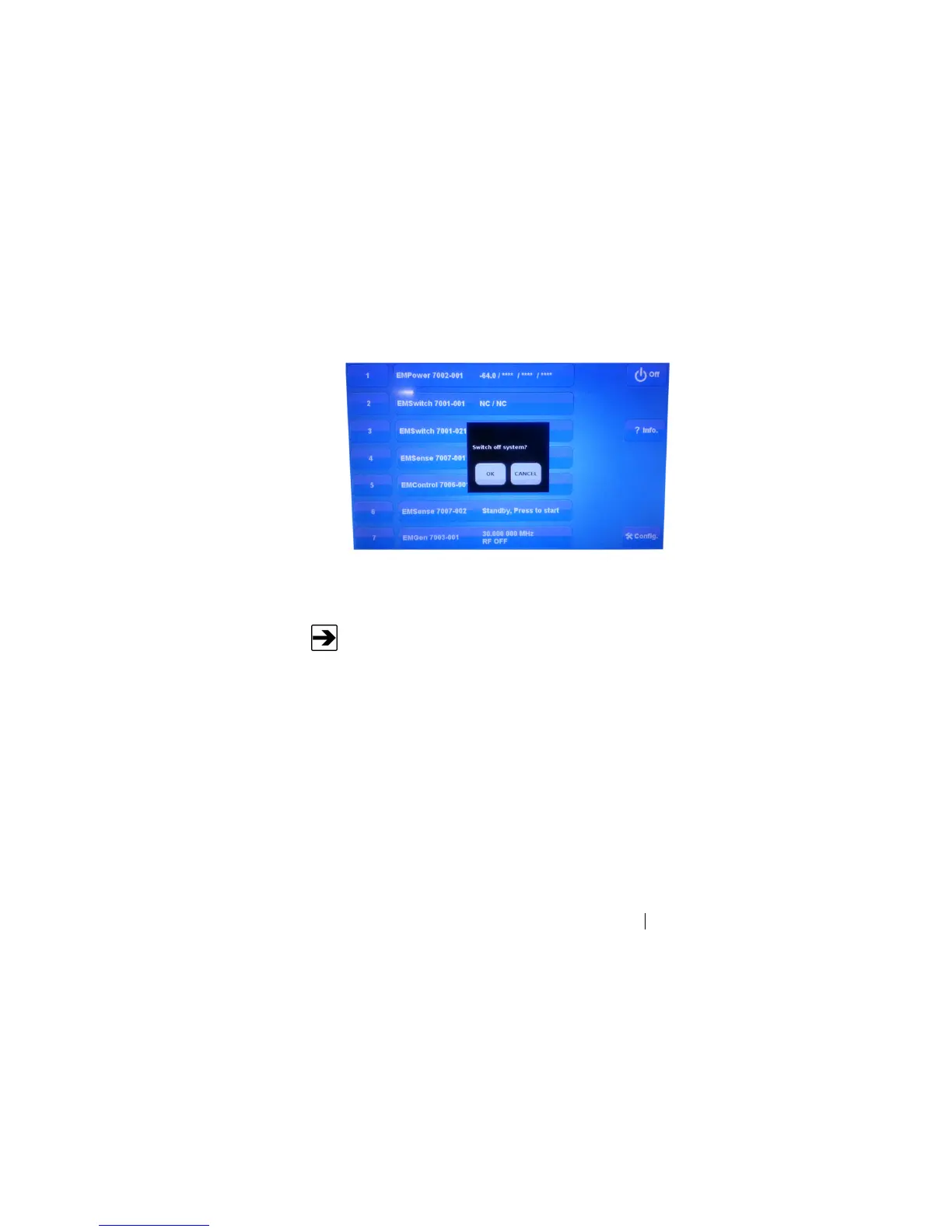
1. Press the Off button located on the EMCenter screen.
2. Press OK to switch off the system.
The standby light located on the front panel of the EMCenter will flash,
and then will illuminate steadily.
When the EMCenter is in standby mode, touch the screen anywhere
to reboot.
3. Turn the power switch located on the back panel of the EMCenter to
the off position.
4. Remove the power cord from the power connector on the back panel
of the EMCenter.
5. Remove the interlock jack from the interlock connector on the
back panel of the EMCenter.


 To Next Page