20
EMCenter Controls and Connectors www.ets-lindgren.com
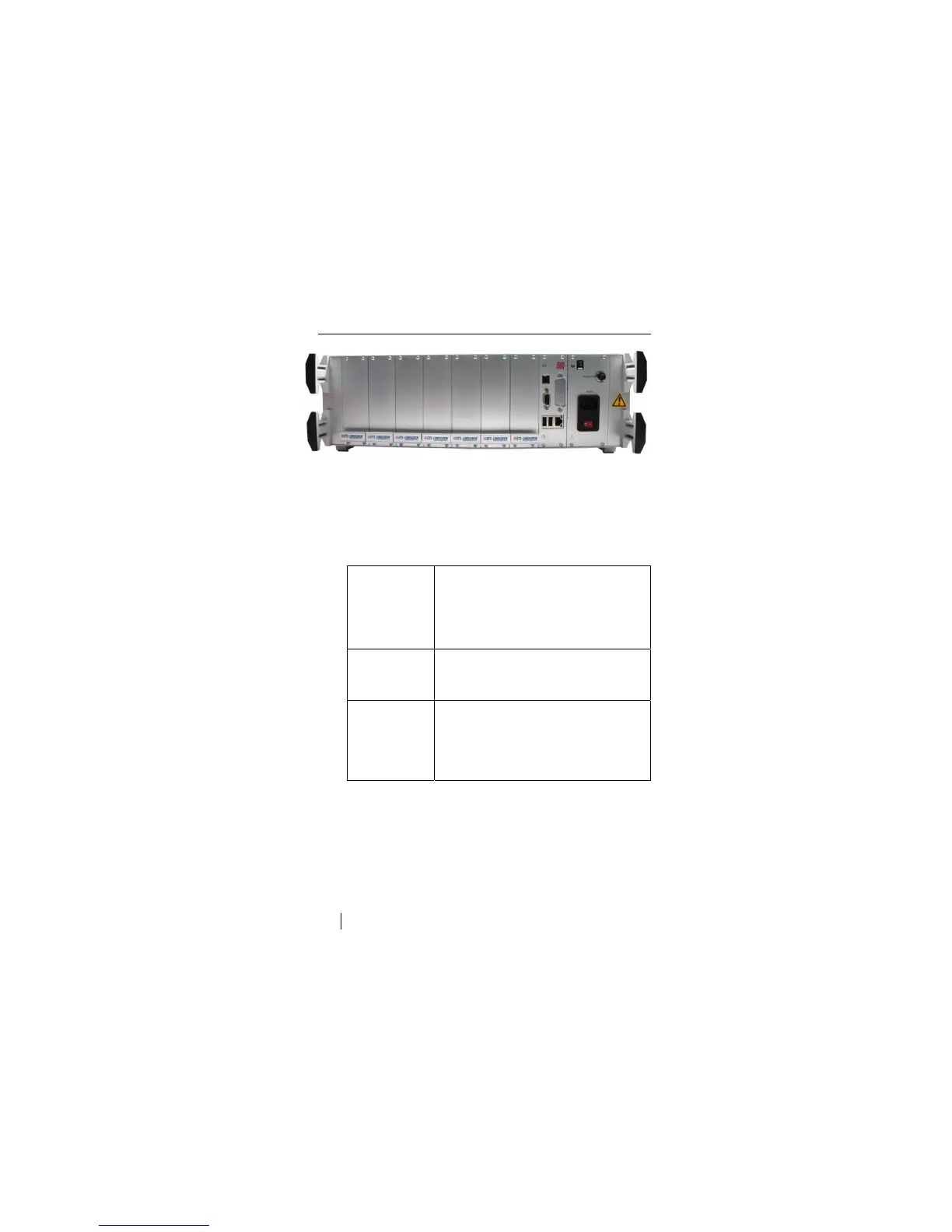
Back Panel
Slots 1 through 7—Allow you to install a combination of ETS-Lindgren
plug-in cards: EMSwitch™, EMPower™, EMControl™, and
EMSense™. For more information on the cards, see EMCenter Plug-In
Cards (Optional) on page 8.
Slot 8—Dedicated to the processor card for the embedded Linux
computer. The processor card also provides these connectors:
RS-232 Serial interface bus to interface with a computer.
Use a straight (pin-for-pin) cable with sub-D9
connectors.
The baud rate is 57k6, with no parity, 8 bits and
1 stop bit.
LAN Local Area Network connection used to update
the operating system and application software on
the EMCenter.
USB
USB-A: USB device connection for a pointing
device or keyboard.
USB-B: The EMCenter can act as a USB
device when connected to a computer.


 To Next Page