EN 10
4
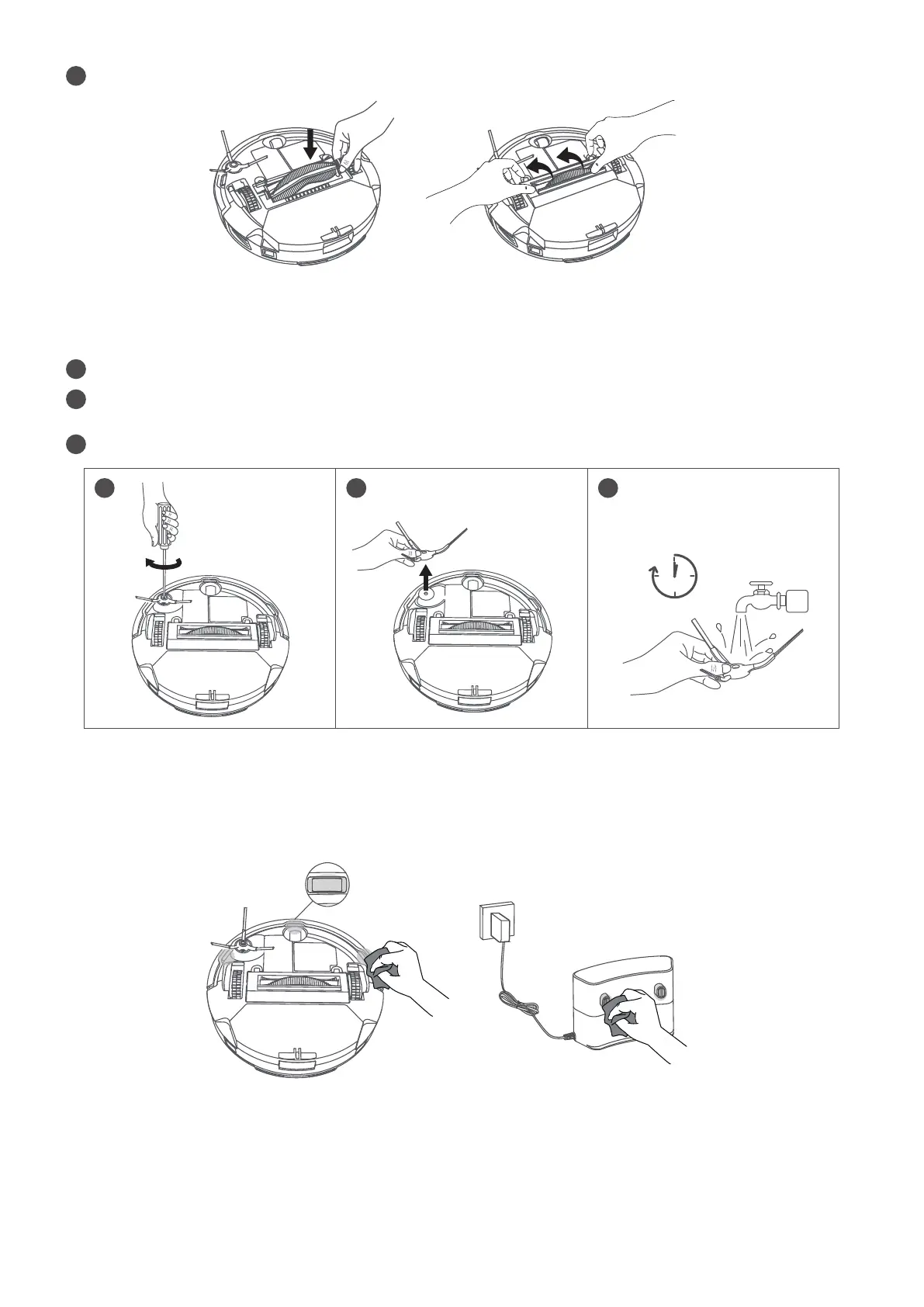
Reinstall the rolling brush by inserting the fixed protruding end first.
Clean the Side Brush
Clean the Sensors and Charging Pins
Foreign substances, such as hair, can easily get tangled in the side brush, so it is best to clean it regularly.
To maintain the best performance, clean the sensors and charging pins regularly.
• Dust off the sensors and charging contact pins using a soft fry cloth or cleaning brush.
1
Remove the side brush with a screwdriver.
2
Carefully unwind and pull off any hair or substances that are wrapped between the main unit and the side
brush.
3
Clean the side brush with water.
1
min
1
2
3









 To Next Page