Section 3: Automation Utilities
3 - 10 Euphonix CS3000/2000 MixView 3.0 Software Supplement
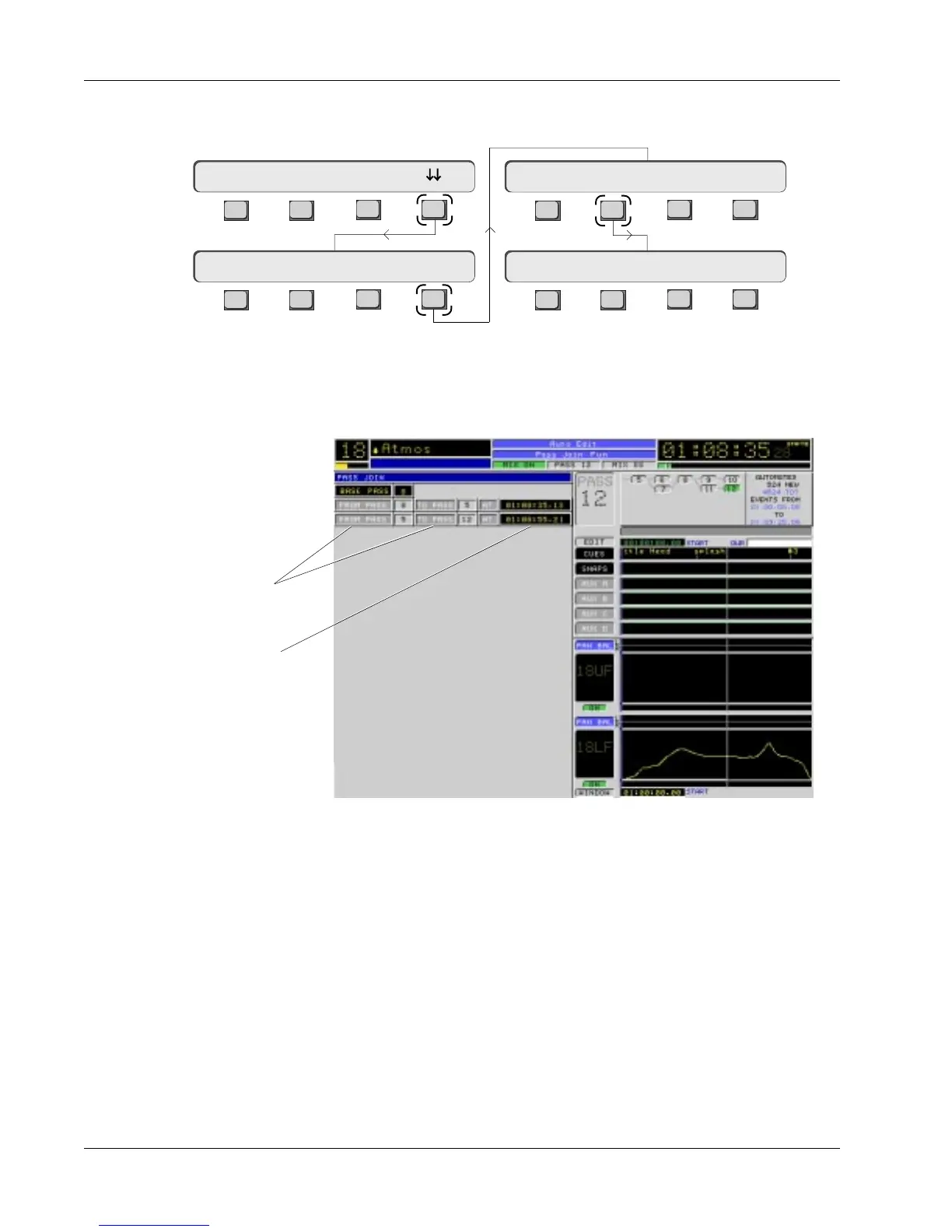
List entries will have a pass “FROM”, pass “TO” and an “AT” timecode value.
The first event in the list indicates a change FROM pass 8 TO pass 5 at
1:08:35.13. The second event indicates a change FROM pass 5 TO pass 12 at
1:08:55.21. Editing of this list is covered later in this section.
Combination Pass Join list and Pass Control half screen
pass join At time
From pass and To pass
Viewing the Pass Join
List
F3F1 F2 F4
F3F1 F2 F4
F3F1 F2 F4
F3F1 F2 F4
Clr? Pack? Edit Util
Join? Edit Tplt ON
View Join Group Trim
Pass0 Undo? Redo?
Stop timecode and view the Pass Join menu and list. From the top-level Pass
Control menu, press [F4] (down arrows), [F4] (Util) and then [F2] (Join):
This is the Pass Join menu. On the screen you will see the Pass Join list.



 To Next Page