Section 7: Channel Function Enhancements
Euphonix CS3000/2000 MixView 3.0 Software Supplement 7 - 51
In this exercise, we will setup channel 16’s aux send A & B as a mono in/
stereo out level and pan feed.
Press channel 16’s aux A/B block attention key to display the Aux Status menu
and confirm that console attention is directed to aux send A:
F3F1 F2 F4
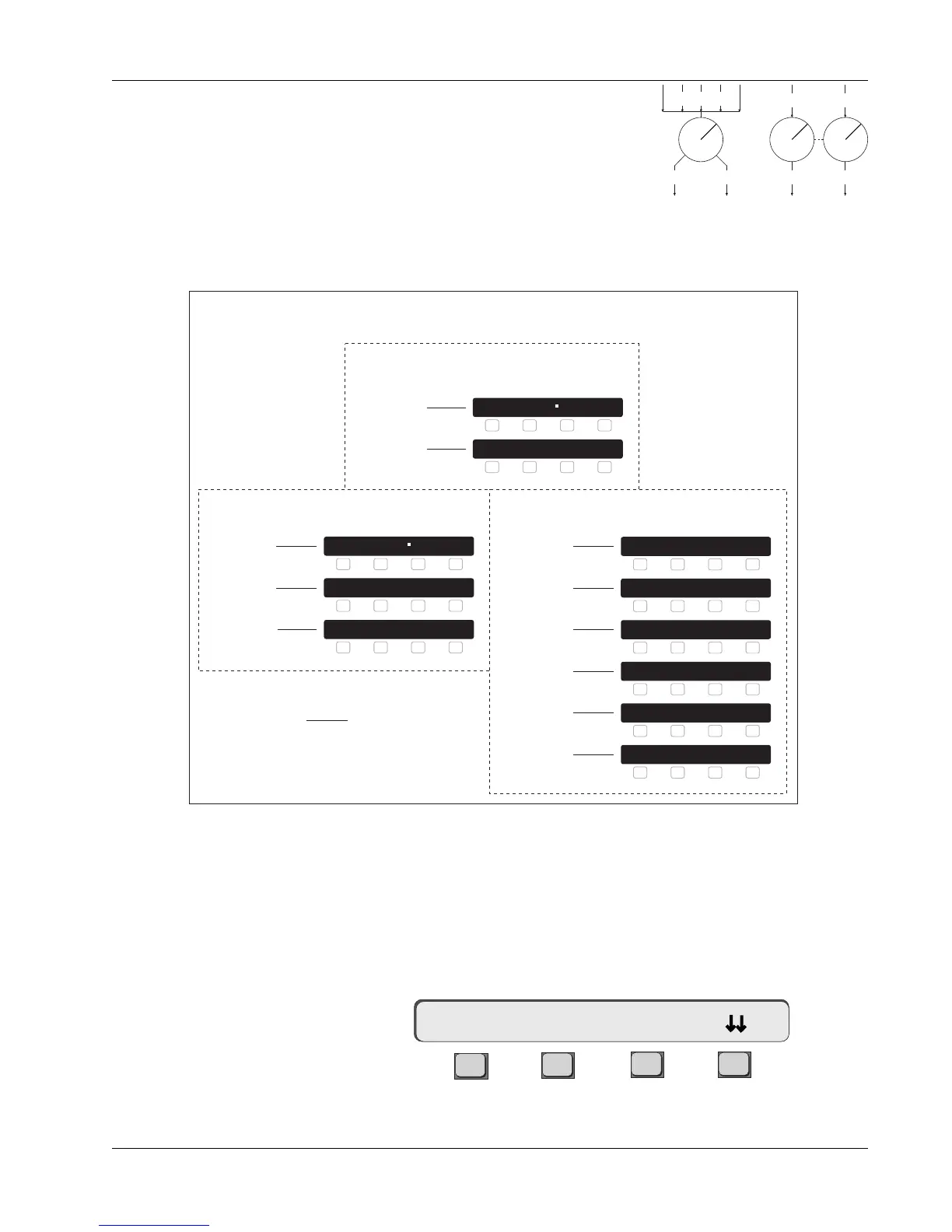
L/P mode links the A/B or C/D aux block pairs
into mono in, stereo out level/pan linked
configurations or stereo in, stereo out level/
balance linked configurations.
For the benefit of existing users who have upgraded to MixView 3.0, the
following chart provides a review of the available modes:
Level/Pan Linked Modes
(mono in/stereo out)
(stereo in/stereo out)
Aux Send Mode Comparison Chart
Mono Ind Modes
mono in/mono out
F1 F2 F3 F4
1A-> Mono 0dB L/P?
F1 F2 F3 F4
1A-> Mono 0dB L/P?
2:Mn@0dB
3: MnInd
L/P Modes
mono in/stereo out
F1 F2 F3 F4
1AB-> MnPan Ctr Ind?
F1 F2 F3 F4
1AB-> MnPan Ctr Ind?
4: MnCPan
5: MnPan
F1 F2 F3 F4
1AB-> Stereo Ctr Ind?
Stereo Modes
stereo in/stereo out
F1 F2 F3 F4
1AB-> StIRev Ind Ind?
F1 F2 F3 F4
1AB-> Stereo Bal Ind?
F1 F2 F3 F4
1AB-> Stereo Ind Ind?
F1 F2 F3 F4
1AB-> StRev Bal Ind?
F1 F2 F3 F4
1AB-> StCRev Ctr Ind?
7: Stereo
8: StCtr
9: StInd
10: StRev
11: StCRev
12: StIRev
* This is actually a Mono mode but is only accessible via the
Level/Pan menus. It sums all inputs and outputs, disables the
upper control of the A/B and C/D aux sends and is here only for
backwards title compatibility.
F1 F2 F3 F4
1AB-> Mono --- Ind?
6: Mono
*
MixView v2.7
Designations
MixView v3.0
Menus
M1 M2 ... L4
Odd Even
Exercise 3
Mono Pan Mode
16A-> ON pre



 To Next Page