Section 8: MIDI Remote Control
8 - 60 Euphonix CS3000/2000 MixView 3.0 Software Supplement
F3F1 F2 F4
Notice that the SmartDisplay menu also changes to reflect the MIDI channel
and program change parameters now being addressed just as if [F3] had been
pressed.
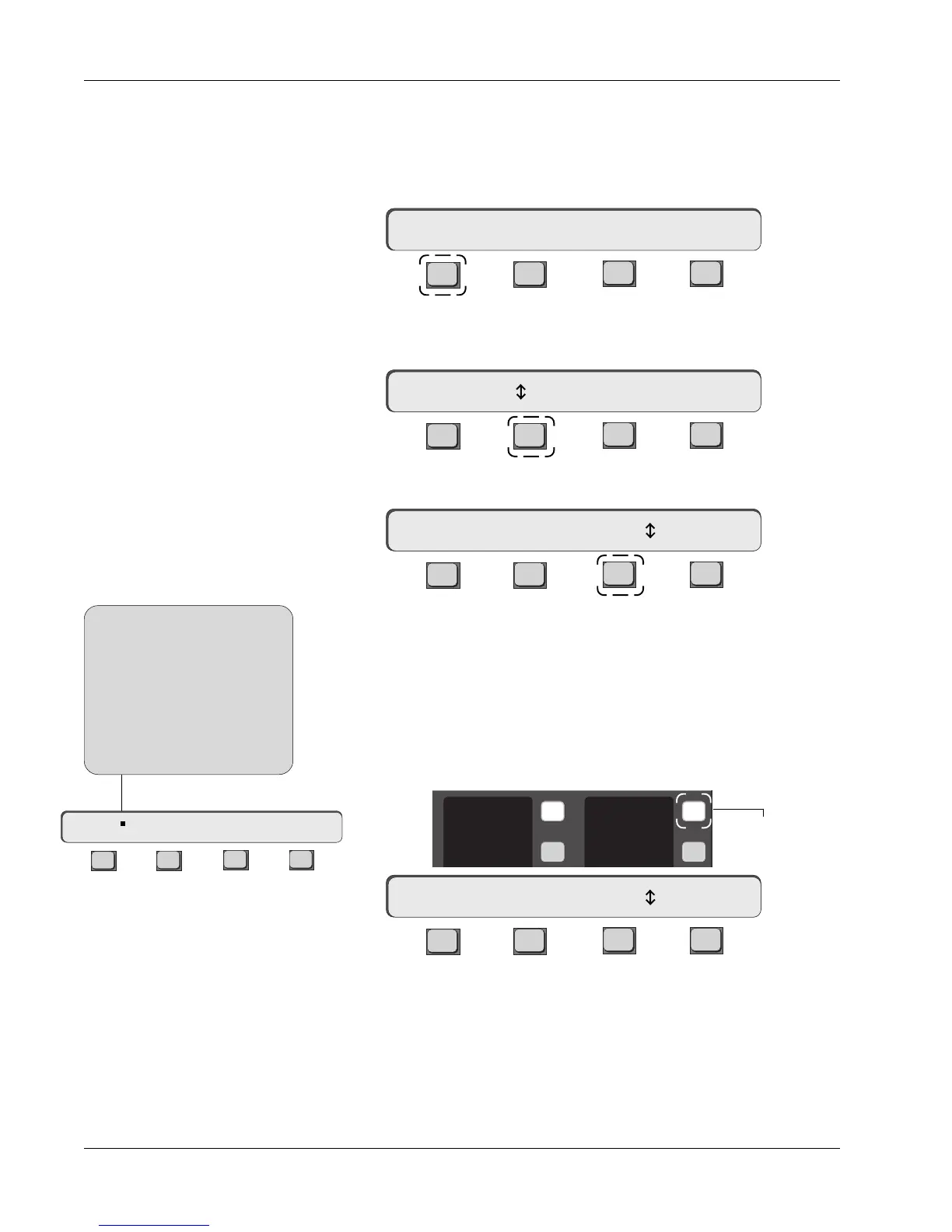
The double-ended arrow in the MIDI presets menu, designates which param-
eter is currently adjustable. Parameters are adjusted using the SpinKnob, [+]/
[-] or Numeric keys (See side note below for details).
Press [F1] (MP01) and select a MIDI preset from 1 to 50:
F3F1 F2 F4
Each preset can transmit sixteen (16) different program changes. Press [F2]
(01:Ch1) and select a MIDI channel from 1 to 16:
F3F1 F2 F4
Press [F3] (- - -) and select a MIDI program change from 0 to 127:
F3F1 F2 F4
You are now ready to use the preset. Press [F4] (RCL) to send the MIDI pro-
gram change.
A MIDI program change may also be assigned using the keys to the right of
the MIDI channel name field in the Assignable key display. To directly assign a
MIDI program change to a MIDI channel, press the right Assignable key
adjacent to the MIDI channel you wish to address and select the required
program change number:
Assigning MIDI Program
Changes
Assigning MIDI
Channels
Assigning MIDI Presets
F3F1 F2 F4
MP01 01 Ch1 – – – RCL
You can use the SpinKnob or [+]/
[-] keys to adjust a designated
parameter directly. When using
the DSC Numeric keypad, you
must press the [Enter] key to
register your selection. The
required confirmation is indicated
with a small square.
SIDE NOTE:
MP01 01 Ch1 – – – RCL
MP01 01:Ch1 – – – RCL
MP01 01 Ch1 – – – RCL
MP01 01:Ch1 31 RCL
Assignable key
1
2
9
10
Ch 1
Ch 2
PRG 31
— — —



 To Next Page