D6a Calibrate
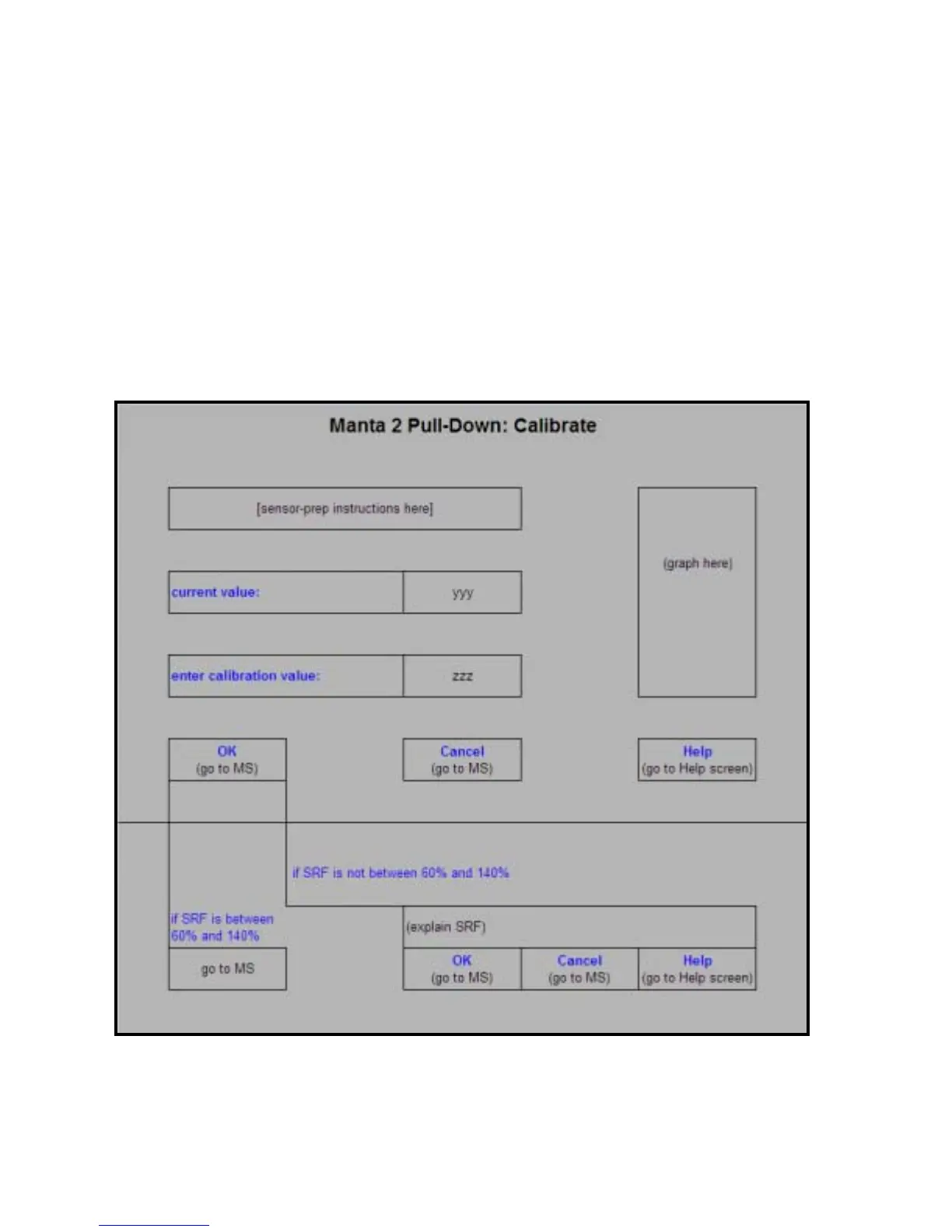
Clicking on Calibrate in the Manta 2 Menu gives you a pop-up screen listing all the parameters that
can be calibrated in a Manta 2. Clicking on the parameter you wish to calibrate gives you the
Calibrate screen. This screen has calibration instructions for the specific parameter, the current
reading for that parameter, and a box for you to type in the value of your calibration standard.
When the parameter reading has stabilized in the calibration solution, click on the OK button. If your
calibration has an acceptable SRF (please see Section E4), the calibration will be accepted and you
will be returned to the Main Screen. If the SRF is not acceptable, a box will pop up and caution you
about the feasibility of your calibration. You have the option of calibrating despite a deviant SRF
(click on “OK”, in which case you will be returned to the main Screen), or you can go back to the
calibrate screen and check your instructions, calibration value, etc. (click on “Cancel”).
20


 To Next Page