This software allows your PC to recognize the Manta. The original driver disc is included with
your Manta, but has also been copied onto the Manta Installation Disc “2”.
7) USB Cable – Use this cable to connect the Manta to your computer via a USB port. Do not
use the USB adapter cable with anything but your PC and a Manta 2. In the USB world, this
is considered abuse. You will make it soooo angry that it will refuse to work and no amount
of pleading will help.
8) Weighted Sensor Guard – Replace the storage/calibration cup with the weighted sensor
guard just before using your Manta 2 in the field.
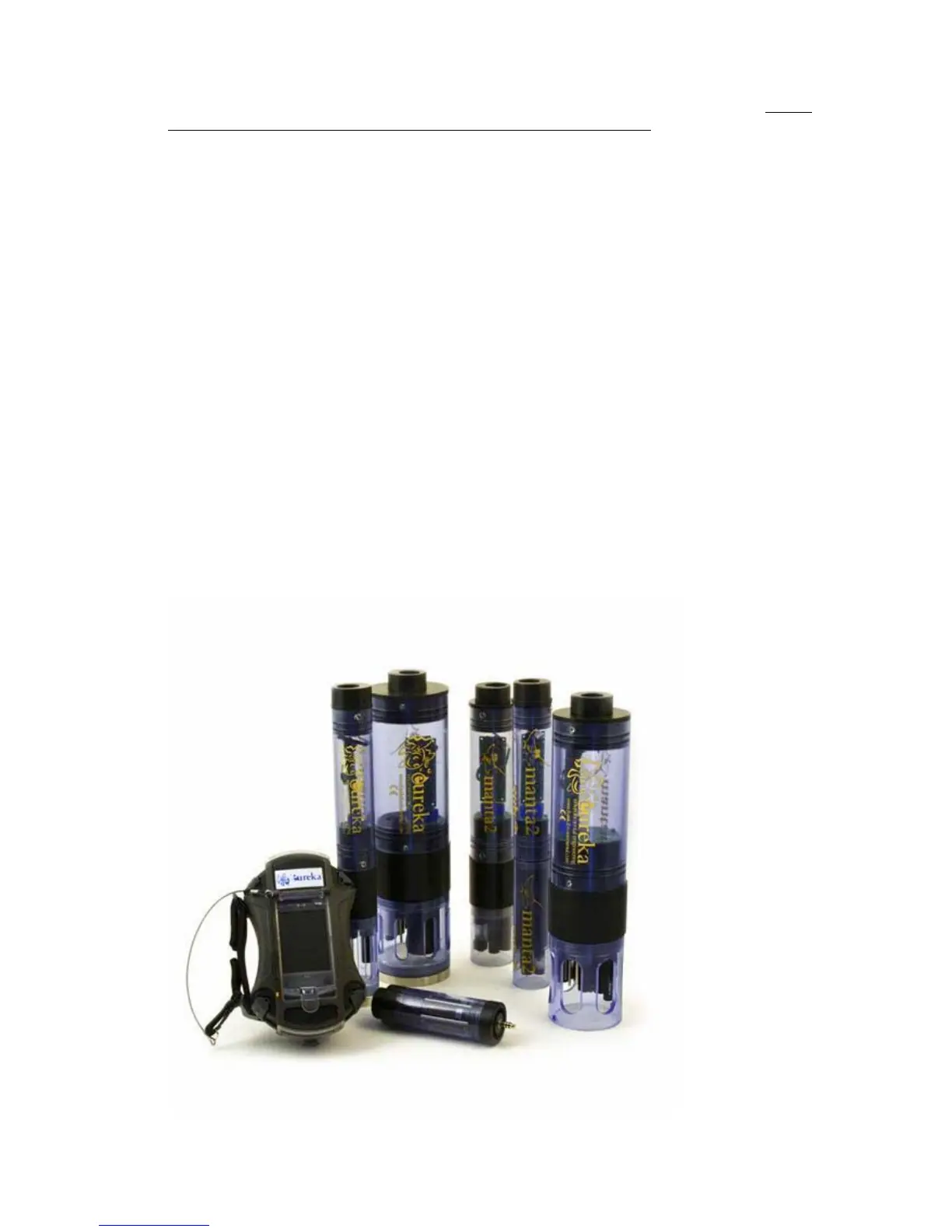
A5 Manta 2 Different Sizes
Unlike the products of lesser manufacturers, the Manta 2 uses the same basic components
regardless of how many sensors you order. All the circuit boards are the same, and all the sensors
are the same. Most importantly, we have a No-Cramming Rule that prevents our stuffing too many
sensors into an artificially small instrument diameter. Doing so usually results in sensors whose
performance, reliability, and repair or maintenance ease is compromised.
So, when you ordered your Manta 2, one of the product specialists figures out the optimum housing
diameter for the sensors you selected. The Manta 2 sizes (outside diameters) are 2 inches (actually
1.95), 2.5 inches (2.45), 3 inches (2.95), 3.5 inches (3.50), and 4 inches (4.00).
Anytime you wish to add or subtract sensors, we can use all of your Manta 2’s circuit boards and
sensors in a larger or smaller housing. You don’t have to change from one model instrument to
another.
All Manta 2’s are the same height: 16 inches including the weighted sensor guard and cable locking
sleeve.
8



 To Next Page