QS4 Tinkering with the Software – 20 Minutes
You can tinker around with the software until you see how to calibrate sensors, activate logging, etc.
You can’t break anything because every software step (i.e. every screen) has a “Cancel” button that
takes you back to the Main Screen without changing anything.
Note that the Main Screen has six “hot” buttons that give you short-cuts to various routine tasks, like
turning Manta 2 logging on and off, or clearing the data screen. But it’s in the “pull-down” menus –
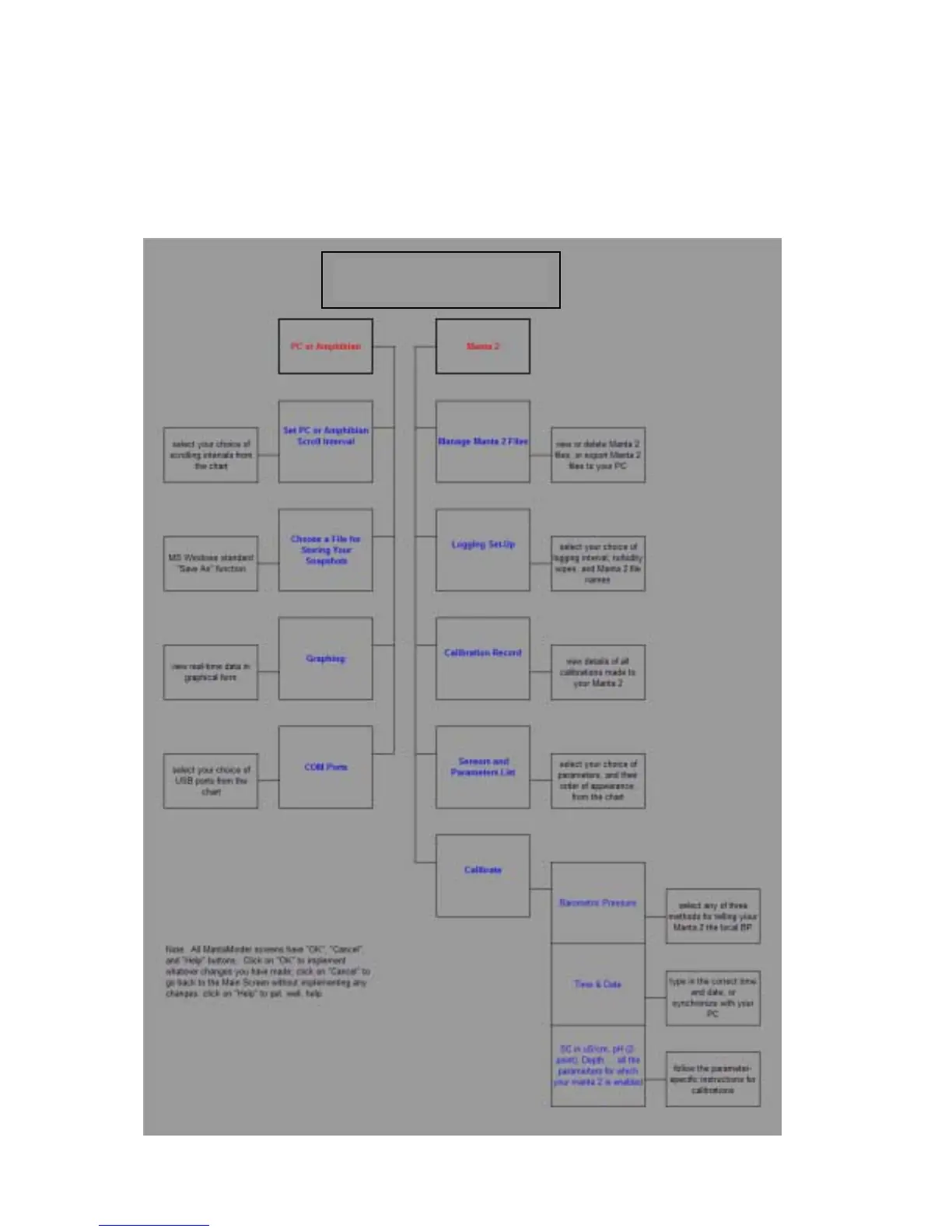
“PC or Amphibian” and “Manta 2” – that you’ll find most of the serious operating functions. Below is
the flow chart for the menus.
Manta2 Control Software
Menu Flow Chart
5



 To Next Page