53
CoaXPress LED lamps
Each connector of the CoaXPress Host Interface is associated with a LED lamp mounted on the
bracket (for PCie cards only).
LED lamps mode control
The LampMode feature of the Interface module defines the lamps operation mode:
● When set to Standard (default value), the lamps indicate the state of the CoaXPress Link
connection.
● When set to Dark, all lamps are turned off.
● When set to Error, all lamps are turned off unless error conditions are detected.
● When set to Custom, all lamps are controlled by LampCustomValue, a bitfield where each bit
is mapped onto a lamp with 1 for orange and 0 for off by the LampCustomLedA …
LampCustomLedH boolean features.
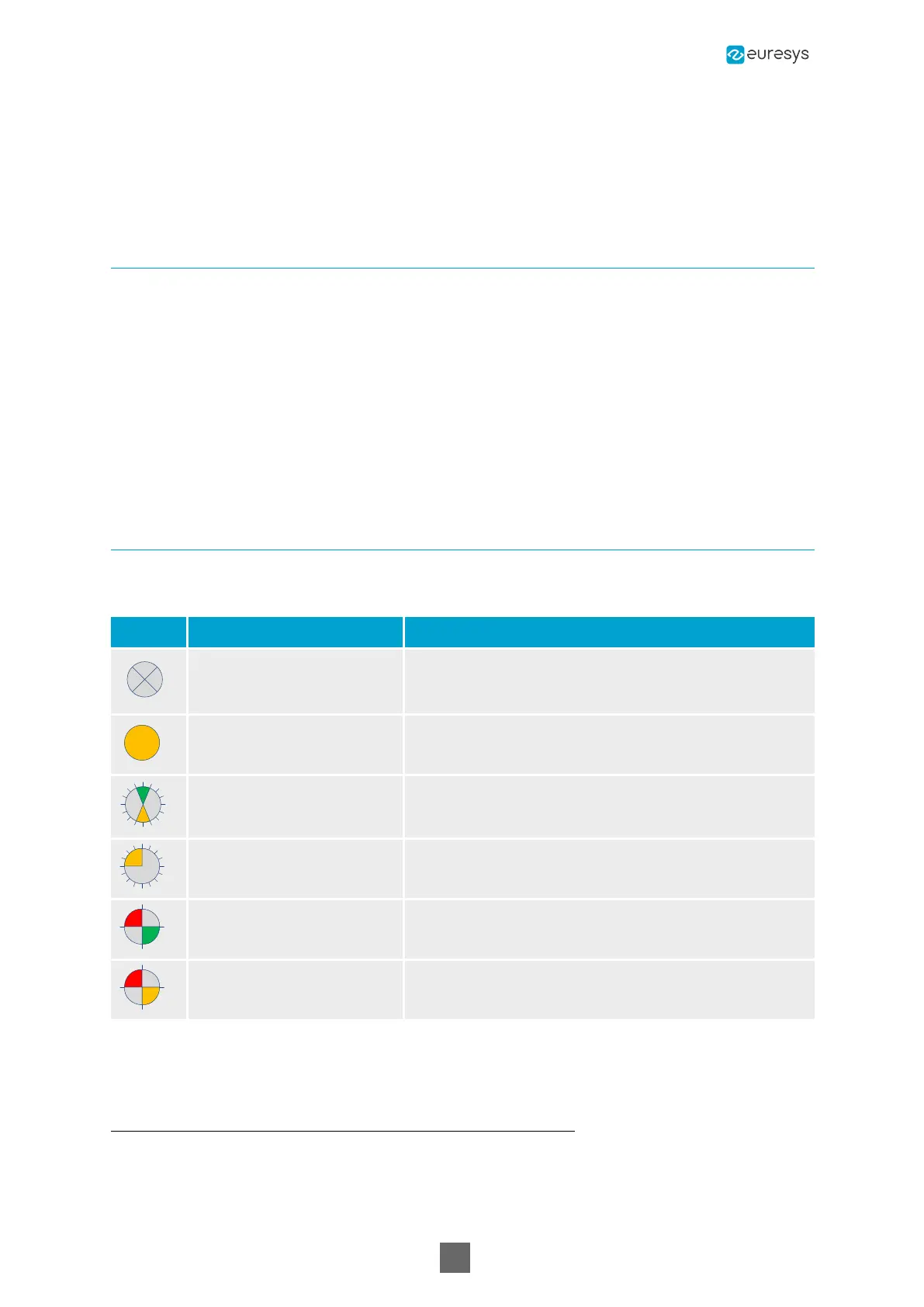
CoaXPress Host Indicator LED lamps states
States description
Symbol Indication State
Off No power
Solid orange System booting
AlternateFlash_12_5 green
/ orange
1
Connection detection in progress; PoCXP active
Flash_12_5 orange
2
Connection detection in progress; PoCXP not in use
AlternateFlash_0_5 red /
green
Device/ Host incompatible; PoCXP active
AlternateFlash_0_5 red /
orange
Device/ Host incompatible; PoCXP not in use
1
Shown for a minimum of 1 second even if the connection detection is faster
2
Shown for a minimum of 1 second even if the connection detection is faster
Coaxlink Hardware Manual


 To Next Page