Euroscan MX1 11
Document number: EN-301-1:UD - based on Firmware version 1.033 and forward
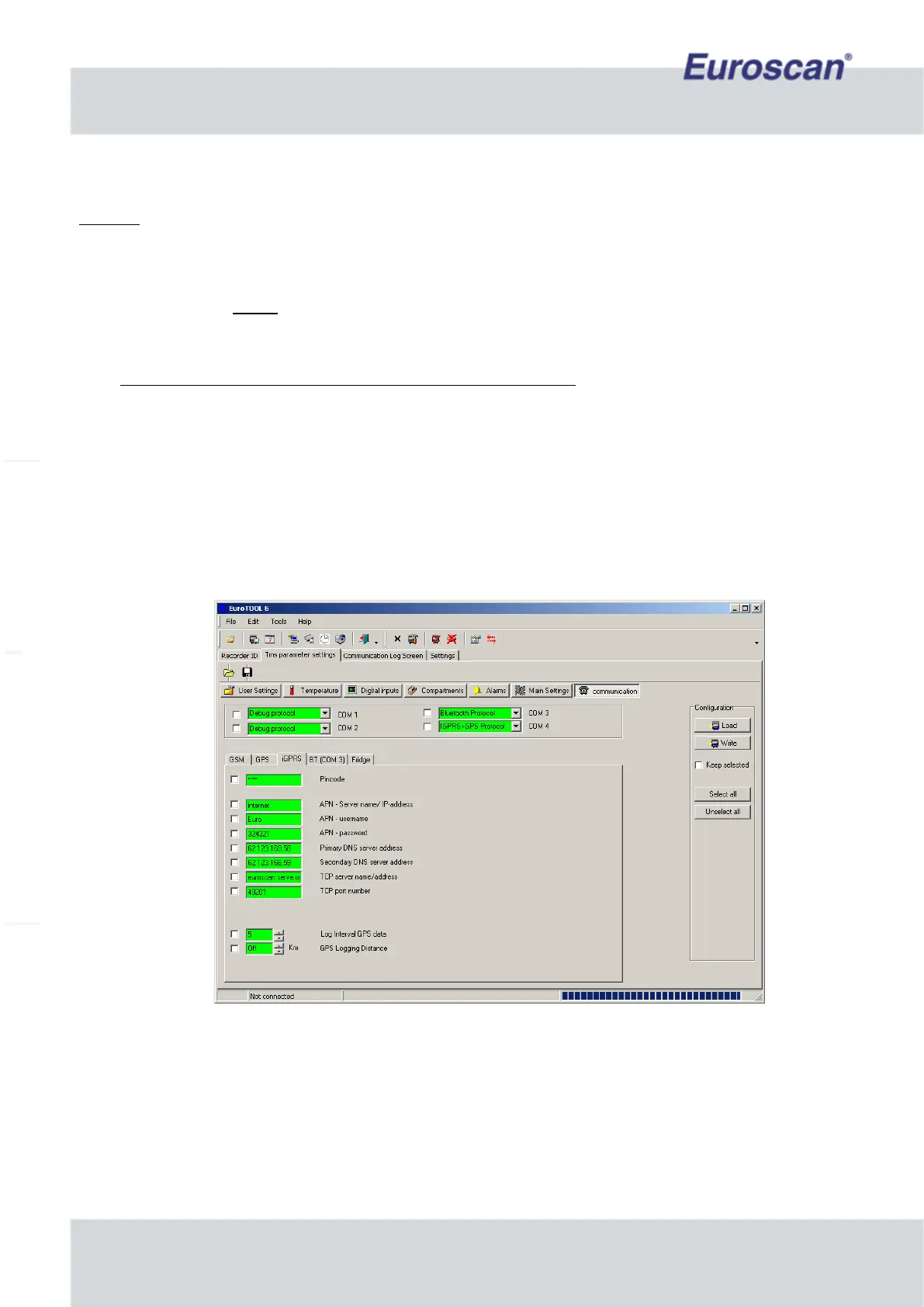
2.8.1 iGPRS manual settings by using ‘EuroTOOL’
Example
• Start the program ‘EuroTOOL’ on your pc and ensure the recorder is correctly connected with the pc.
• Fill in the menu “parameter settings” the pin code 1111 (is default) and press ‘Autodetect recorder’.
• Go to ‘TMS parameter settings’ (SHIFT + F12) -> menu ‘Communication’.
• Communication COM4: Edit and change settings to ‘iGPRS+GPS Protocol’.
• Press ‘iGPRS’ in the same screen. The iGPRS-parameters are now displayed on the screen.
• Edit PIN code, fill in the PIN code of the SIM-card (when used).
• Edit APN server, fill in (request APN server, user name and password, details at the GSM SIM provider).
If the provider does not have APN settings leave open and accept.
• Edit DNS settings (request DNS server details at the GSM SIM provider).
If the provider does not have DNS settings leave open and accept.
• Edit TCP settings (example: www.google.nl), fill in and accept.
• Edit TCP port (example: 49201).
• Edit GPS log interval, the time is in minutes.
• Edit the GPS logging distance (when needed). This is the amount of distance which would be travelled
before data will be log again.
• Make sure all parameters what have to be edit are checked. Press on the right of the screen on ‘Write’ and
wait till the fields of the edited parameters are green.
• Exit EuroTOOL.
•
Fig. 8 Example of iGPRS settings in EuroTOOL


 To Next Page