Euroscan MX1 7
Document number: EN-301-1:UD - based on Firmware version 1.033 and forward
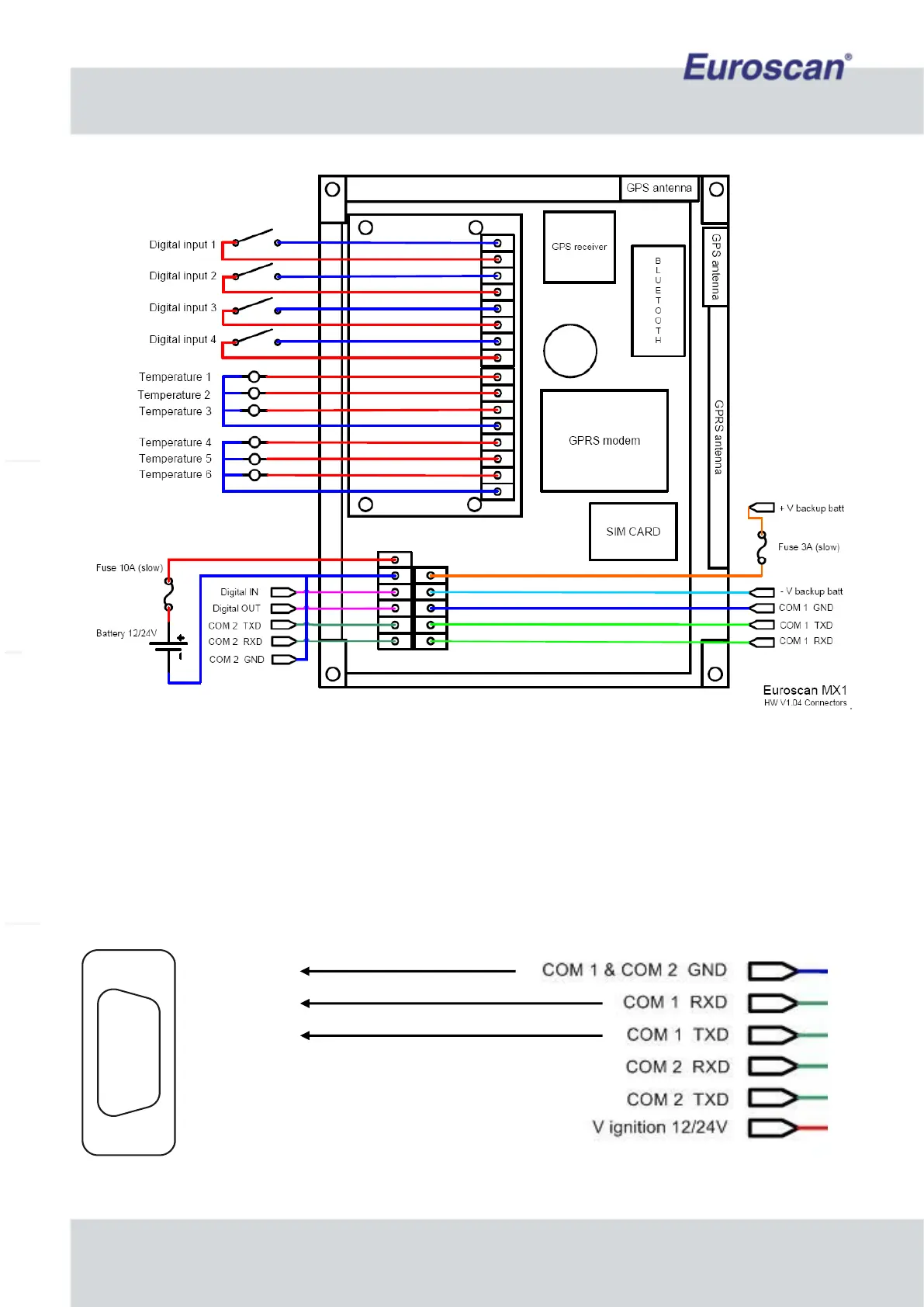
Fig. 3 Input signals, COM ports, Power
2.6 Serial connection
To set parameters, the MX1 recorder should be connected to a pc by using a serial connection. Euroscan offers
a connection cable (P/N: CC-0851-01) for this purpose. When your pc doesn’t have a serial port, you have to use
a USB to serial (RS-232) convertor and you can use a USB-port instead of a serial port.
Connect a serial cable between your PC and COM 1 on the MX1, as depicted in the following diagram.
Fig. 4 Serial connection


 To Next Page