Euroscan MX1 9
Document number: EN-301-1:UD - based on Firmware version 1.033 and forward
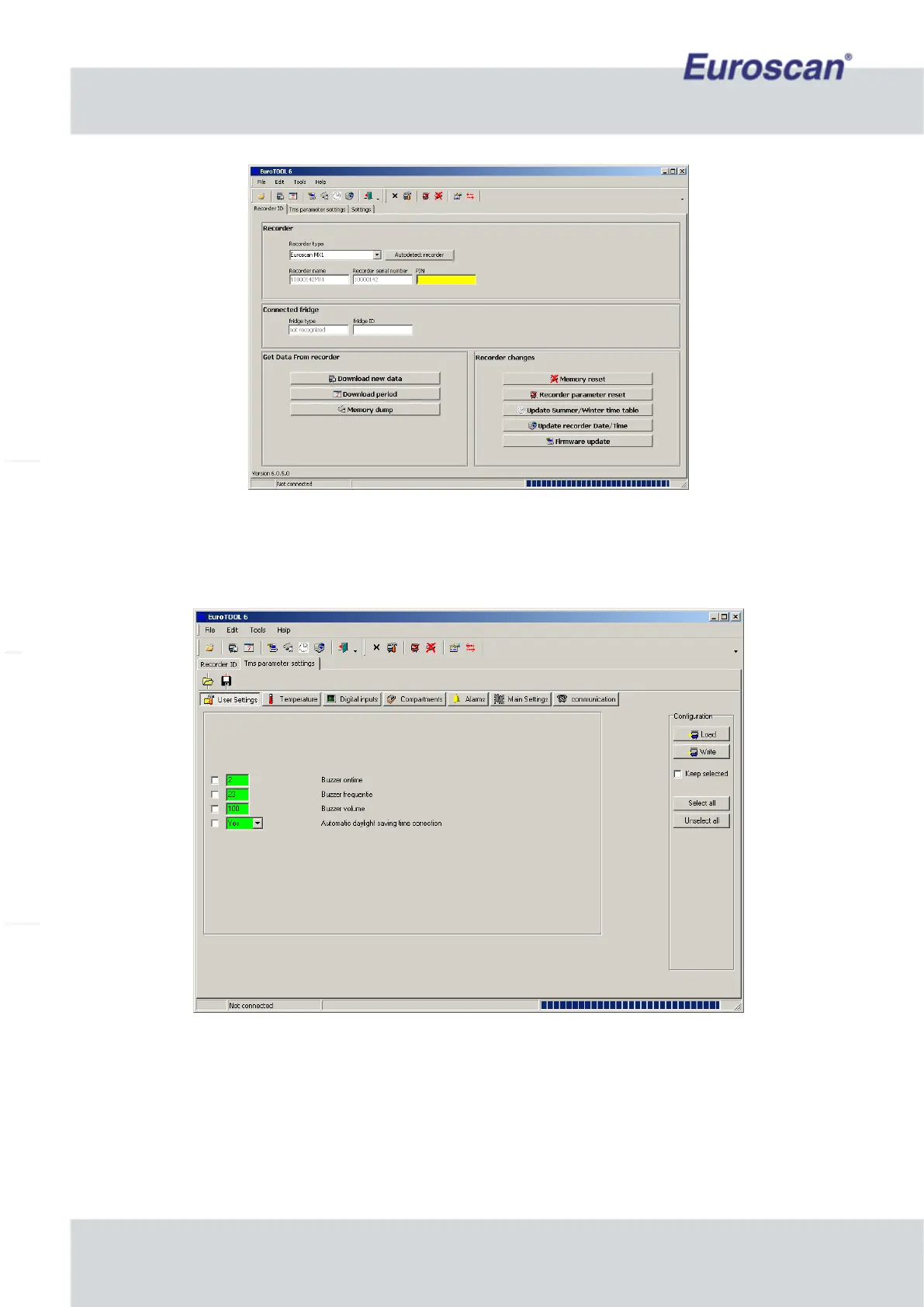
Fig. 6 EuroTOOL main screen
Press ‘Edit -> Modify parameter’ to get in the recorder configuration-menu.
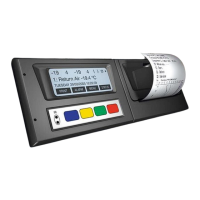
Check one (or more) parameter(s) and click on ‘Load’ on the right side of the screen. The MX1 sends his
parameters to the pc and if everything is correct, the selected fields become green. See the screen below.
Fig. 7 The configuration-menu of the recorder in EuroTOOL
The values of the parameters can be changed by checking a parameter, fill in a value and press ‘Write’ to send
the new value to the MX1. When data transfer is ready, the field will be green. Reading or writing all parameters
will take some time. Have a look at the manual of EuroTOOL to get more detailed information about EuroTOOL.
It’s preferable to configure the parameters before the recorder will mount to the truck! The configuration of
the iGPRS and Bluetooth settings is depicted in chapter 2.8.
All available parameters are described in Appendix C.


 To Next Page