45
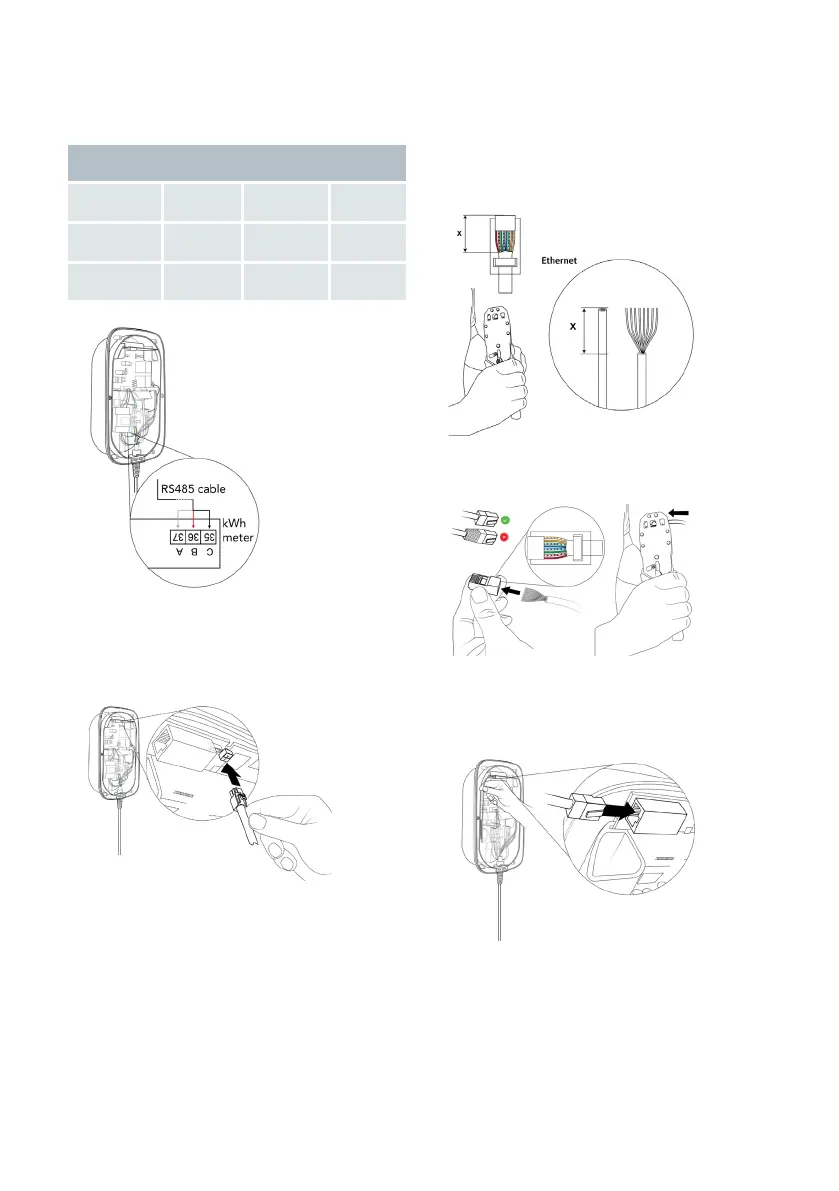
6. Optionally, connect the RS485 cable.
a. Insert the three wires into the kWh
meter following the color coding below.
Color coding for the provided RS485 cable
Wires N P PE
Color White Red Black
kWh meter
connection
37 / A 36 / B 35 / C
b. Push the cable's connector into the
dedicated port on the communication
board.
7. Optionally, install and connect the Ether-
net cable.
a. Strip the outer insulation of the cable,
then strip and crimp the individual wi-
res to a suitable length for the Ethernet
connector.
b. Mount the Ethernet connector.
c. Connect Ethernet cable to the commu-
nication board.


 To Next Page