EasyManua.ls Logo

EvenCare G2 User Manual

EvenCare G2
98 pages
To Next Page IconTo Next Page
Page #1 background imageLoading...
Page #1 background image
Dear EvenCare G2 Owner,
Thank you for choosing the EvenCare G2 Blood Glucose Monitoring
System to help you in monitoring your diabetes. We designed the
EvenCare G2 Blood Glucose Monitoring System to be accurate and
easy to use. The added convenience of the voice feature can be used
as a verbal aid for using the meter and hearing test results by visually
impaired users. This manual contains all of the information needed to
use and to maintain your new blood glucose meter.
Please read it carefully before use.
If you need assistance, please call Medline’s Technical Service
Center at 1-866-274-2131 Monday through Friday between 8:00 a.m.
and 5:00 p.m.(Central Time). Contact your Healthcare Provider at all
other times.
EvenCareG2
Dear EvenCare G2 Owner
1

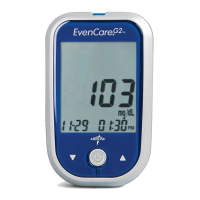
Other manuals for EvenCare G2

Questions and Answers:

EvenCare G2 Specifications

General IconGeneral
Blood Sample Size0.5 μL
Test Time5 seconds
Memory500 test results
Measuring Range20 - 600 mg/dL
Sample TypeWhole blood
Operating Conditions10-40°C, 10-90% RH

Summary

Intended Use

Understanding Your New Blood Glucose System

The EvenCareG2 Meter

Meter Display Screen

The EvenCareG2 Blood Glucose Test Strip

EvenCare G2 Glucose Control Solution (Recommended)

Setting Up Your New System

The Setup Screen

Navigate setup options using meter buttons to configure functions and exit.

Setting the Clock

Configure the meter's date and time settings, essential for data storage.

Setting the Alarms

Set up to three alarms on the meter for timely reminders.

Voice and Beeper Function

Configure the meter's voice and beeper settings for audible feedback.

Language Selection

Choose the display and voice language for the meter.

Voice Function Table

Voice Prompts and Messages

Details WHEN the meter speaks and WHAT it will say for various operations.

Setting Meter Functions via Setup

Guides on configuring meter settings like date, time, and alarms using voice prompts.

Other Warning Messages

Lists meter voice prompts for errors like low battery or meter failure.

Control Solution Testing

Control Solution Trouble Shooting

Addresses causes and solutions for out-of-range control solution test results.

Testing Your Blood Glucose

Preparing Your Lancing Device

Steps for assembling and preparing the lancing device for blood sampling.

Alternate Site Testing (AST) Information

Guidelines and restrictions for performing blood glucose tests on palm or forearm.

Performing a Blood Glucose Test

Step-by-step instructions for obtaining a blood sample and testing.

Understanding Your Blood Glucose Test Results

Viewing Your Meter's Memory

Viewing Stored Readings and Averages

Access test results and 7, 14, 30-day averages stored in the meter.

Caring for the Meter

Changing the Battery

Instructions for replacing the meter's batteries when indicated.

Cleaning the Meter

Proper methods for cleaning the meter without damaging it.

Storage and Precautions

Guidelines for meter handling, temperature, humidity, and warranty.

Solving Problems

Product Warranty

Specifications