Caring for the Meter
Caring for your EvenCare G2 Meter is easy. Follow these simple
guidelines to keep your meter working properly.
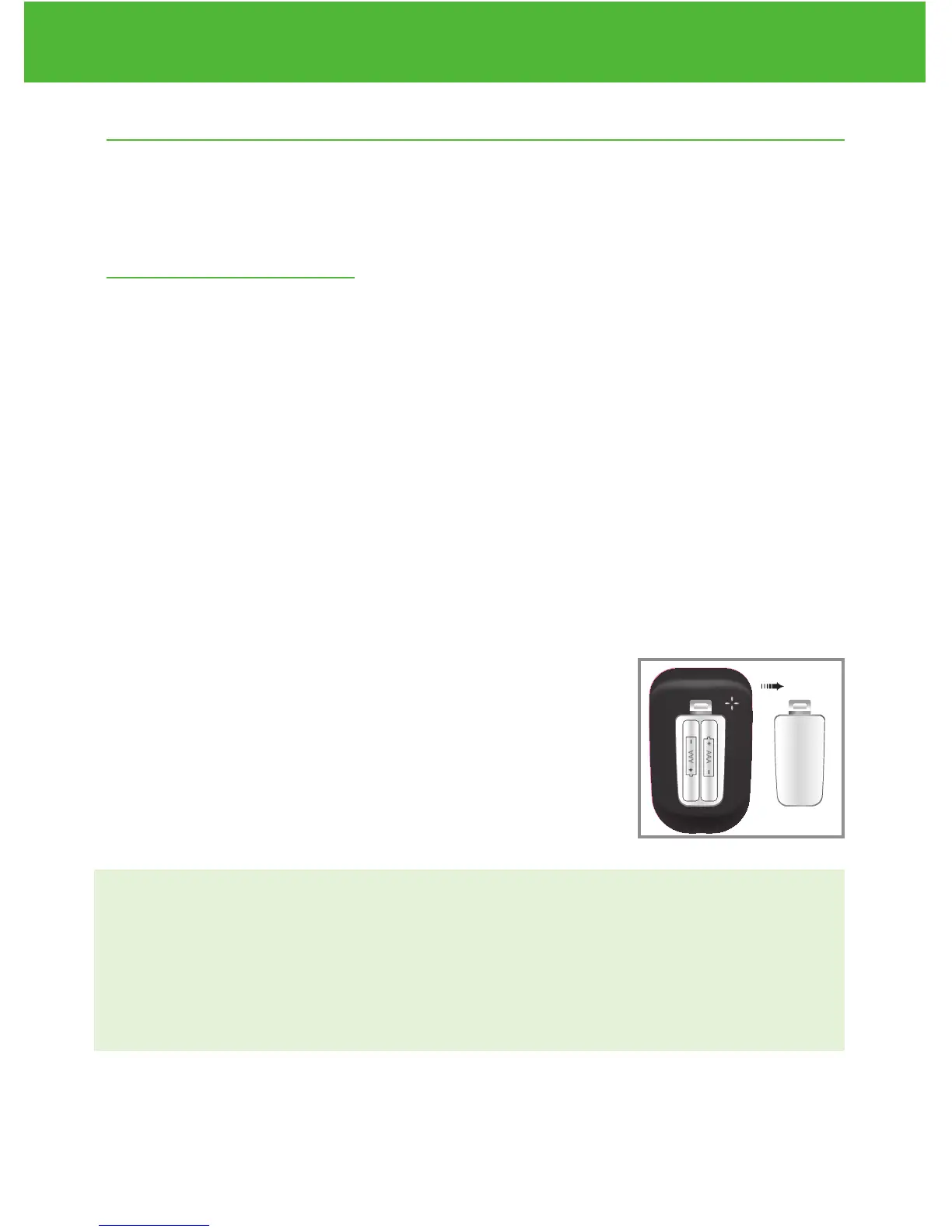
Changing the Battery
Batteries need to be changed when the icon appears on the
meter display.
Materials you will need:
√ Two Alkaline AAA Batteries
√ Your EvenCare G2 Meter
Step 1.
Press firmly on the battery cover and slide in the direction of the arrow.
Step 2.
Insert new batteries . Slide the battery
cover back into the meter firmly.
NOTE:
• Meter will prompt you to reconfirm the date and time when
turned on. See page 1 3 for Setting the Clock.
• The date, stored results, alarm settings, volume setting, and
language choice stay in memory when the batteries are changed.
EvenCareG2
Caring for the Meter
42
DVI
e
g
a
r
otS
e
ru
t
arep
me
T
51
e
t
a
d
n
oi
t
a
ri
px
e
e
h
t
e
rofe
b
r
o
gn
i
n
e
po
t
sr
if r
et
f
a
shtn
om 3
ni
htiw
esU
Low
Control Soluon
Suitable for Self-tesng
www.medline.com
©2010 Medline Industries, Inc.
Manufactured for Medline Industries, Inc.,
Mundelein, IL 60060 USA Made in Taiwan
1-800-MEDLINE RK10APB
Patent# 7655128
DVI
e
g
a
r
otS
erutarepmeT
51
e
t
ad
n
oit
a
ri
px
e eht e
r
ofe
b
r
o
gninepo tsrif retfa shtnom 3 nihtiw esU
Low
Control Soluon
Suitable for Self-tesng



 To Next Page