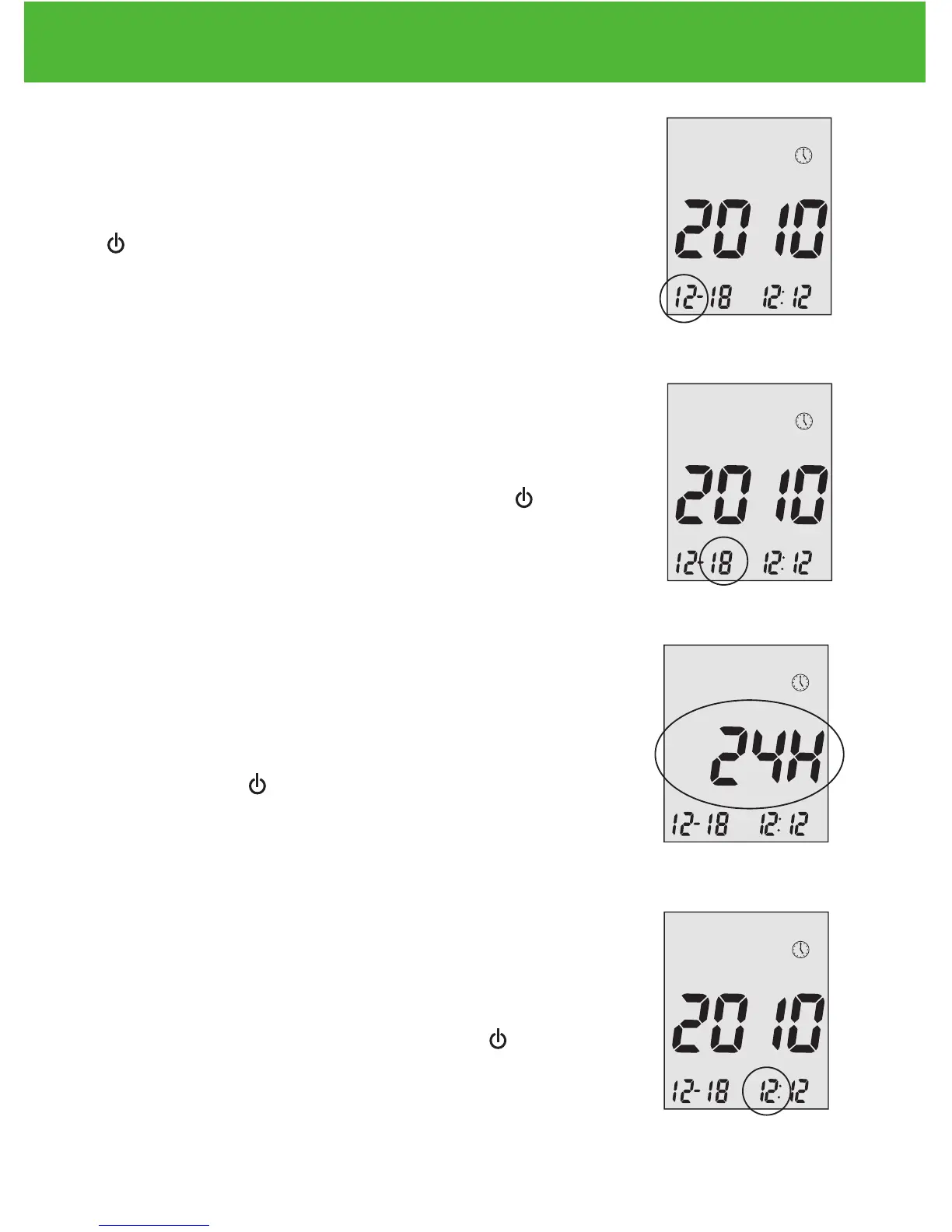
Step 4 - Set the Month:
The current month will flash. If the voice function
is on, the meter will say, “Set Month.” press
▲or▼ to select the correct month. Press Enter (
) to confirm your choice and advance to set the
date.
Step 5 - Set the Date:
The current date will flash. Press ▲or▼ to select
the correct day. If the voice function is on, the
meter will say, “Set Day.” Press Enter ( ) to con-
firm your choice and advance to set time format.
Step 6 - Set Time Format to 12-hour or 24-hour:
The current time format will flash. Press ▲or▼ to
select for either 12-hour format or 24- hour format.
Press Enter ( ) to confirm your choice and ad-
vance to set hour.
Step 7 - Set the Hour:
The current hour will flash. If the voice function is
on, the meter will say, “Set Hour.” press ▲or▼ to
select the correct hour. Press Enter ( ) to con-
firm your choice and advance to set minutes.
EvenCareG2
Setting Up Your New System
14


 To Next Page