Language Selection
Step 1:
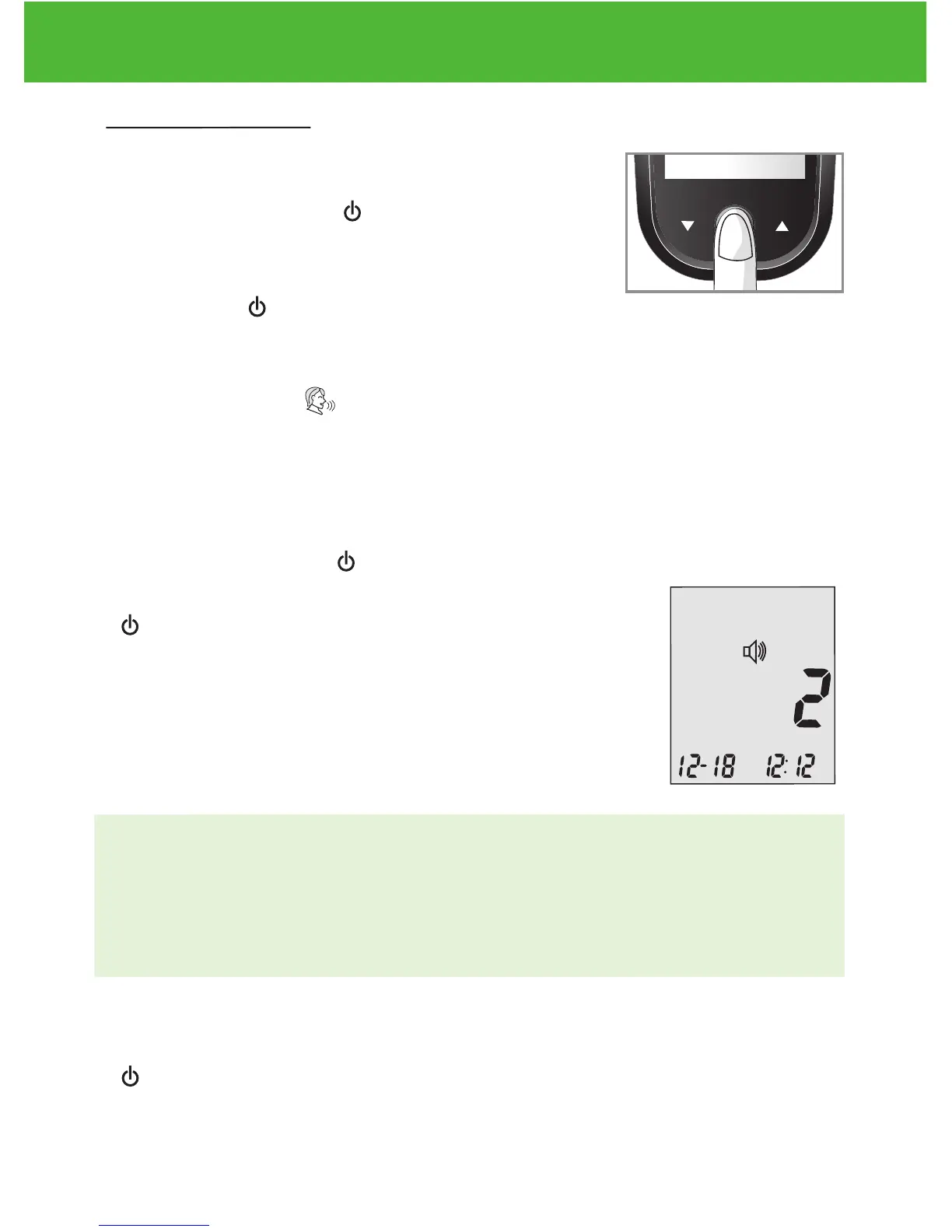
Press and hold Enter ( ) to turn on the meter.
Step 2:
Press Enter ( ) to enter setup screen.
Step 3:
Press ▲or▼ until starts to flash. The meter will announce
“Language Selection.”
Step 4:
The default language (1 on the display screen)
is announced. Press ( ) to change the language.
Press ▲or▼ to select another language. Press
( ) when you have finished selecting the
language and exit language selection. English and
Spanish are the two options.
NOTE:
• Any time during set up you can insert an EvenCare G2 Test Strip
and begin testing. Any changes made so far are stored.
• Your choice of language and volume settings will not be erased
when changing batteries.
Begin testing by inserting an EvenCare G2 Blood Glucose Test Strip
(see page 30, Testing Your Blood Glucose) or press and hold Enter
( ) to turn off the meter.
DVI
e
g
a
r
otS
e
ru
tare
p
m
e
T
51
e
t
a
d
n
oi
t
a
ri
px
e
e
h
t
e
rofe
b
r
o
gn
i
n
e
po
t
sr
if r
et
f
a
shtn
om 3
ni
htiw
esU
Low
Control Soluon
Suitable for Self-tesng
www.medline.com
©2010 Medline Industries, Inc.
Manufactured for Medline Industries, Inc.,
Mundelein, IL 60060 USA Made in Taiwan
1-800-MEDLINE RK10APB
Patent# 7655128
DVI
e
g
a
r
otS
erutarepmeT
51
e
t
ad
n
oit
a
ri
px
e eht e
r
ofe
b
r
o
gninepo tsrif retfa shtnom 3 nihtiw esU
Low
Control Soluon
Suitable for Self-tesng


 To Next Page