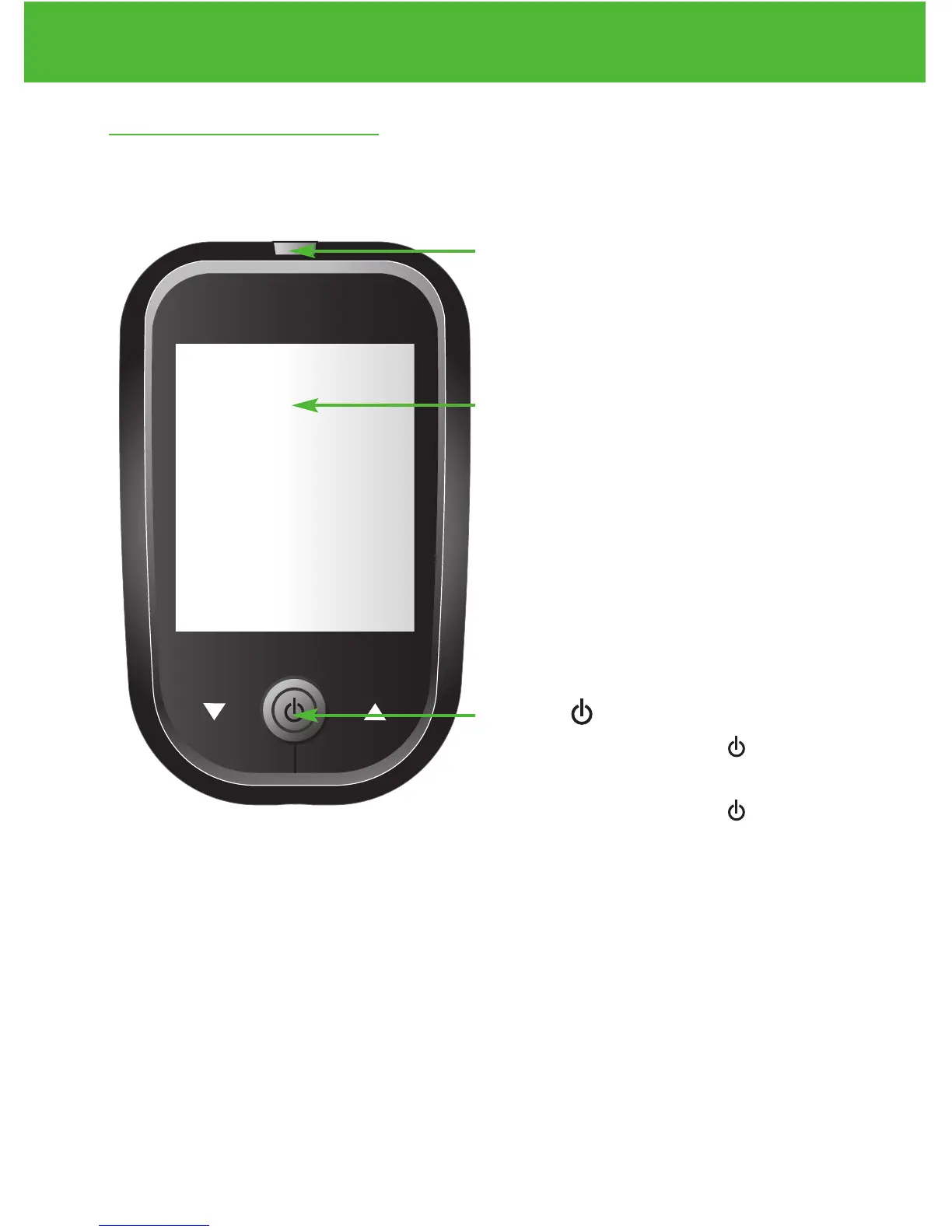
Meter Display
Shows your blood glucose test re-
sults, memory values, averages,
and other messages.
Test Strip Port
Insert test strip (see page 34) to
turn on the meter.
6
Understanding Your New Blood Glucose System
EvenCareG2
Enter ( ) and
▲▼
buttons
Press and hold Enter ( ) for 2
seconds to turn on or off the
Meter, or press Enter ( ) to go
into setup mode when not testing
(see page 12)
Press ▲or▼ to enter control
mode with test strip inserted
(see page 26), during meter
setting (see page 12), or to
navigate the stored test values
and averages (see page 39)



 To Next Page