Viewing Your Meter’s Memory
Your EvenCare G2 Meter automatically stores up to 300 test and control
results with date and time. The meter also provides 7, 14, and 30 day
averaging to help track your blood glucose trend. You must set up the date
and time on your meter properly to use the memory and day averaging
function, see Setting Up Your New System on page 12. The meter will not
memorize test or control results if the date and time are not set.
Viewing Stored Readings and 7, 14, 30 Days Average from
Memory
You will need:
√ Your EvenCare G2 Meter
Step 1:
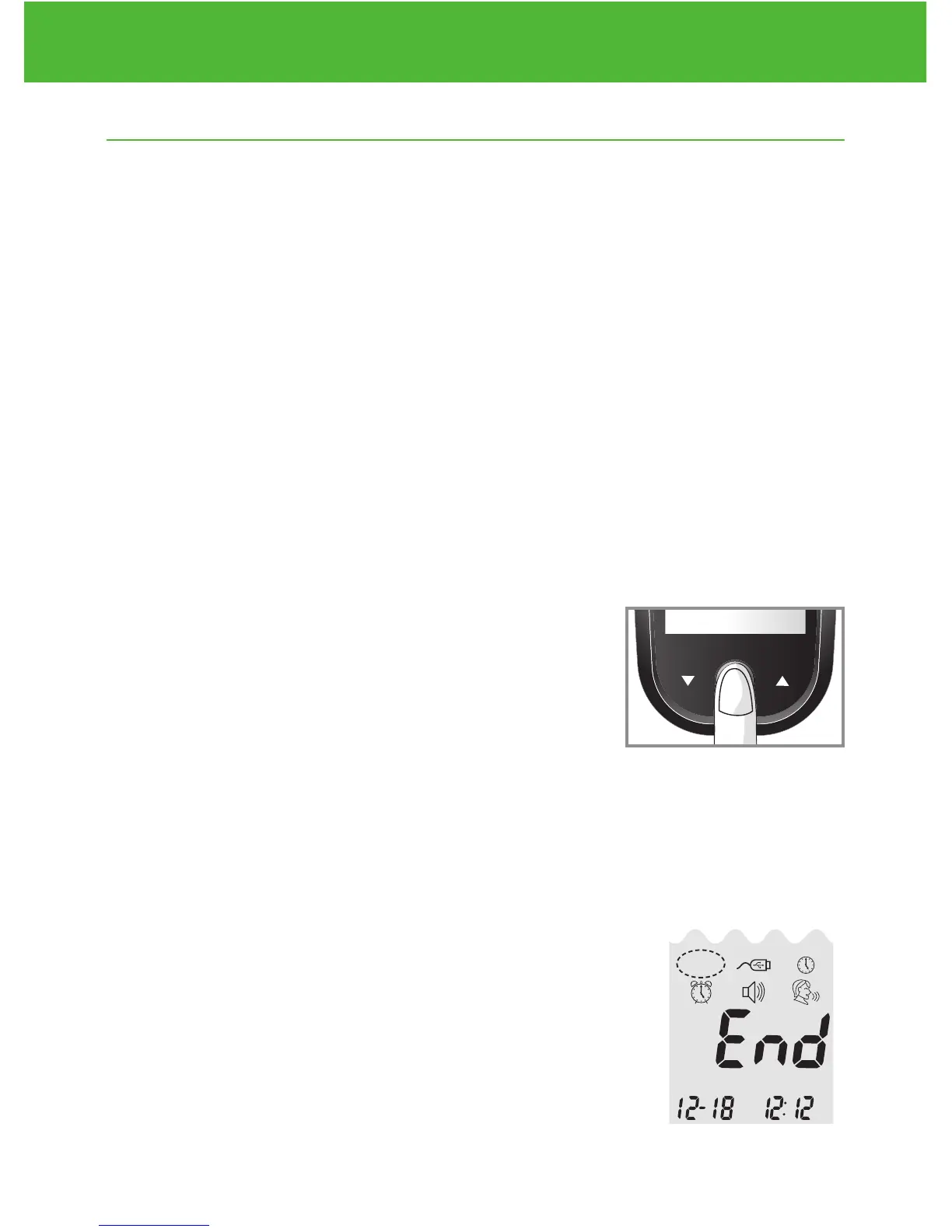
Press and hold Enter ( ) to turn on the meter.
Step 2:
Press Enter ( ) to enter setup screen.
Step 3:
Press ▲or▼ until MEM starts to flash. If the voice function is on, the
meter will say “memory recall.” Press Enter ( ) to enter.
MEM will appear at the upper left corner of the
display screen together with your most recent
testing result. Press ▲ to see the next result,
and the next, and so on. Holding ▲ will flash
through the results.
DVI
e
g
a
r
otS
e
ru
t
are
p
m
e
T
51
e
t
a
d
n
oi
t
a
ri
px
e
e
h
t
e
rofe
b
r
o
gn
i
n
e
po
t
sr
if r
et
f
a
shtn
om 3
ni
htiw
esU
Low
Control Soluon
Suitable for Self-tesng
www.medline.com
©2010 Medline Industries, Inc.
Manufactured for Medline Industries, Inc.,
Mundelein, IL 60060 USA Made in Taiwan
1-800-MEDLINE RK10APB
Patent# 7655128
DVI
e
g
a
r
otS
erutarepmeT
51
e
t
ad
n
oit
a
ri
px
e eht e
r
ofe
b
r
o
gninepo tsrif retfa shtnom 3 nihtiw esU
Low
Control Soluon
Suitable for Self-tesng


 To Next Page