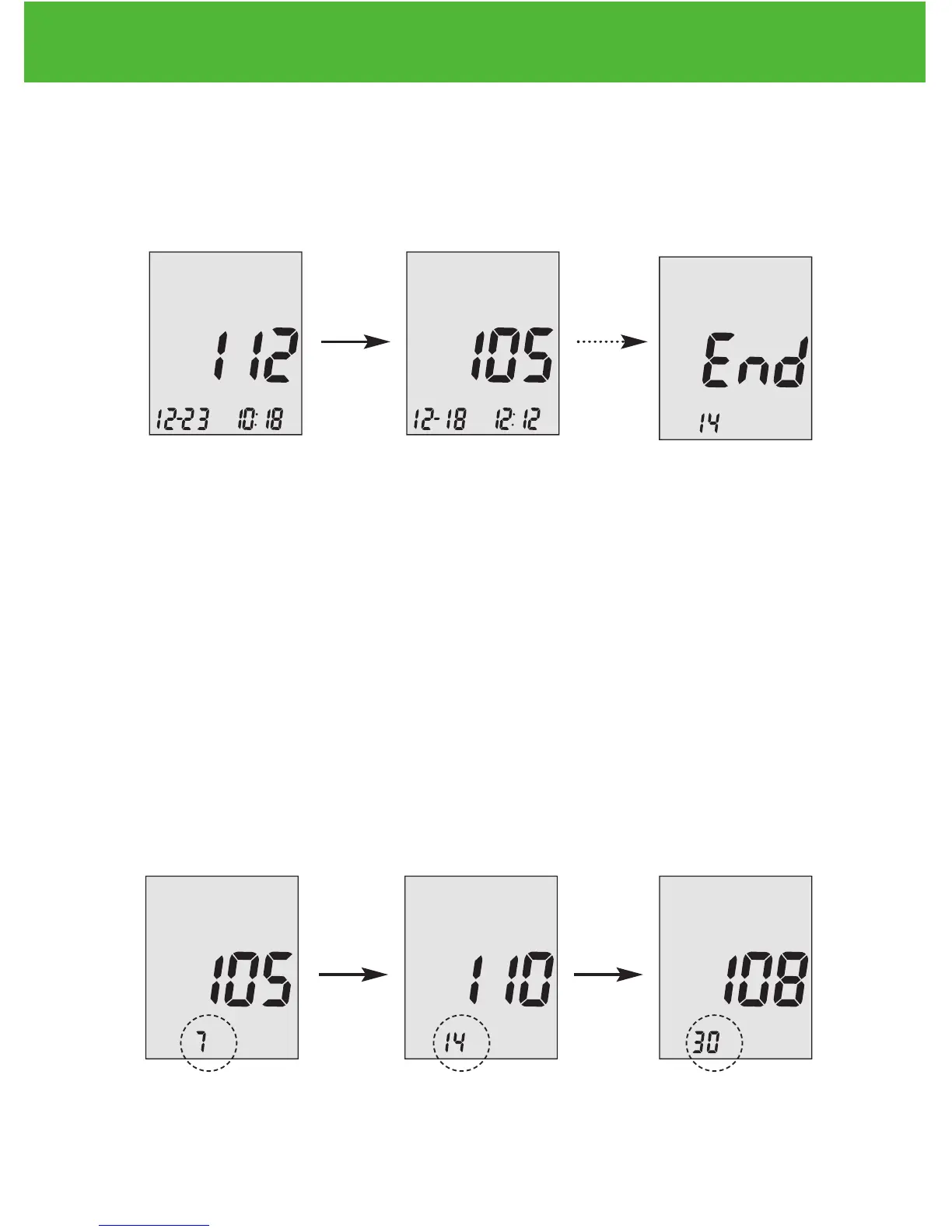
END will appear on the display screen after the last recorded test
result if less then 300 readings are stored. You can press ▼ to go back
viewing from the oldest to the most recent readings.
Step 4.
When you reach the most recent result, continue to press ▼ to start
viewing day averages. The meter will display the 7 day’s average,
press ▼ again to see 14 day’s average, and press ▼ again to see 30
day’s average.
The number of results included in the averages is shown right next
to the icon. Control solution results are not included in the day
average calculations.
EvenCareG2
Viewing Your Meter’s Memory
40


 To Next Page