Voice and Beeper Function
Your meter has a voice function that can be used as a verbal aid for
using the meter and hearing test results. The default setting for the
voice function is on, and can be switched off to conserve battery power.
When the voice function is off, the meter will beep to alert you
to important messages.
You will need:
√ Your EvenCare G2 Meter
Setting Volume
Step 1:
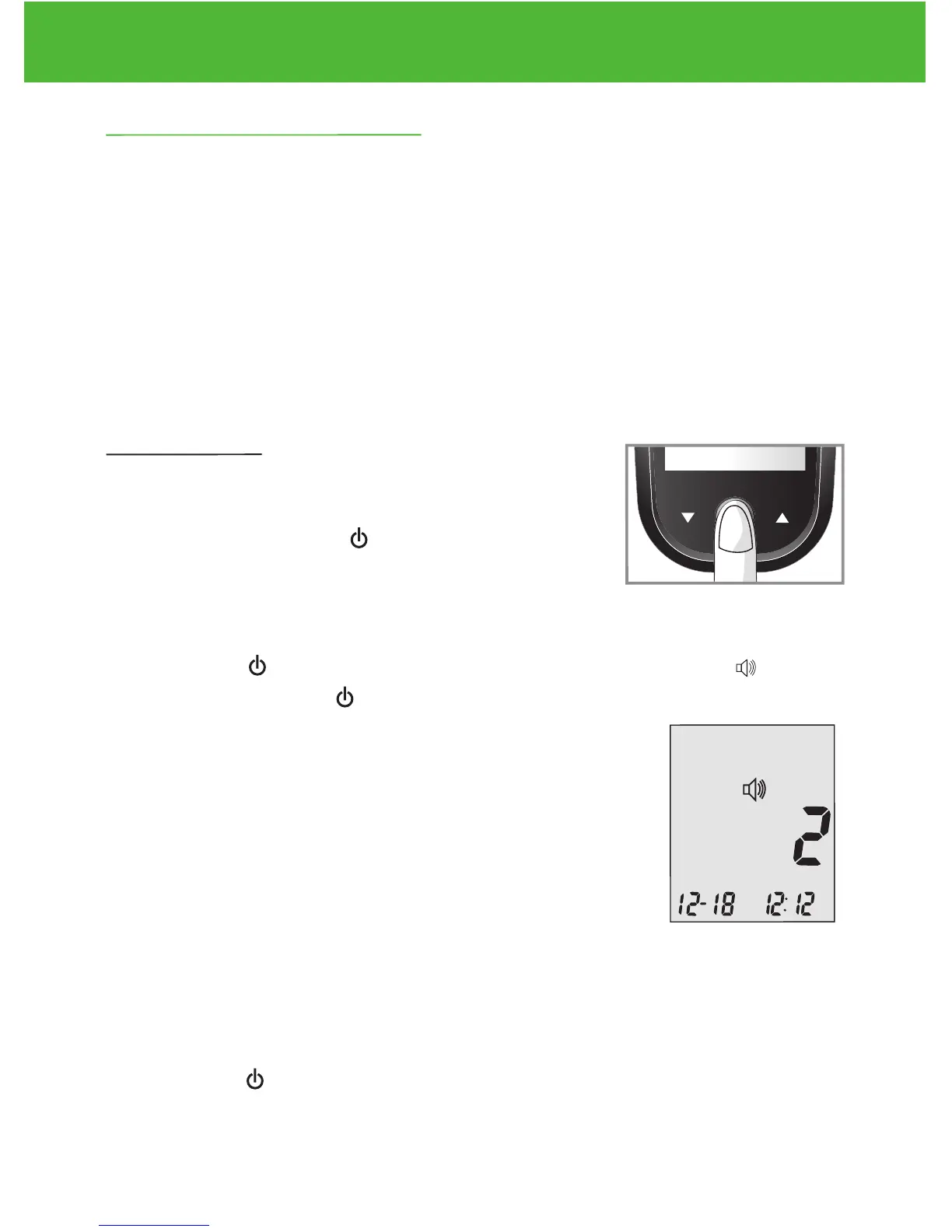
Press and hold Enter ( ) to turn on the meter.
Step 2:
Press Enter ( ) to go into setup screen. Press ▲or▼ until starts
to flash. Press Enter ( ) to enter volume setting.
Step3:
The display screen will show the current sound
volume (default is 2).
Press ▲or▼ to adjust the sound volume from 1
(lowest) to 5 (highest). A melody will sound
according to the sound volume you have selected. Setting to 0 will
turn off the voice function. The meter will instead beep to alert you to
important messages. Once you have determined the suitable volume,
press Enter ( ) again to exit volume setting.
DVI
e
g
a
r
otS
e
ru
tare
p
m
e
T
51
e
t
a
d
n
oi
t
a
ri
px
e
e
h
t
e
rofe
b
r
o
gn
i
n
e
po
t
sr
if r
et
f
a
shtn
om 3
ni
htiw
esU
Low
Control Soluon
Suitable for Self-tesng
www.medline.com
©2010 Medline Industries, Inc.
Manufactured for Medline Industries, Inc.,
Mundelein, IL 60060 USA Made in Taiwan
1-800-MEDLINE RK10APB
Patent# 7655128
DVI
e
g
a
r
otS
erutarepmeT
51
e
t
ad
n
oit
a
ri
px
e eht e
r
ofe
b
r
o
gninepo tsrif retfa shtnom 3 nihtiw esU
Low
Control Soluon
Suitable for Self-tesng



 To Next Page