106
Alert Descriptions and Actions (continued)
Notifications
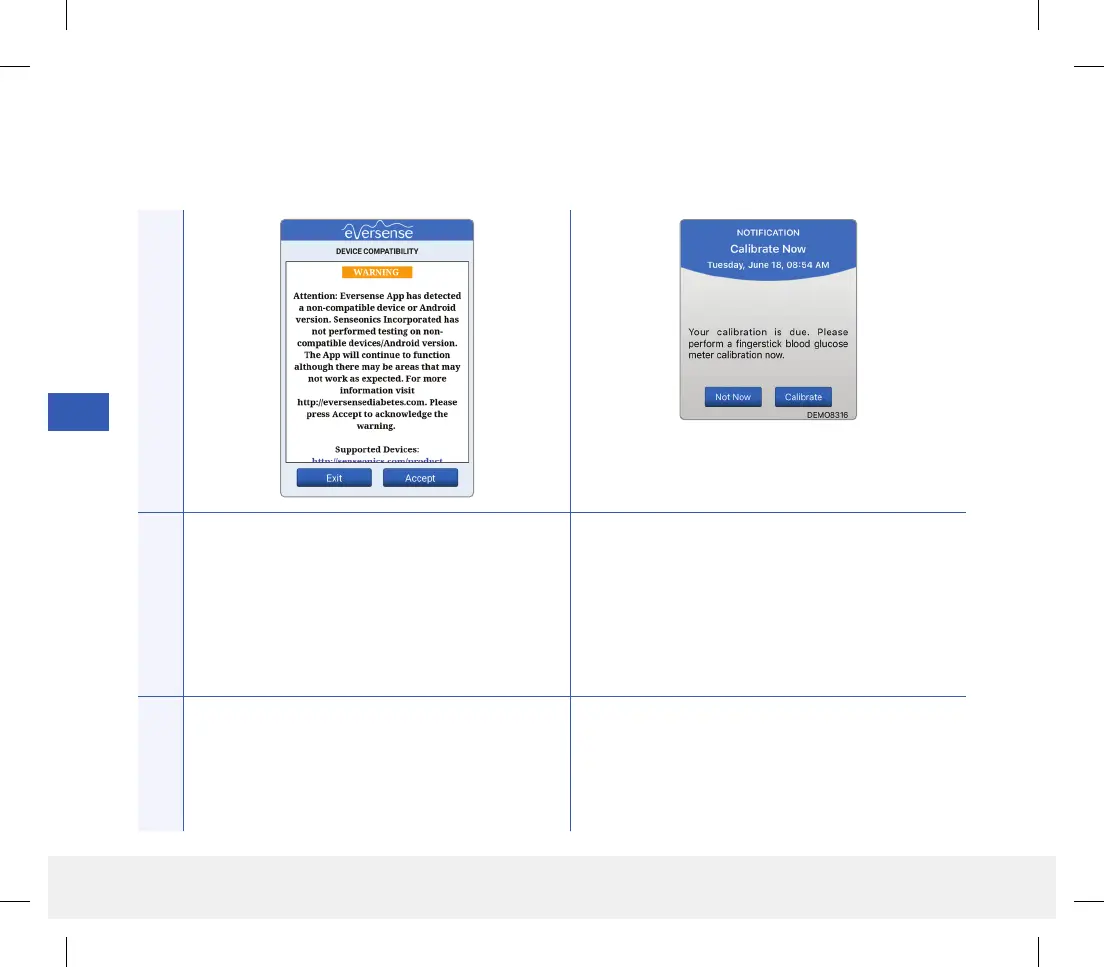
App DisplayDescription
Incompatible Device/Operating System
Appears when an incompatible device/operating
system is being used with the app.
Calibrate Now
Appears when it is time for you to calibrate.
Actions
For a list of compatible devices/operating systems
visit eversensediabetes.com.
Do a fingerstick blood glucose test and enter the
reading as your calibration value. DO NOT use an
alternative site (such as forearm) to obtain your
blood glucose reading.
LBL-1602-01-001 Rev N_Eversense User Guide_mgdL_R1.indd 106LBL-1602-01-001 Rev N_Eversense User Guide_mgdL_R1.indd 106 2/26/20 12:59 PM2/26/20 12:59 PM



 To Next Page