134
Alerts and Notifications Displayed on the Apple Watch (continued)
Apple Watch
Display
Description
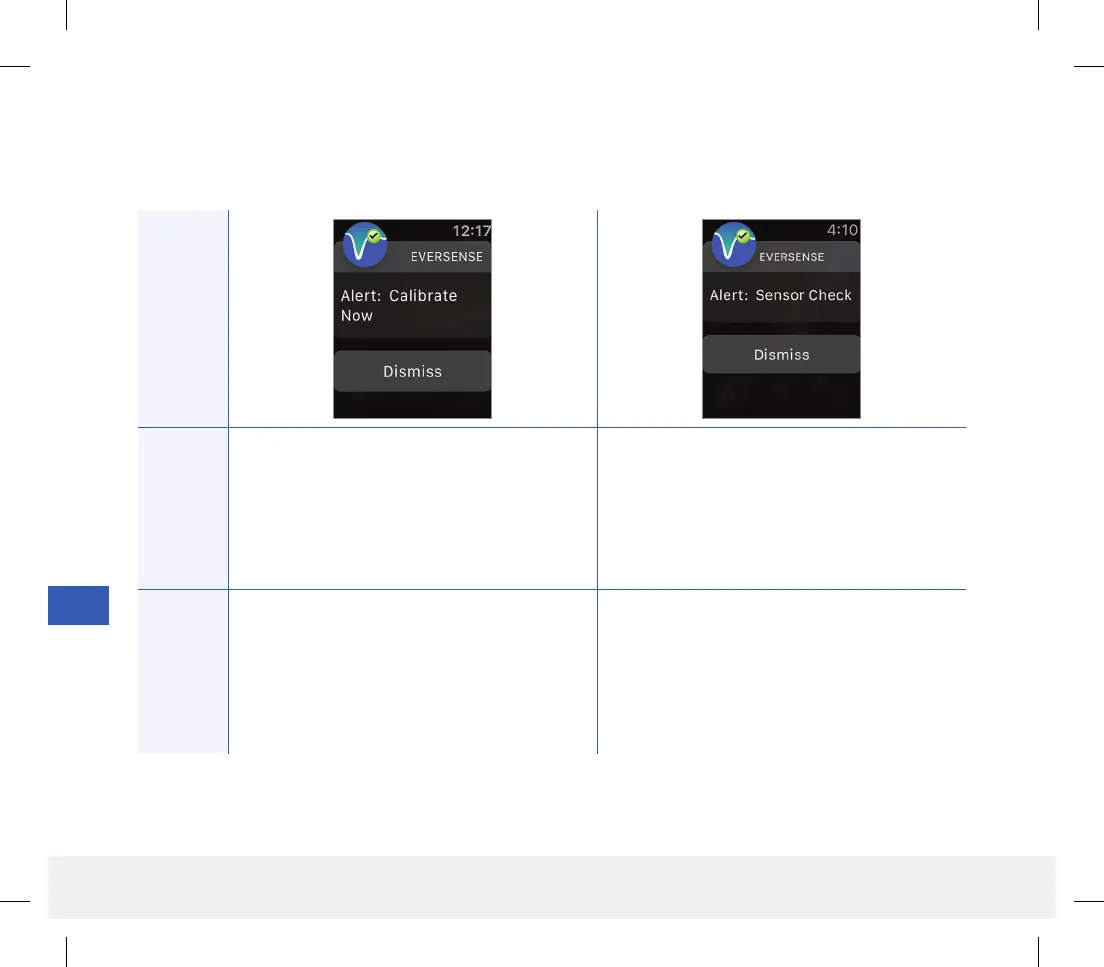
Calibrate Now
Appears to alert you that your calibration is due.
If you do not calibrate within 4 hours, glucose
values will no longer be displayed.
Sensor Check
Appears once when the system’s internal checks
detect instability with the sensor which requires a
return to calibration Initialization Phase.
Actions
Confirm the alert on your Eversense CGM
Mobile App. Tap Calibrate on your mobile
device to enter a calibration value.
Confirm the alert on your Eversense CGM
Mobile App. In the Initialization Phase, you
must perform 4 fingerstick calibrations spaced
2 - 12 hours apart. Display of glucose readings
will resume after the 2nd successful fingerstick
calibration.
Alerts
LBL-1602-01-001 Rev N_Eversense User Guide_mgdL_R1.indd 134LBL-1602-01-001 Rev N_Eversense User Guide_mgdL_R1.indd 134 2/26/20 12:59 PM2/26/20 12:59 PM



 To Next Page