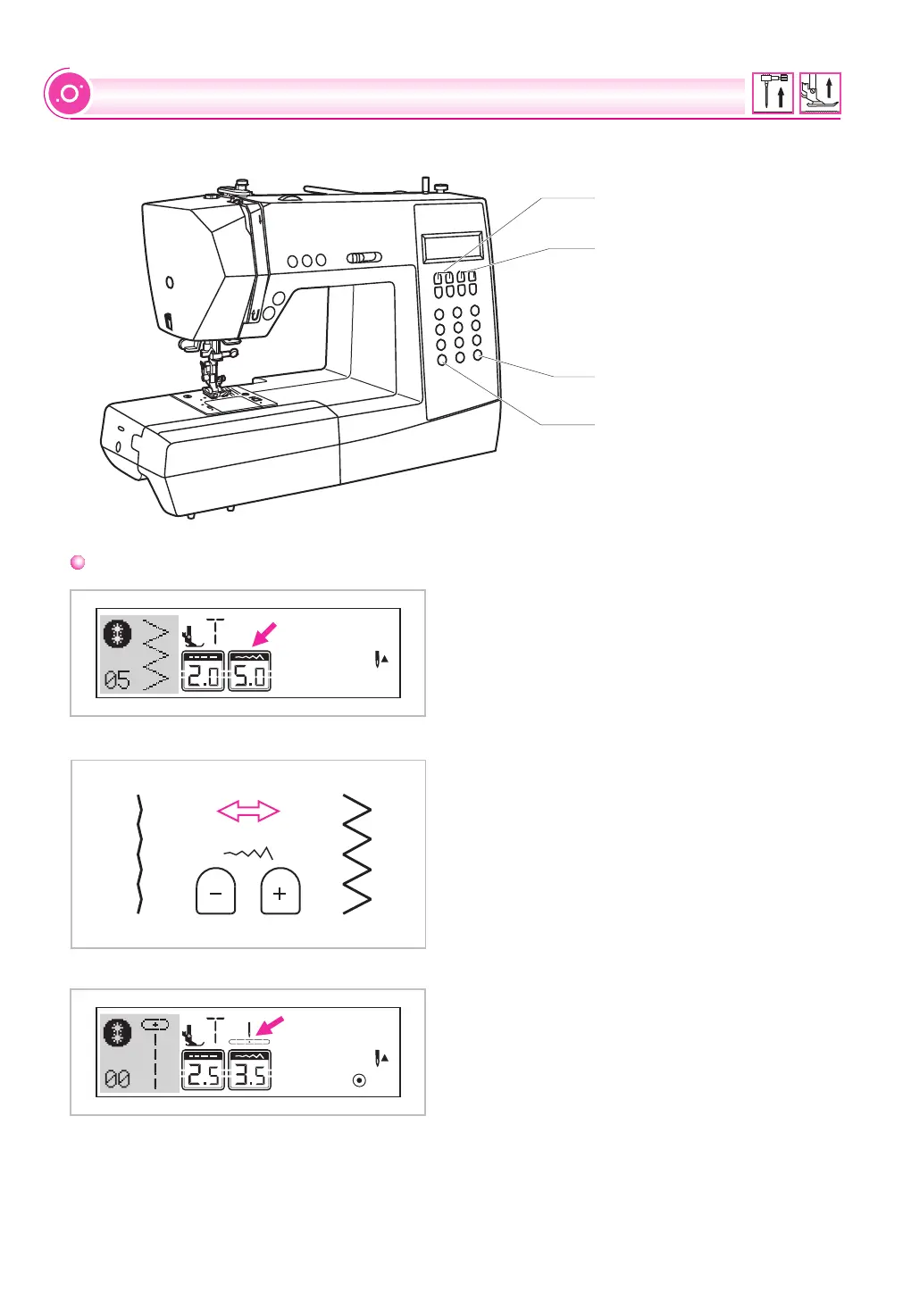
Stitch width adjustment button
Mode selection button
Mirror button
FUNCTION BUTTONS
When you select a stitch, the machine will
automatically set the recommended stitch width,
which will be indicated by numbers on the LCD
screen. The stitch width can be regulated by
pressing the stitch width adjustment buttons.
Certain stitches have a limited stitch width.
For a narrower stitch, press the " " button (left).
For a wider stitch, press the " + " button (right).
The stitch width can be adjusted between "0.0-
7.0".
Certain stitches have a limited stitch width.
When
are selected, the needle position is regulated
by the stitch width adjustment buttons. Pressing
the " " button (left), will move the needle to
the left and pressing the " + " button (right),
will move the needle to the right. The numbers
will be changed from left position "0.0" to
extreme right position "7.0". The pre-set center
needle position will be indicated as "3.5".
Direct Patterns 1-4, and Patterns 00-04
Stitch width
adjustment buttons
Stitch length
adjustment buttons
31


 To Next Page