18
Preparing the Motherboard
Installing the CPU
Be very careful when handling the CPU. Hold the processor only by the edges
and do not touch the bottom of the processor.
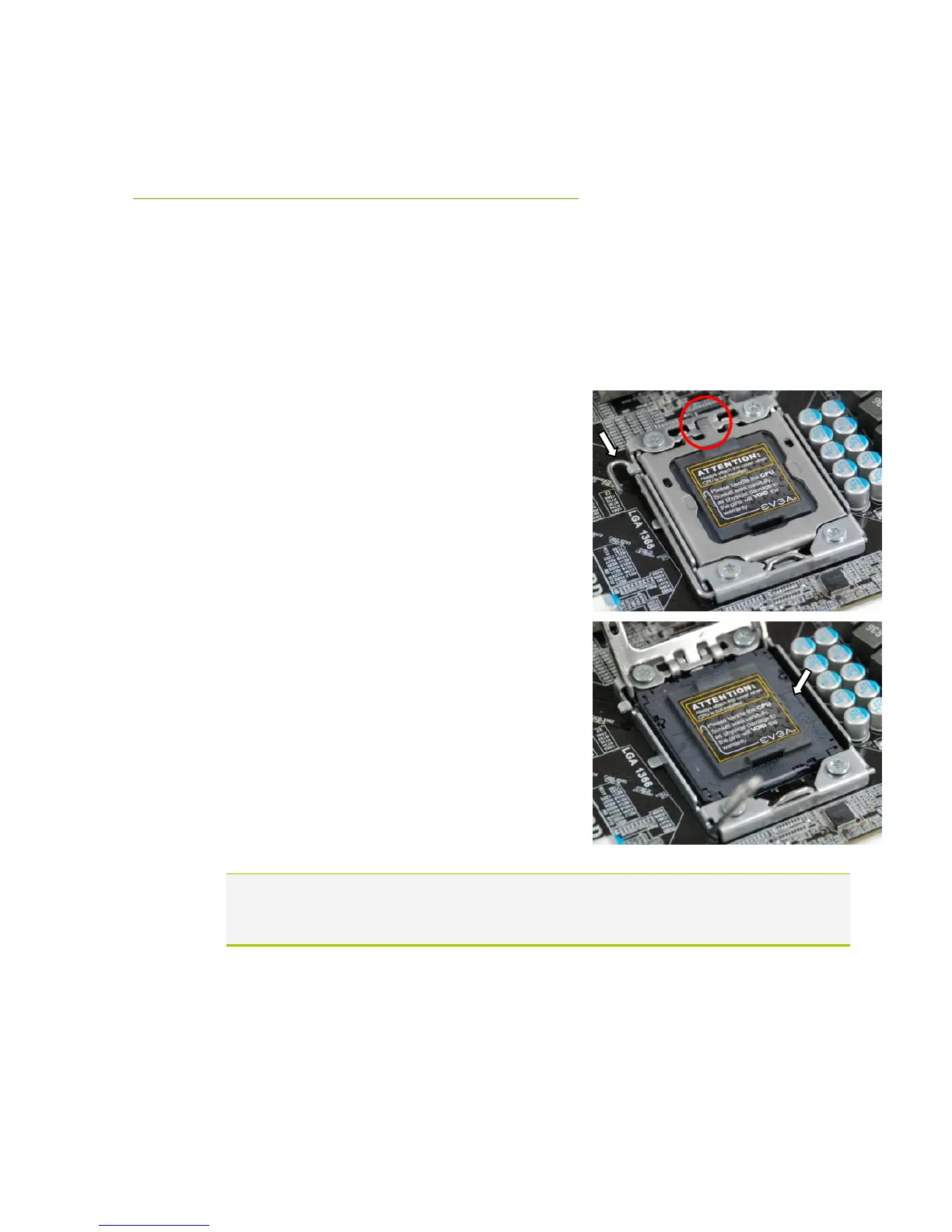
Use the following procedure to install the
CPU onto the motherboard:
Unhook the socket lever by pushing down and
away from the socket.
Put your finger on the tail of the load plate
and press down with light pressure to lift the
load plate up.
Lift the load plate. There is a protective socket
cover within the CPU socket to protect the
socket when there is no CPU installed.
Remove the protective socket cover from the
CPU Socket.
Note: Remove the process from its protective cover, making sure you hold it
only by the edges. It is a good idea to save the cover so that whenever
you remove the CPU you have a safe place to store it.



 To Next Page