22
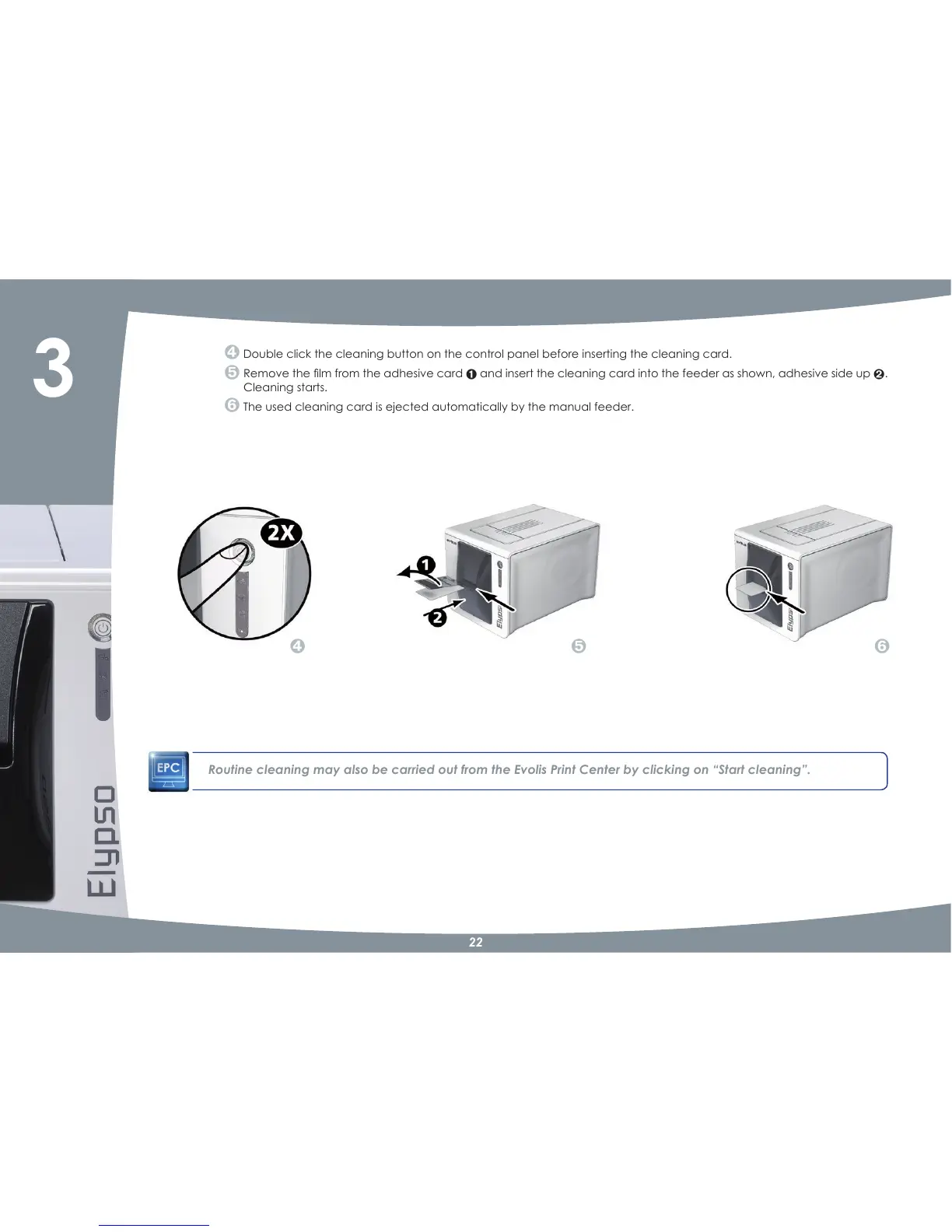
Double click the cleaning button on the control panel before inserting the cleaning card.
5HPRYHWKHÀOPIURPWKHDGKHVLYHFDUG
and insert the cleaning card into the feeder as shown, adhesive side up
.
Cleaning starts.
The used cleaning card is ejected automatically by the manual feeder.
Routine cleaning may also be carried out from the Evolis Print Center by clicking on “Start cleaning”.
3



 To Next Page