53
³
&RQÀJXULQJWKH(YROLV3ULQW&HQWHU
:KHQÀUVWLQVWDOOLQJWKH(YROLV3ULQW&HQWHUWKHPDJQHWLFHQFRGHUIXQFWLRQVQHHGWREHFRQÀJXUHG7KHPDJQHWLFHQFRGHUIXQFWLRQVPD\
be accessed from the Evolis Print Center Properties by rightNclicking the name of the printer.
³
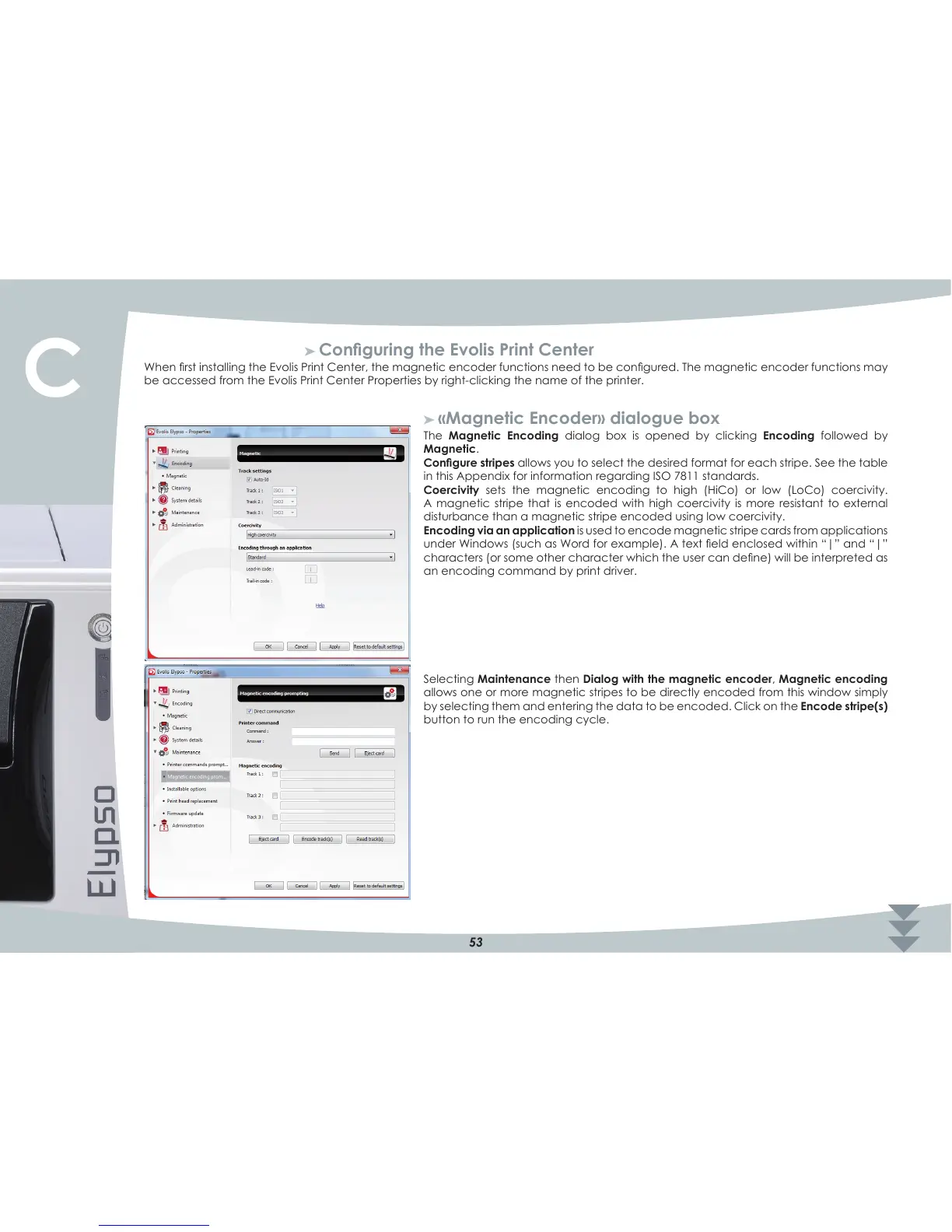
«Magnetic Encoder» dialogue box
The Magnetic Encoding dialog box is opened by clicking Encoding followed by
Magnetic.
&RQÀJXUHVWULSHVallows you to select the desired format for each stripe. See the table
in this Appendix for information regarding ISO 7811 standards.
Coercivity sets the magnetic encoding to high (HiCo) or low (LoCo) coercivity.
A magnetic stripe that is encoded with high coercivity is more resistant to external
disturbance than a magnetic stripe encoded using low coercivity.
Encoding via an application is used to encode magnetic stripe cards from applications
XQGHU:LQGRZVVXFKDV:RUGIRUH[DPSOH$WH[WÀHOGHQFORVHGZLWKLQ´_µDQG´_µ
FKDUDFWHUVRUVRPHRWKHUFKDUDFWHUZKLFKWKHXVHUFDQGHÀQHZLOOEHLQWHUSUHWHGDV
an encoding command by print driver.
Selecting Maintenance then Dialog with the magnetic encoder, Magnetic encoding
allows one or more magnetic stripes to be directly encoded from this window simply
by selecting them and entering the data to be encoded. Click on the Encode stripe(s)
button to run the encoding cycle.
C



 To Next Page