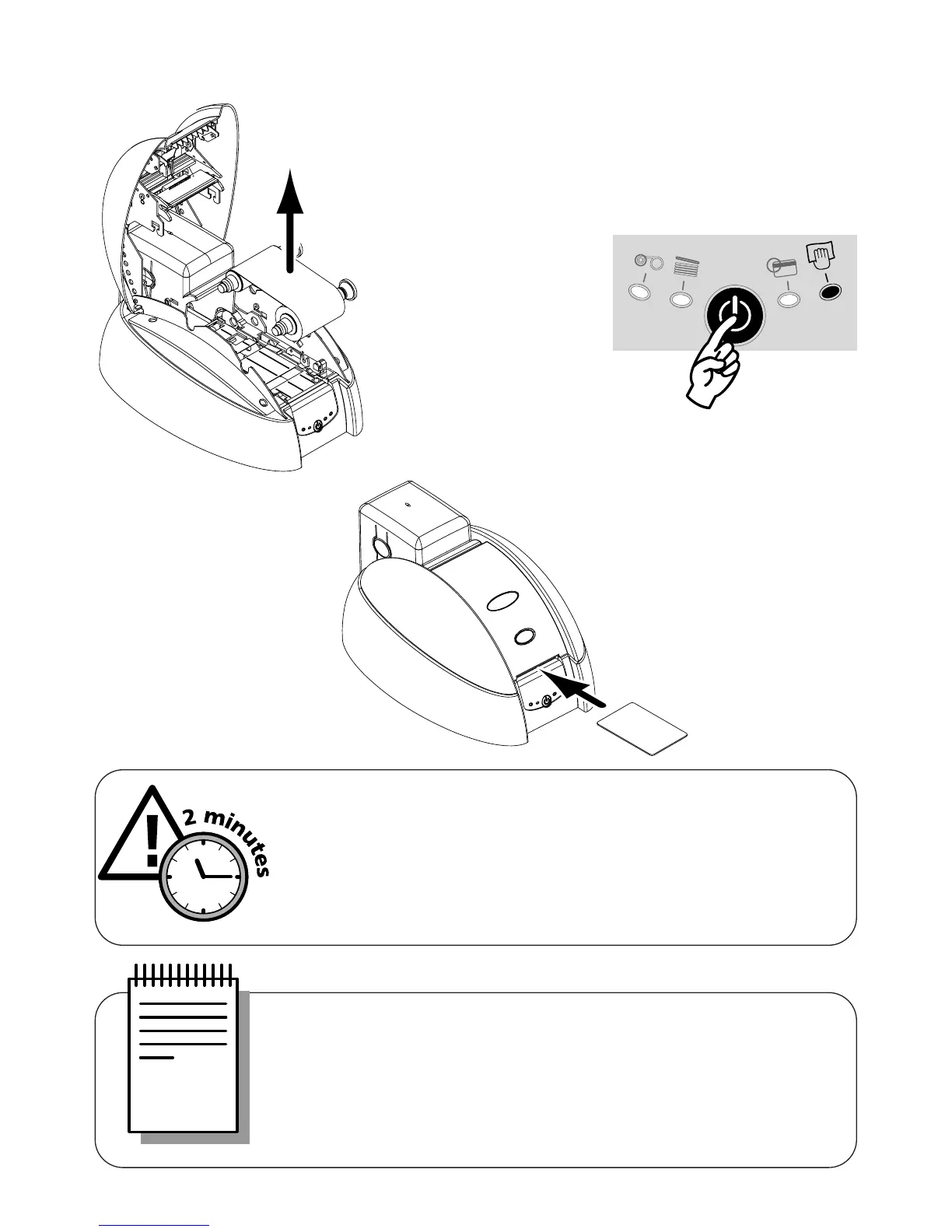
1. Remove the ribbon from the printer. Then close cover.
19
WARNING !
After a cleaning cycle, wait 2 minutes for the cleaning fluid to
evaporate completely before using the printer.
NOTE !
It is also possible to start an automatic cleaning sequence without
waiting for the printer light signal. This is done by pressing on the
Control Panel push button for a few seconds. In this case, first repeat
operations 1, 2 and 3 quoted above.
To carry out cleaning of the inside of the printer :
2. Press the Push Button
from the printer
Control Panel.
3. Open pouch and remove the
cleaning card. Insert Cleaning
Card in the printer Card
Feeder as shown. The
cleaning starts.



 To Next Page