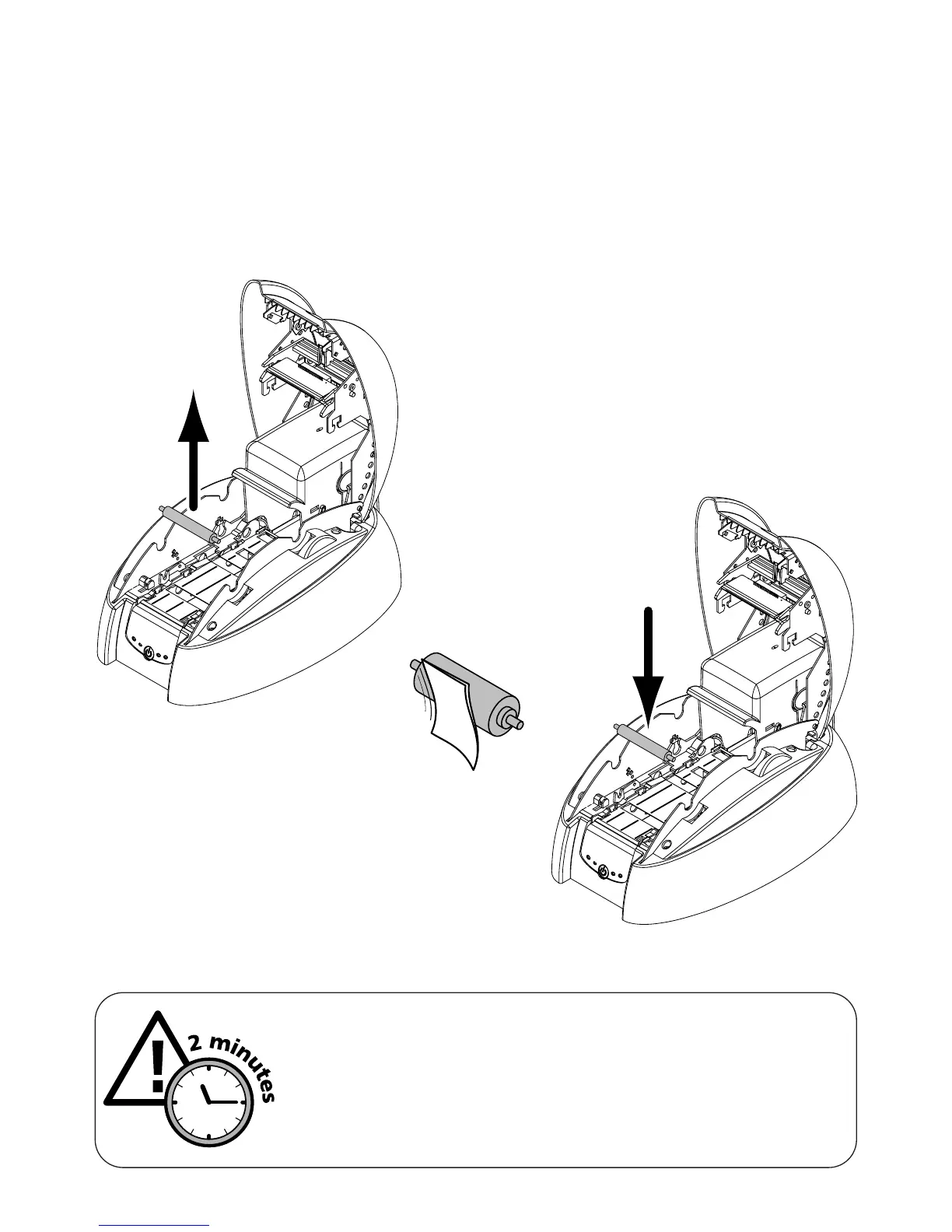
3. Maintainance of the cleaning roller
Your Tattoo printer has a cleaning roller. Its adhesive surface retains the dust when cards are run-
ning through.
Although the cleaning of this roller is carried out during the automatic cleaning of the printer, it is
nevertheless recommended that you clean it regularly (about every 100 cards) and simply with a
cloth supplied with the cleaning case in order to ensure that the card surface is perfectly clean.
To carry out the maintenance of the cleaning roller :
21
1. Open the printer cover.
2. Locate the roller and remove it from the printer
3. Clean the roller with a cloth from your cleaning
case. Remove all the dust by rubbing lightly
with the cloth over the whole surface of the
roller.
4. Once dry replace the roller in the printer
then close the cover.
WARNING !
After a cleaning cycle, wait 2 minutes for the cleaning fluid to
evaporate completely before using the printer.



 To Next Page